
Idomoo review 2026: Features, pros, cons, and the best alternative


Summarize with





If you’ve been looking into video automation tools, this Idomoo review will help you decide whether it’s the right one to go with.
Today, we’ll break down exactly what the platform offers, including its core features, pros and cons, pricing, and real user feedback. We’ve looked closely at how Idomoo handles personalized video creation, After Effects workflows, and automated video generation to give you a clear, realistic picture of what to expect.
So, by the end of this review, you’ll know whether Idomoo is the right fit for your use case… or if you are better off looking elsewhere.
What is Idomoo?
Idomoo is a video automation platform used to create videos at scale.
In practice, it lets you take a video template, connect it to data, and automatically generate multiple versions of that video. Each version can be customized with different text, visuals, and other elements, depending on the input.
Its main value proposition and benefits come down to 3 things:
- Compatibility with After Effects
- Ability to create personalized videos
- Automated video generation
And while it can theoretically be used to create any type of video in bulk, it’s built primarily for personalized video use cases for enterprise users, rather than general video automation.
As of lately, they’ve also been leaning more heavily into AI, introducing tools aimed at generating videos from text and similar.
Idomoo features overview
Now that we’ve covered what Idomoo is and who it’s built for, let’s take a closer look at how the platform actually works.
From what we’ve seen, Idomoo revolves around a few core components - After Effects compatibility, a template editor, personalized video workflows, and its own rendering infrastructure.
After Effects compatibility
One of Idomoo’s main selling points is that it works with Adobe After Effects templates.
In theory, this means you can take an existing AE project, prepare it for automation, and then use it inside Idomoo to generate multiple video versions.
It’s not all that simple in practice, though.
Namely, before you can use an AE template, you need to convert it into their proprietary format called an IDM file. And to do that, you have to install a plugin and go through a setup process that prepares the project for their system.
Seems like not that big of a deal? Well, think again.
Because the template is no longer running as a native After Effects project, not all effects, styles, and features are fully supported. That means you don’t actually have the full level of creative control that you’d have when working directly in AE.
The same applies to rendering. While they do offer cloud rendering, it’s not running on a standard After Effects infrastructure. Instead, it’s based on their own system built around the very same IDM format, which further separates it from a true AE workflow.
In other words, while Idomoo is technically compatible with After Effects, it doesn’t replicate the full AE environment end-to-end.
Storybuilder
Storybuilder is Idomoo’s built-in editor used to configure how your videos are generated.
Inside Storybuilder, you create what Idomoo calls a storyboard, which is essentially the structure of your video made up of multiple scenes.

You create a storyboard by combining different scenes, defining how data flows into the video, and setting rules for what gets shown and when.
At a basic level, the Storybuilder lets you:
- Select and arrange scenes into a sequence
- Connect placeholders (text, images, audio) to data
- Apply simple logic to control which scenes appear
- Add audio or voiceovers
That said, the editor itself is fairly limited.
Most of what you can do in it revolves around swapping content and applying basic logic. Say you need advanced control over animations, transitions, or how elements behave over time. You won’t be able to set up any of that!
This also ties back to the IDM format we mentioned earlier. Because everything is based on pre-defined scenes and placeholders coming from the converted template, you don’t really have the flexibility to dynamically adjust layouts, timing, or more complex motion behaviors during rendering.
So while Storybuilder works well for straightforward personalization setups, once things get more complex, you start feeling the limits pretty quickly.
Bulk video personalization
This bulk video editor gives you a couple of ways to scale video generation:
- By uploading a CSV file
- Triggering renders via their API
- Through their integrations with HubSpot, Salesforce, or Amazon Q
How it works is, you take your storyboard, connect it to the data source, and generate multiple video versions where text, images, scenes, and more change based on each row or API call.
They also support a form of layer-based logic.
For example, the timing of elements in a scene can adjust depending on the content. If one layer ends later, the next one can follow accordingly, which helps keep things somewhat in sync during rendering.
It all sounds great when you hear it, we know. But in reality, this type of logic is fairly limited. You don’t really get more advanced control over how layers behave.
So, yes, bulk personalization works well to an extent, but becomes a lot harder to manage once your data or scenarios get more complicated.
Idomoo player

Idomoo has its own native video player designed to support personalized experiences.
It also comes with built-in analytics to track how viewers are engaging with your videos and measure performance beyond views.
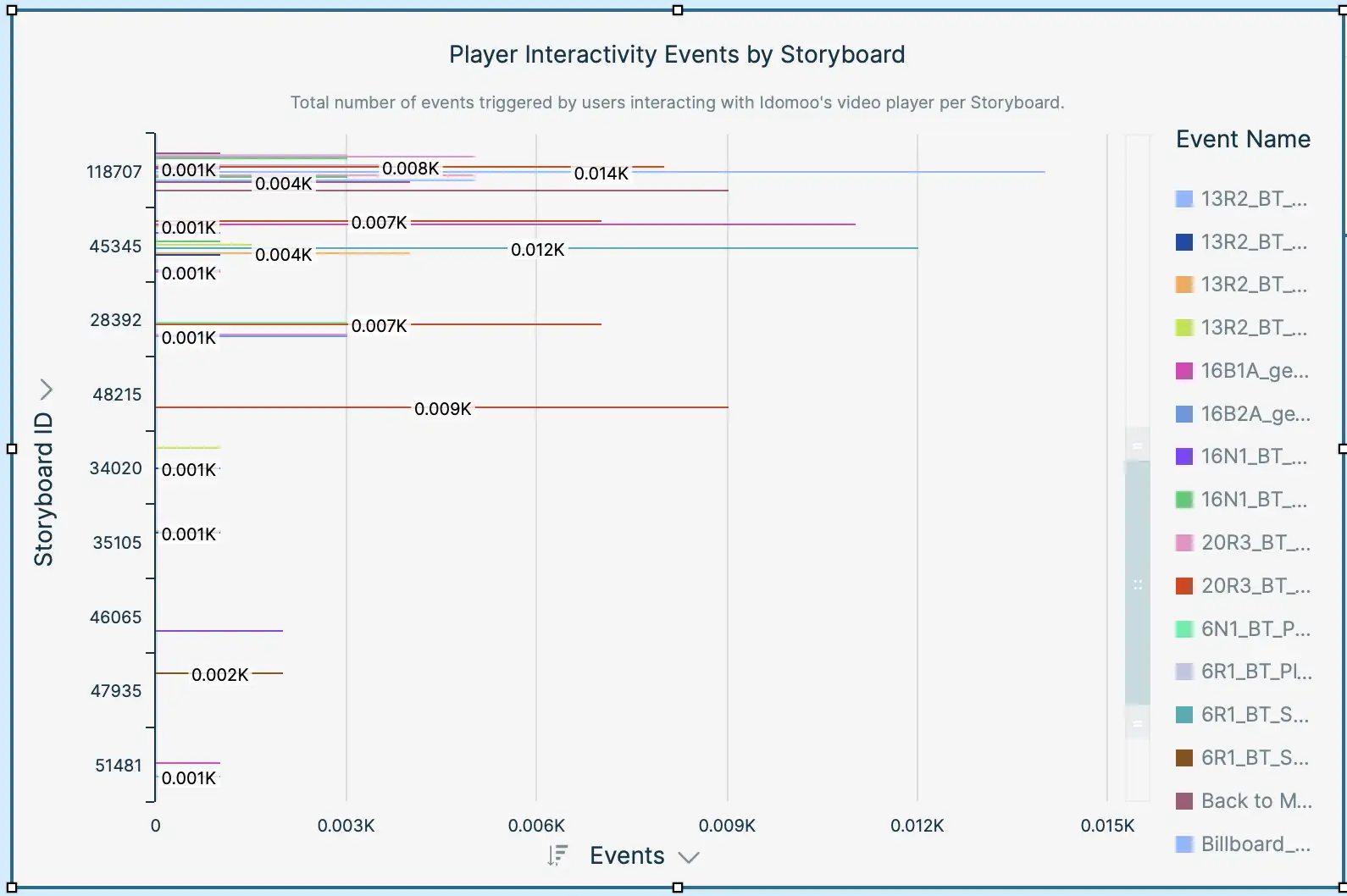
But what's really interesting about this player is its interactive nature. Namely, you can add clickable elements, including hotspots, CTAs, and scene navigation directly inside the video, which means viewers can skip to the part they care about, explore different paths, or take action without ever leaving the player.
That’s a big deal for enterprise use cases, for onboarding, product education, support, and sales enablement, in particular, because it makes the experience feel much more hands-on.
And since the player also tracks viewer behavior and feeds that into the analytics we mentioned above, users can see what people are clicking, where they drop off, and much more.
Lucas AI video creator
Remember how we mentioned earlier that Idomoo has been leaning into leveraging the power of AI lately? Well, that comes in the form of their tool, Lucas AI - essentially a text-to-video generator.
To use it, you enter a prompt, choose the video length, review the generated content, a.k.a. script, select a call to action and format, and save so Lucas can do its thing. It then creates 4 videos for you with different elements, text, and colors, and you can choose the one you like most.
Users can somewhat customize their video output by editing colors, narrator, music, text, and so on. It also supports 100+ languages, which makes it a good asset for video localization.
From a use case perspective, this AI video generator is meant to speed up content creation and help save time, especially in the business context when creating onboarding videos, internal communication, ads, or explainer content.
And yes, it works well for quickly generating videos and supports some level of customization and versioning. Still, you’re only getting 4 versions of the same video, so we can’t say Lucas AI is really built for scale, plus the footage stays the same across all of them. Not to mention, the editing process is pretty manual, which is quite the opposite of what video automation software is meant to do.
API
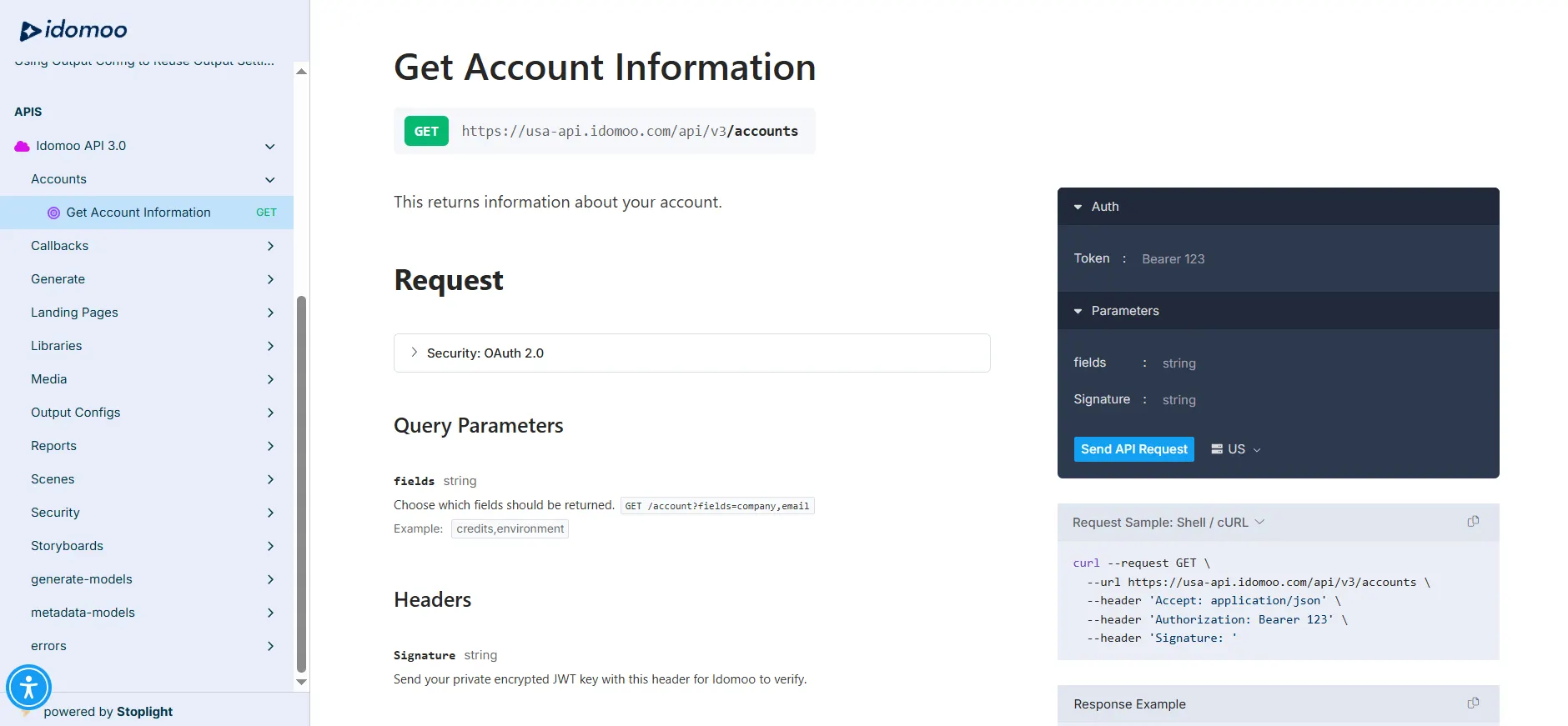
Idomoo provides a fairly robust API that lets you:
- Generate videos from storyboards or individual scenes
- Pass dynamic data to personalize each video
- Manage scene libraries, storyboards, and outputs
- Retrieve analytics and reports
- Set up callbacks to get notified when renders are complete
So from a capabilities standpoint, it’s solid.
You can plug it into your backend, trigger video generation programmatically, and build fully automated workflows around it.
The catch is, Idomoo’s ecosystem is quite API-driven. And while they do offer a few native integrations, the list is relatively limited.
Don’t get me wrong, if you want to connect it to your stack or build more advanced workflows, you can absolutely do it.
But since the process is very API-agnostic, you need to know your way around the code or have a developer assist you with the process. Either way, it’s not the most beginner-friendly setup.
Setup & support
One thing that becomes pretty clear once you start looking into Idomoo is that it’s not really a self-serve tool.
Setting everything up - from preparing templates and storyboards to connecting data and launching personalized video campaigns - usually requires a fair amount of guidance.
And this isn’t just coming from us. It’s something their customers are saying as well.
For example, one of their users on g2.com mentioned:
‘’Building video journeys without the help of the Idomoo team can be challenging.’’
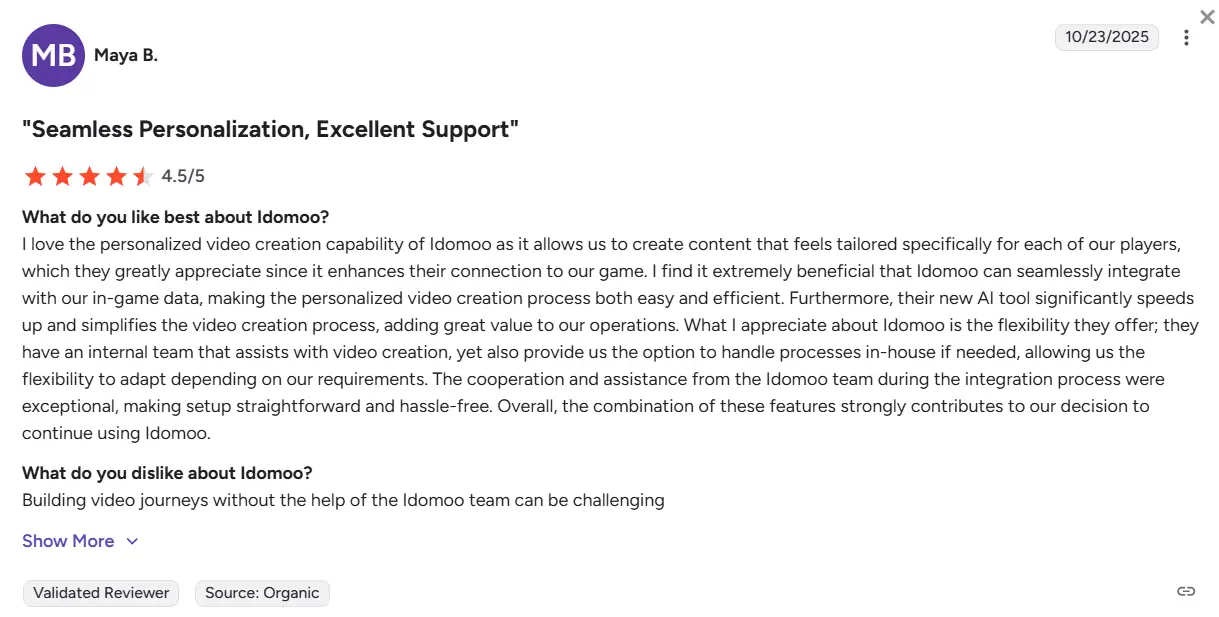
The platform is powerful, no doubt. But getting to the point where everything runs smoothly requires extensive onboarding, documentation, and help from their team.
Idomoo pricing

Idomoo doesn’t publicly disclose its pricing.
Instead, if you want to get a quote, you’re prompted to go through a short questionnaire and leave your contact details before they get back to you.
From what they do share, pricing is based on:
- Video volume
- Level of support
- Type of use case (personalized, interactive, AI video, etc.)
… which makes sense, given their preference for enterprise clients.
But without any clear pricing tiers, it’s hard to quickly evaluate whether the tool fits your budget or compare it with other options. You basically need to go through the sales pitch just to get a rough idea of the cost.
So while the flexibility is there, the lack of transparency can be a bit of a drawback, particularly if you’re still in the research phase.
Idomoo reviews
Most positive reviews highlight Idomoo’s core strength: personalization at scale.
One user mentioned:
‘’The personalization capabilities were very impressive, enabling us to deliver millions of unique video messages at scale.’’ (Source: G2)
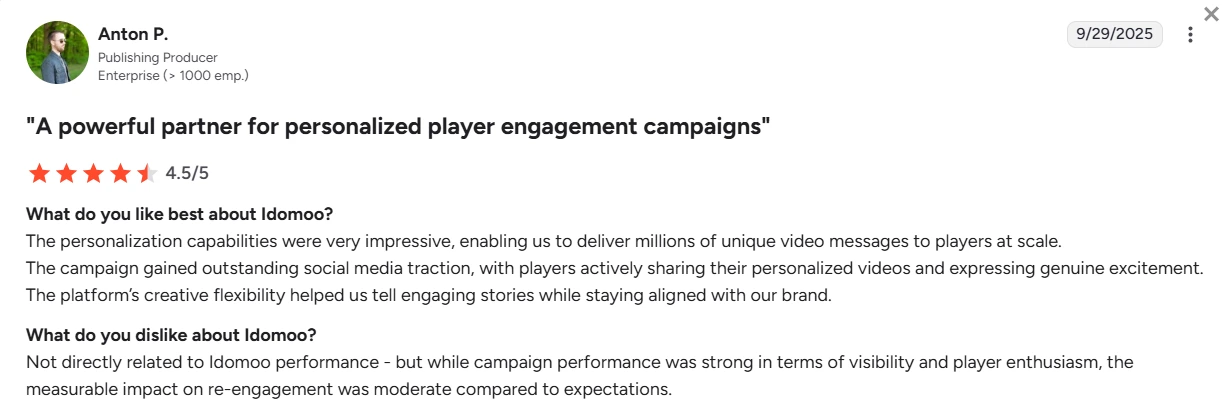
And that’s consistent across the board. When everything is set up properly, the platform does exactly what it promises.
Another thing users consistently praise is support.
For example:
‘’Engagement & support throughout the project - Had a real can-do attitude, offering solutions to any challenges along the way.’’ (Source: G2)
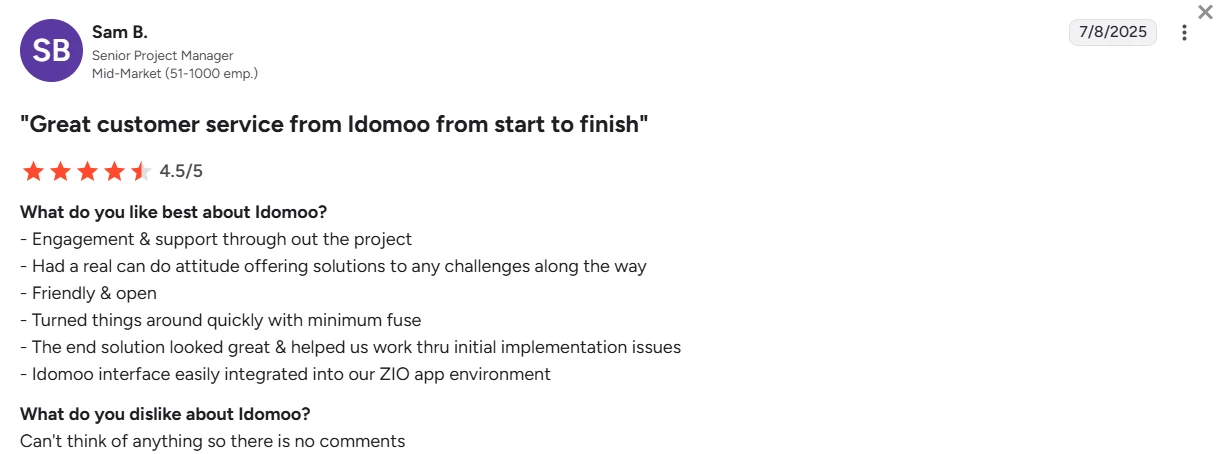
And:
‘’Idomoo help you personally to create videos and solve any problems as well as guide you through the entire process. They are proactive and fast in providing solutions.’’ (Source: G2)

So there’s no denying it - their team is responsive, proactive, and heavily involved in helping users succeed.
On the flip side, the negative feedback mostly ties back to the same thing we’ve been mentioning throughout this review: complexity.
One user put it directly:
‘’Running an Idomoo campaign is harder than it first looks. It requires thorough creative work.’’ (Source: G2)
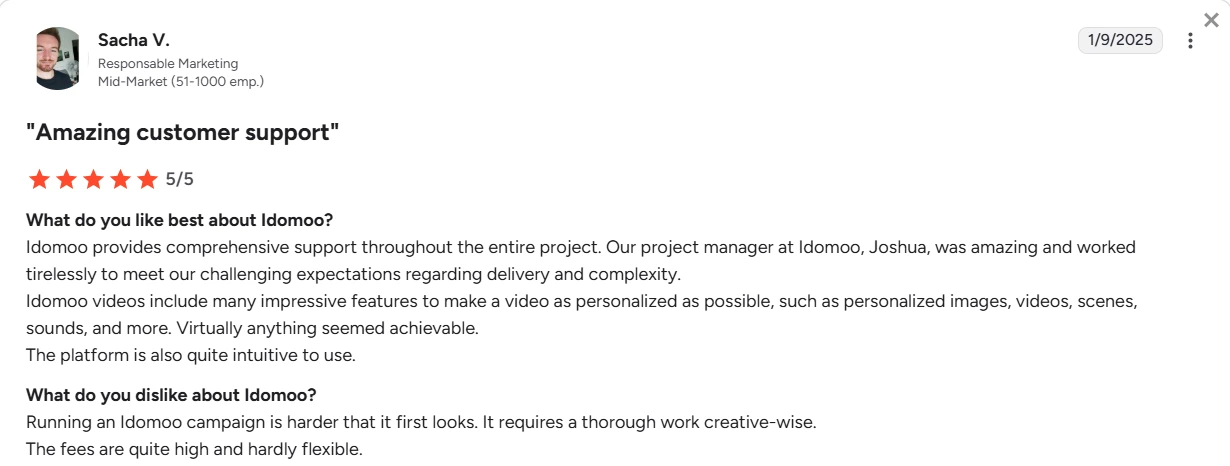
Others mention limitations in analytics:
‘’The platform provudes limited reports and anlytics. It would have been best if there are reports generated per campaign or project created.’’ (Source: G2)
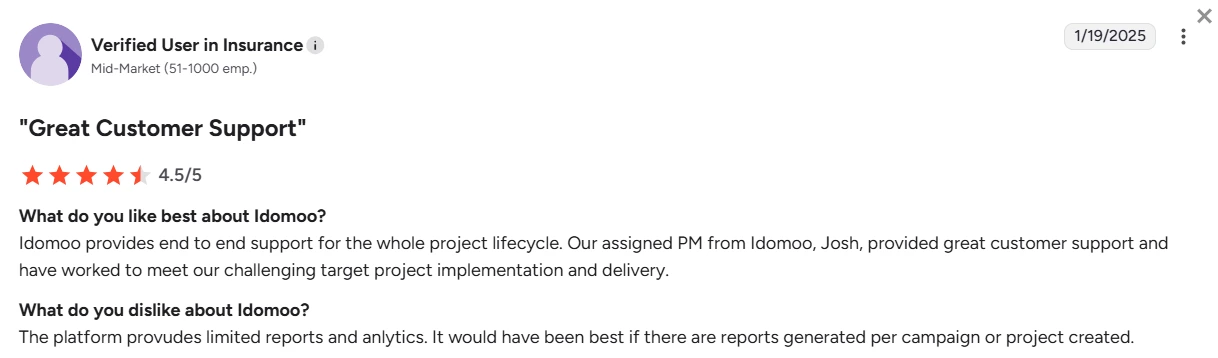
And there are also occasional issues with the technology behind Idomoo, especially when it comes to integrations with other tools:
“There were some technical issues (on both sides) with setting up the connection between our instance of Salesforce Marketing Cloud and Idomoo's.” (Source: G2)
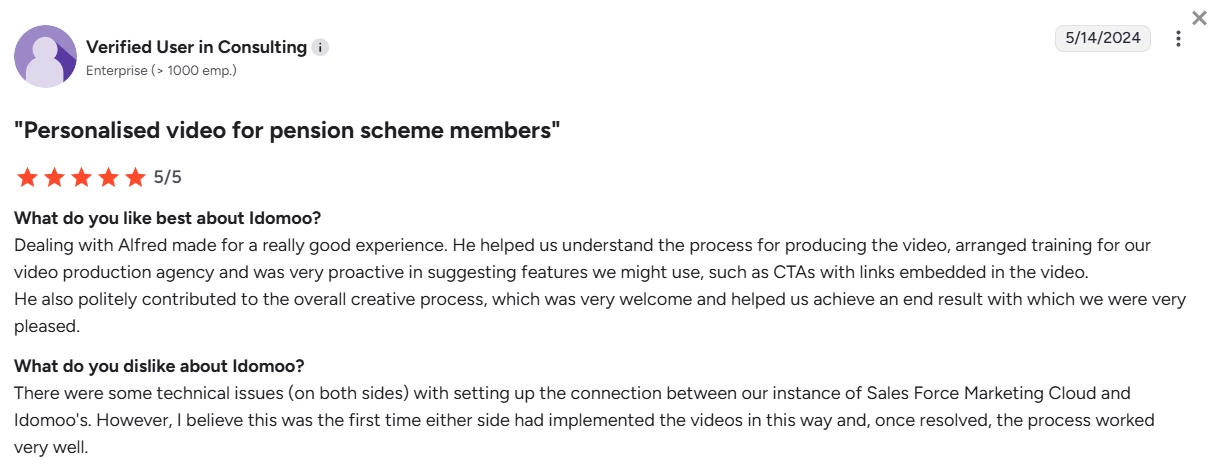
Pricing also comes up as a concern, with some users mentioning that it can be on the higher end and not very flexible.
If you zoom out, there’s a clear pattern. Users love the results and the support.
But at the same time, that level of support is often necessary just to get things up and running.
And that’s the tradeoff.
Because ideally, a tool like this should simplify the process of video generation. It should allow you to set things up and manage campaigns on your own - not rely on ongoing back-and-forth with a support team.
Best Idomoo alternative: Plainly Videos
Finding Idomoo too complex? Lucky for you, there’s an Idomoo alternative, and it comes in the form of Plainly Videos.
Much like Idomoo, Plainly is a video automation software that uses your After Effects Templates to render 100s, even 1000s of video versions at scale (similar to a batch render in After Effects setup, but automated). Only, it’s simple enough so it’s easy to use by non-technical and technical teams.
At its core, Plainly lets you take a fully designed After Effects project, connect it to data, and automatically generate multiple versions of that video.
Each version can dynamically change text, images, videos, and other elements based on your input - whether that’s coming from a CSV file, API, or integrations.
But unlike Idomoo, Plainly isn’t limited to just personalized video use cases.
It’s built for broader video automation, meaning you can create anything from simple variations for personal projects to more complex, fully dynamic video workflows, without being constrained by predefined scene logic or template limitations.
And since everything runs directly on native After Effects files, you keep full creative control over your templates, animations, and rendering.
No conversions. No workarounds. Just your original AE project, automated.
How Plainly outshines Idomoo
After Effects compatibility & infrastructure
One of the biggest differences comes down to how both tools handle After Effects.
With Idomoo, you’re required to convert your project into their proprietary IDM format, which limits what you can actually use from AE.
Plainly takes a different approach. It works directly with native After Effects files, meaning everything you build in AE stays exactly the same, including effects, expressions, animations, and overall structure.
Data-driven video creation
Idomoo focuses on the automation of personalized videos, and to be fair, they do that well.
But Plainly goes beyond that. It’s built for full automated video versioning, which means you can create:
- Personalized videos
- Social media variations
- Product videos
- Ad creatives
… and any other type of video that needs to be generated at scale, really. In other words, you’re not locked into one specific use case.
Layer scripting
Plainly supports advanced layer scripting that controls how templates behave at render time.
Namely, you can apply both static and dynamic scripts to layers and even entire compositions.
In practice, that means you can:
- Dynamically adjust timing and duration
- Control layer visibility and positioning
- Modify text, media, and styling based on input data
- Even change composition structure depending on what data you pass in
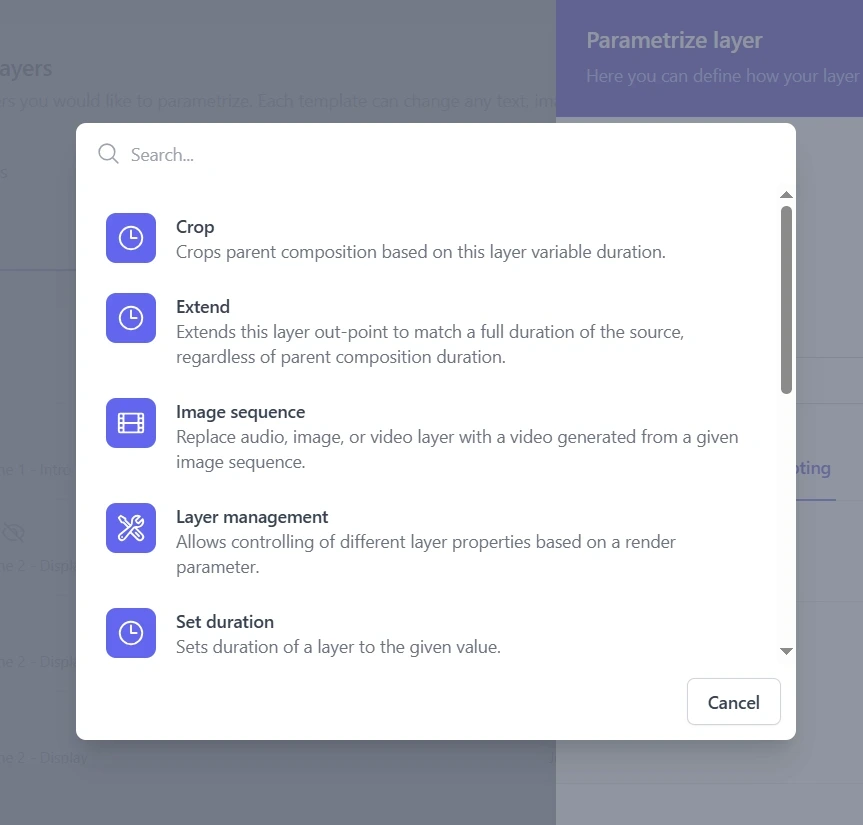
On top of that, scripts are executed in a specific order, which you can define yourself. This gives you much more precise control over how the final video is built.
Broader integrations & workflow support
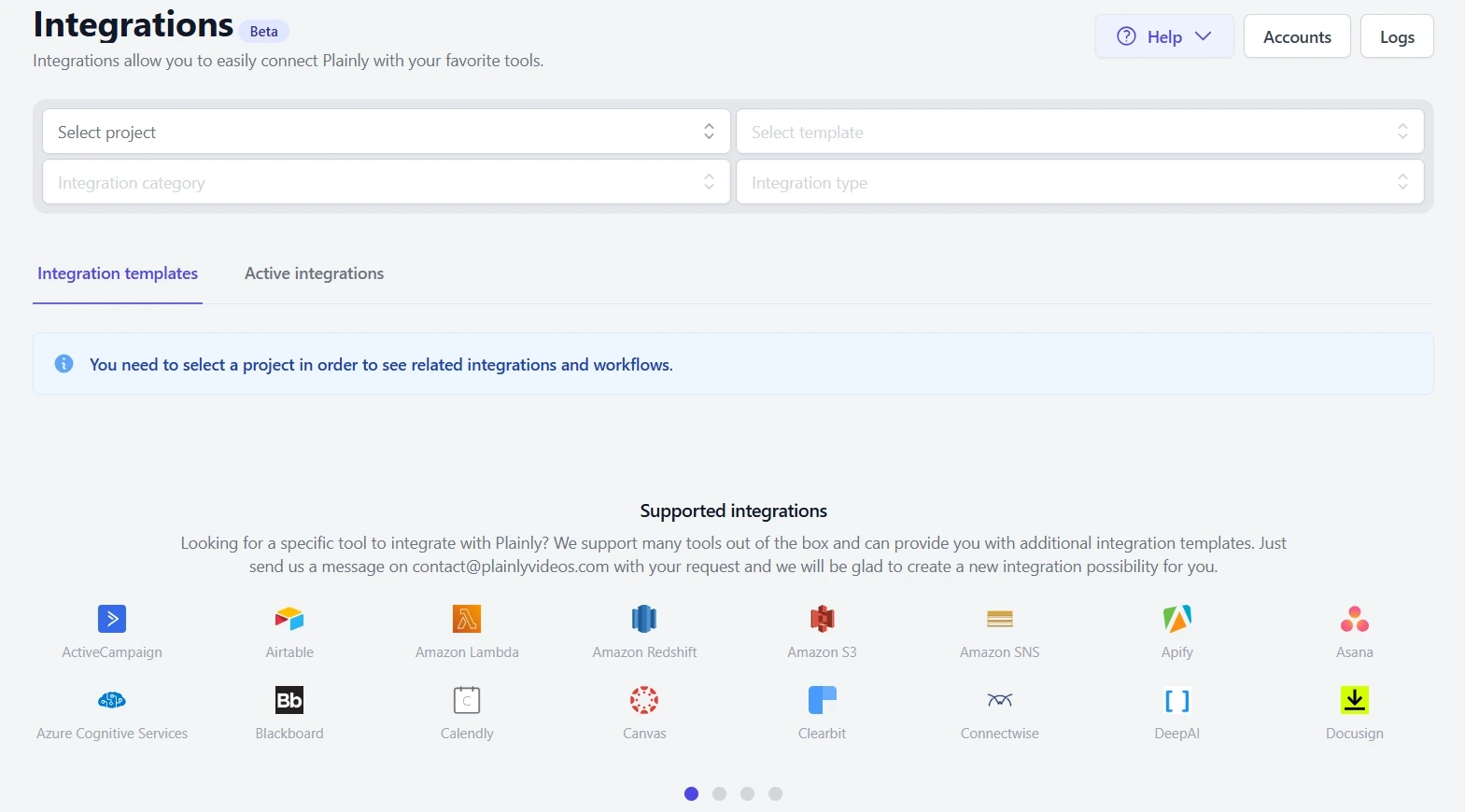
Idomoo offers only a few integrations out of the box, which means most advanced workflows will depend heavily on their API.
As for Plainly, it comes with 20+ native integrations, on top of an extensive API. This makes it easy to integrate with the rest of your tech stack without getting the devs involved. For example, all it takes to go from a Google spreadsheet to video or to create videos with Airtable and Plainly is a couple of clicks.
Self-serve & Enterprise model
We wanted Plainly to be easy to start with, but also flexible enough to support larger teams with more complex needs. That’s why we offer both a self-serve and an enterprise model.
If you opt for a self-serve model, you can:
- Upload and prepare your templates
- Connect your data
- Bulk render
- Distribute videos
…all without needing external help.
Still, once you outgrow that setup (or have more advanced needs from the get-go), you can move on to the enterprise model with more hands-on support. In other words, you can test things out first, then upgrade later if you’re happy.
First-class support when you need it
Speaking of support, to be fair, Idomoo has a great team. Users consistently praise it. But as we’ve seen, that support is often necessary.
Plainly, on the other hand, it is built so you don’t need constant help. But when you do, the team is quick to jump to the rescue.
All users get access to responsive email support, which, based on feedback, is genuinely helpful. On higher-tier plans, support also includes training sessions, Slack assistance, and the option to book 1:1 calls with the team.
Want to read what more users are saying about our team and Plainly overall? Feel free to check out our G2 page.
Pricing
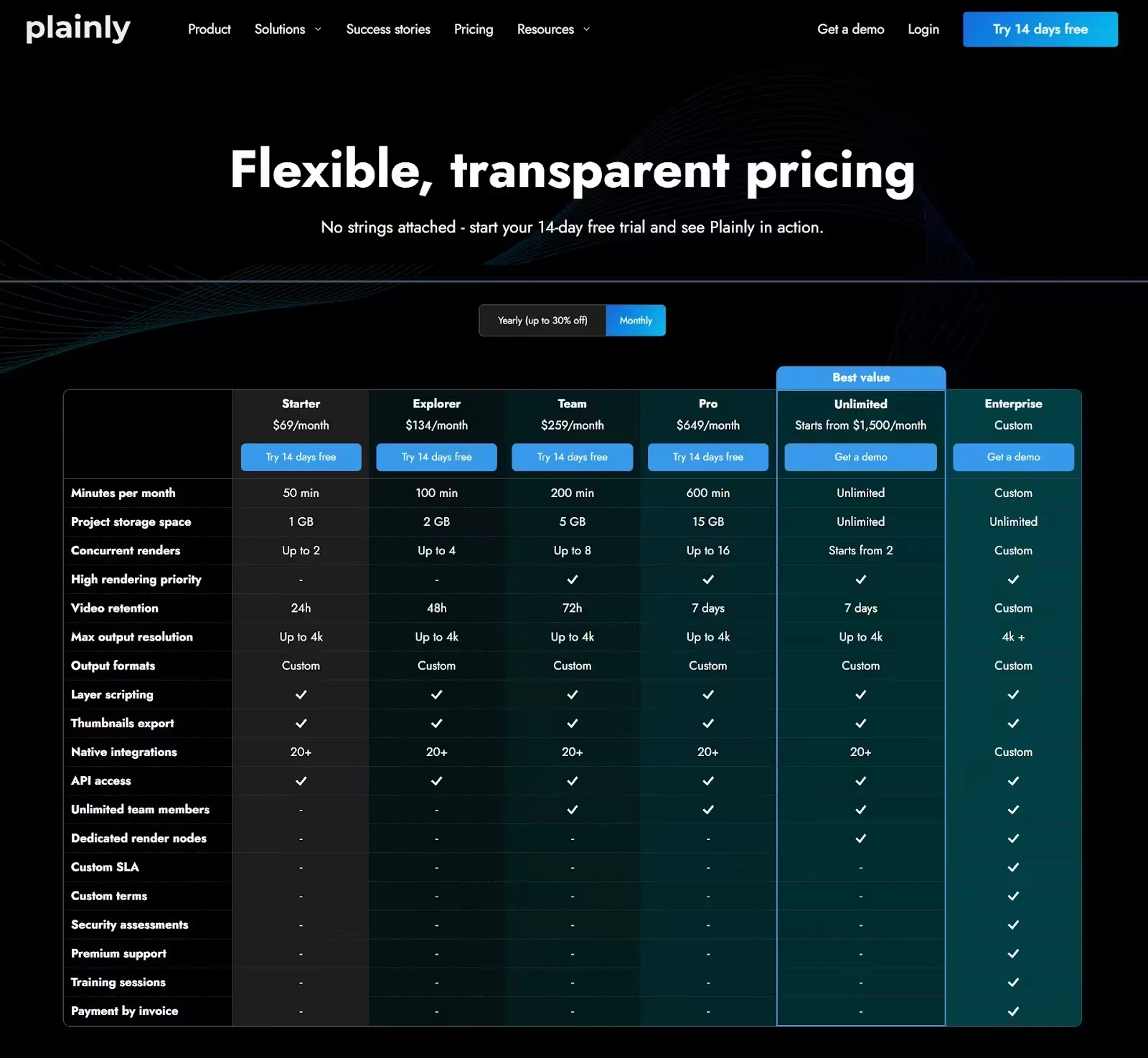
Unlike Idomoo, Plainly’s pricing is fully transparent.
It follows a pay-per-render model and offers multiple plans depending on how many render minutes you need. All plans include full platform access. That means you’re not unlocking features as you move up, but simply scaling usage.
The entry plan starts at $69/month and includes 50 render minutes.
From there, you can upgrade to:
- Explorer at $134/month (100 render minutes)
- Team at $259/month (200 render minutes)
- Pro at $649/month (600 render minutes)
For higher-volume use cases, there’s also an Unlimited plan starting at $1,500/month, which removes rendering limits and increases concurrency so you can process multiple videos at the same time.
And for larger teams, there’s a custom Enterprise tier that includes things like dedicated infrastructure, SLAs, and advanced security options.
Is Idomoo worth it or not?
Idomoo is a powerful platform for personalized video creation at an enterprise level.
It offers solid capabilities when it comes to automation, personalization, and campaign execution. And once everything is set up, it can deliver truly impactful results.
But as we’ve seen throughout this Idomoo review, that comes with tradeoffs.
The workflow can be complex, the platform isn’t fully self-serve, and a lot of the setup and ongoing use depends on technical resources and support from their team.
So the question isn’t really whether Idomoo works - it does. It’s whether it fits the way you work.
If you’re looking for a more flexible, self-serve solution that gives you full control over your After Effects templates and lets you automate video generation without limitations, Plainly is a stronger alternative.
Try it for free for 14 days or book a demo and see how it compares in practice.



