
Ship creatives in minutes, not days
Automatically create social media posts, banner ads, and product images based on Photoshop templates.




Built for image automation

Less busywork, more design
Stop your designers from wasting hours on resizing, duplicating, and exporting. Let Plainly handle the repetitive work, so your team can focus on actual design work.

Keep every asset on brand
Cut out manual editing and repetitive tasks. Create every image for your campaign automatically in one go and launch faster than ever.

Fits the way you already work
Keep using the tools your team already knows. Plainly integrates with your existing stack, so image automation fits into your current workflow.


How to automate image creation with Plainly
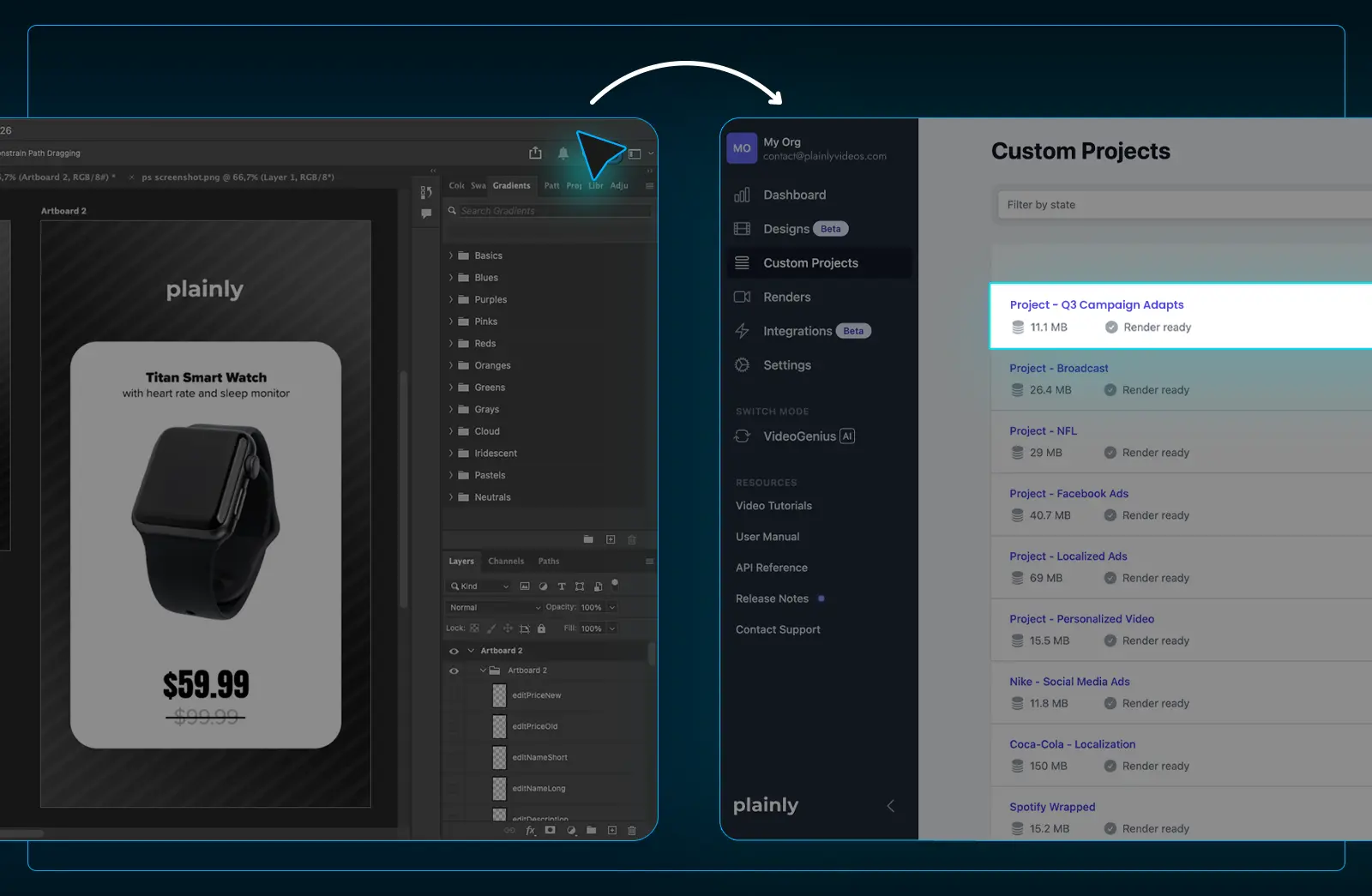
Upload your template
Design your template in Photoshop and upload it to Plainly.
Photoshop infrastructure
Create high-quality custom templates using your existing design tools and start automating right away.

No rebuilding required
Smart objects, custom styles, and layers are all supported, so your template works exactly as designed.
Video & image automation
Automate your entire image and video creative production from one platform.

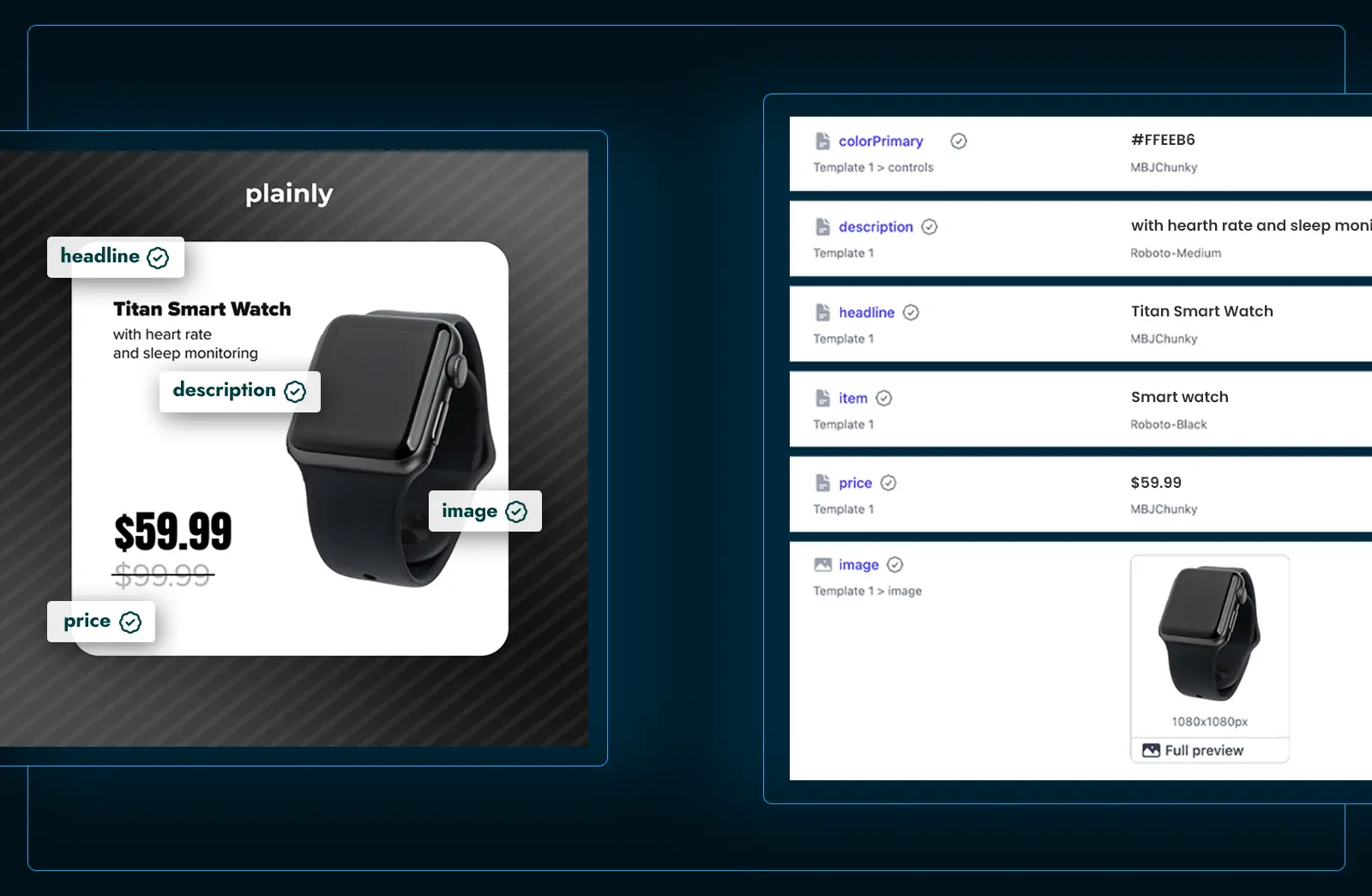
Select your dynamic elements
Pick text and image layers that will be dynamic, and keep everything else exactly as you designed it.

Auto-setup
Add a prefix to your dynamic layers, and Plainly will automatically set up your templates.

Multi-artboard import
Keep every image format inside a single template and choose which ones to render each time.

Auto scaling for text and images
Text and images fit and scale automatically so your layout stays perfect.

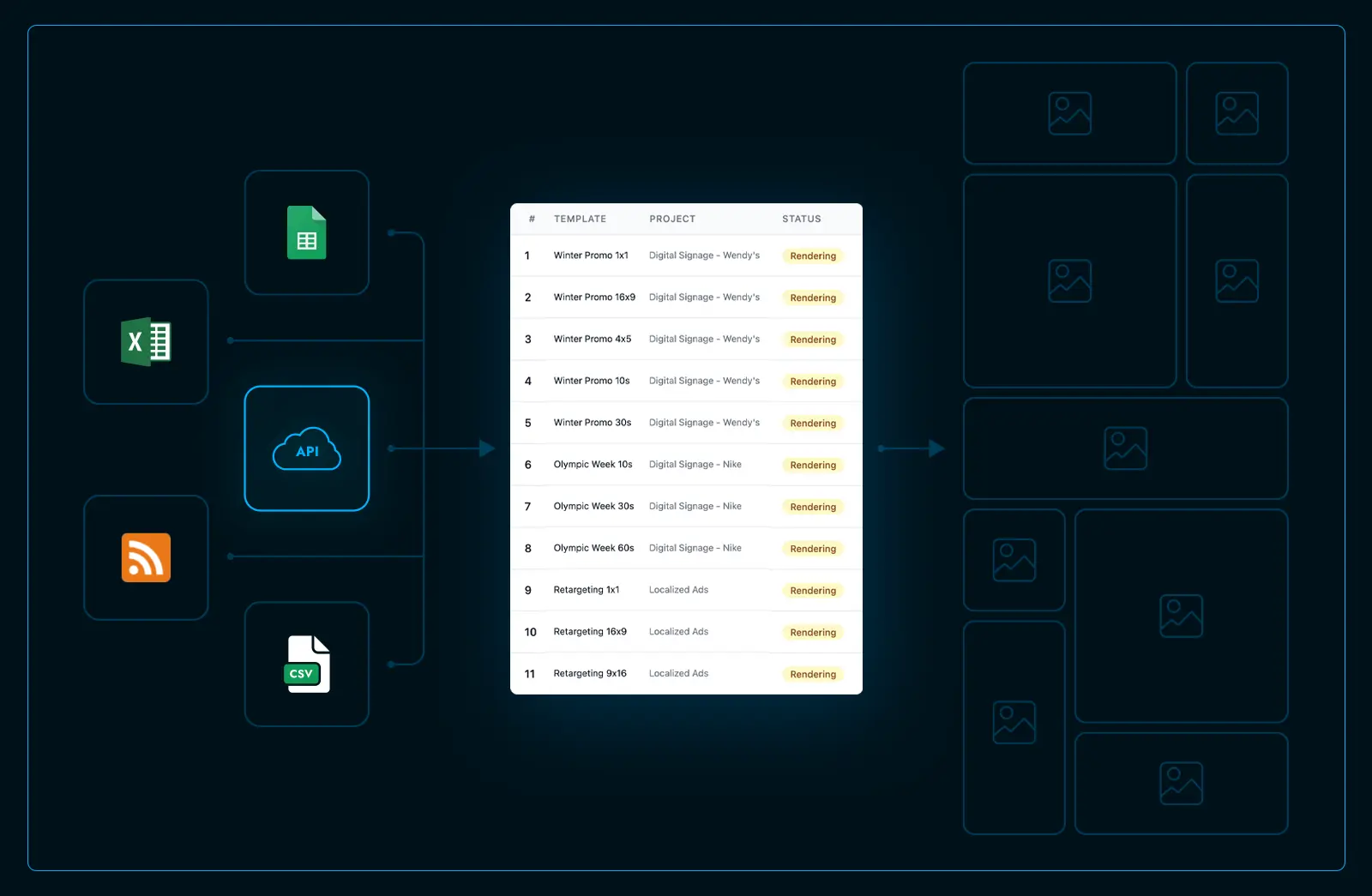
Connect your data & create images
Connect your data through CSV, native integrations, or API, and create your images automatically in minutes.

Multiple export formats
Export your generated images as PNG, JPEG, PSD, or HTML (coming soon) and download them all in one go.

20+ integrations (Coming soon)
Use 20+ native integrations to pull in data or send finished images to your storage, review tools, and more.

Automate via API
Trigger generation, manage templates, and retrieve finished images programmatically with full API access.

What others say about us
We have a great experience working with the team and Plainly. They weren’t shy to break the mold and go the extra mile. Personalization in today’s saturated digital landscape is paramount to cut through the noise and stick out; Plainly offers a great platform, product, and solution for this.

CMO, Y11 Sport & Media Holdings
It is light years ahead of anything else that's out there. And you know you often hear business owners say we really just want technology to help us run our business better. Like this is it. This is what you do to run your business better.

Team Lead Design, Leads.io
Collaborating with Plainly was a seamless experience. Their team was committed and proficient, allowing us to achieve our campaign goals and create great experiences for our supporters.

Head of Performance, UNICEF
Some of our happy clients



Be first in line
Sign up and we'll reach out personally. We want to hear about your workflow and how we can help.

Senior Manager of Video & Content Design, Anywhere
Join the beta
Frequently asked questions
What is image automation?
Image automation is the process of creating images automatically using templates and data, without any manual work. Instead of a designer manually updating text, colors, and photos for every variation, tools like Plainly connect your data to your Photoshop template and create every image variation automatically.
What are the benefits of image automation?
The primary benefits include:
Time savings - Image automation eliminates repetitive tasks like resizing, editing, and exporting, so your team can focus on higher-value work.
Brand consistency - Every image is created directly from your original template, so fonts, colors, layouts, and brand guidelines stay exactly as you designed them across every output.
Scalability - Image automation lets you produce personalized visuals for thousands of customers, products, or campaigns simultaneously without adding headcount or complexity to your workflow.
Cost efficiency - By automating repetitive design tasks, teams significantly cut image production costs.
A/B resting at scale - Generate dozens of variations for ads to find the highest-converting creative instantly.
For what can image automation be used for?
Image automation can be used for social media posts, banner ads, product images, email headers, blog featured images, YouTube thumbnails, personalized creatives, and any other image that follows a repeatable format. If you are creating the same type of image more than once, image automation is what you need.
Who should use image automation?
Image automation is ideal for marketing teams, e-commerce businesses, agencies, and developers who need to produce large volumes of images regularly. If your team is spending time manually creating, resizing, or exporting images, image automation can eliminate that work entirely. It is useful for any business that needs consistent, on-brand visuals at scale.
Is there a limit on the number of images I can create?
Plainly is built for high-volume image production with no hard limit on batch size. Whether you need 10 images or 100,000, the workflow stays exactly the same. The more data you bring, the more images Plainly generates automatically.
How long does it take to create images from Plainly?
It all depends on the number of images you want to create, but most batches are ready within minutes. Once your template is set up and your data is connected, Plainly processes every image in your batch automatically and simultaneously, so there are no manual steps slowing the process down.
Do I need to know how to code to use Plainly?
No coding is required to use Plainly. If you have a Photoshop template and a spreadsheet with your data, you have everything you need to get started. For teams that want to go further, Plainly also offers a full API to trigger image generation programmatically and connect to existing workflows.
CTO, Perfect Fools