
10 best enterprise video automation platforms [2026]



Summarize with





Enterprise video automation platforms have become one of the fastest-growing parts of the video software market because enterprises no longer use video for just one thing. One team needs personalized videos at scale. Another needs webinar infrastructure. Another cares about hosting, analytics, approval workflows, or AI-generated content.
That’s what makes this category tricky: “video automation” sounds very specific, but in reality, it covers many platforms built for very different jobs. And the question is, which one are you looking for?
To help you get your answer, this guide breaks down the 10 best enterprise video automation platforms for 2026 and shows where each one fits. We’ll cover platforms for:
- video automation and personalization
- video hosting
- collaboration
- AI-powered video creation
- analytics,
- webinars
- sales communication
- advertising, and
- learning
Our goal is simple: help you understand the market faster, compare the right options, and narrow down the tools that actually match your use case and workflow needs, so without further ado, let’s get right into it.
What is an enterprise video automation platform?
The name makes it sound simple, sure. You’d think an enterprise video automation platform is one clear category with one clear purpose. But then you start researching, and the whole thing gets a lot wider than the name suggests.
One platform helps you create thousands of personalized videos from a spreadsheet or CRM data. Another helps teams review and approve videos faster. Another is built for hosting, analytics, webinars, sales messaging, training, or AI-generated videos. They all sit somewhere under the same umbrella, but, as you know, they solve very different problems.
That’s why the right way to think about an enterprise video automation platform is this: it’s software that helps large teams make video work at scale. That can mean creating videos faster, personalizing them, managing feedback, distributing them, tracking performance, or connecting video to the rest of the business. The category is broad because enterprise video needs are broad. So, let’s look at some of the best platforms out there.
Best enterprise video automation platforms at a glance
Plainly Videos - Best for video automation & personalization
Do you plan to create video content at scale? Plainly Videos is built for companies that need more than a basic video tool, but rather a bulk video editor. When teams start creating personalized videos, localized versions, product video variations, or campaign updates at scale, manual production breaks down fast. That’s where Plainly comes right in. It turns Adobe After Effects templates into an automated video system, so you can produce high-volume, on-brand, high-quality video without losing the level of creative control enterprise work usually demands or your visual style.
Key features
- After Effects-based automation for fully custom video templates
- Dynamic data mapping for text, images, video, audio, and other assets
- Dynamic timing and layer scripting for more advanced video variations
- Bulk rendering for personalized, localized, and versioned videos
- API and integrations for automated video generation inside existing workflows
Pricing
Plainly uses a render-minute-based pricing model. Public pricing starts at $69/month for the Starter plan, and higher tiers scale based on rendering volume. There is also a 14-day free trial, while enterprise plans are available for teams with larger production needs.
Review
“Outstanding features - they understand what our developers need AND our After Effects creative professionals as well. The support is outstanding and responsive - they genuinely care about their customer's success and are willing to help solve our challenges in executing our creative vision. Plainly is continually adding new features, many of which I can see are directly in response to client requests.” - Ben J.
Vimeo Enterprise - Best for video hosting
Vimeo Enterprise is a good fit for companies that already have video production handled and now need a better home for everything they publish. This is where a lot of teams land once their video library starts growing and they need stronger control over hosting, privacy, distribution, internal access, and video quality across teams and channels. From our experience, Vimeo makes the most sense when the goal is not to automate video creation itself, but to manage and deliver video in a more secure way across the business.
Key features
- Secure enterprise hosting with privacy controls and domain restrictions
- SSO and admin controls for safer internal access
- Custom video player for branded viewing experiences
- Live streaming and internal communications support
- Centralized video management for growing teams and libraries
Pricing
Pricing starts at $20 per month or $12 a month billed annually. They also have self-serve plans, but enterprise buyers usually move to a custom setup for advanced admin, security, and organizational features.
Review
“I really like Vimeo's extensive experience in the market and its professionalism in all aspects. Additionally, I love how Vimeo incorporates new technologies, which demonstrates its capacity for innovation and adaptation to the changing environment. Statistics are a standout aspect for me, as they offer a wide range of metrics to measure content, which is very beneficial for evaluating its performance. These analytical tools allow me to track in detail and obtain valuable information that helps me make better-informed decisions about the content I develop and share.” - Paula Andrea
Frame.io - Best for video collaboration & review
Frame.io is the kind of platform you reach for when video production is moving, but feedback starts slowing everything down. The edits are coming in, stakeholders want changes, approvals stack up, and suddenly, the bigger challenge is not making the video. It is getting everyone aligned around it. That is where Frame.io fits. It gives you one place to comment, approve, track versions, and keep projects moving without the usual back-and-forth. It also makes sense in a stack with Plainly, thanks to native integration, where automated video creation still needs a clean review step before delivery, publishing, or the final round of video editing.
Key features
- Frame-accurate feedback so comments stay tied to exact moments in the video
- Approval workflows that make review rounds easier to manage
- Version comparison for tracking changes across edits
- Shareable review links for internal teams and external stakeholders
Pricing
Frame.io offers a free plan, with paid plans starting at $15 per user per month. Enterprise pricing is available for larger teams that need more storage, permissions, and collaboration control.
Review
“To me, it has been invaluable. Super fast uploads/downloads. Notes are very easy to work with. I don’t think there’s anything too bad I can say about it, apart from having issues uploading straight from premiere.” - Reddit post
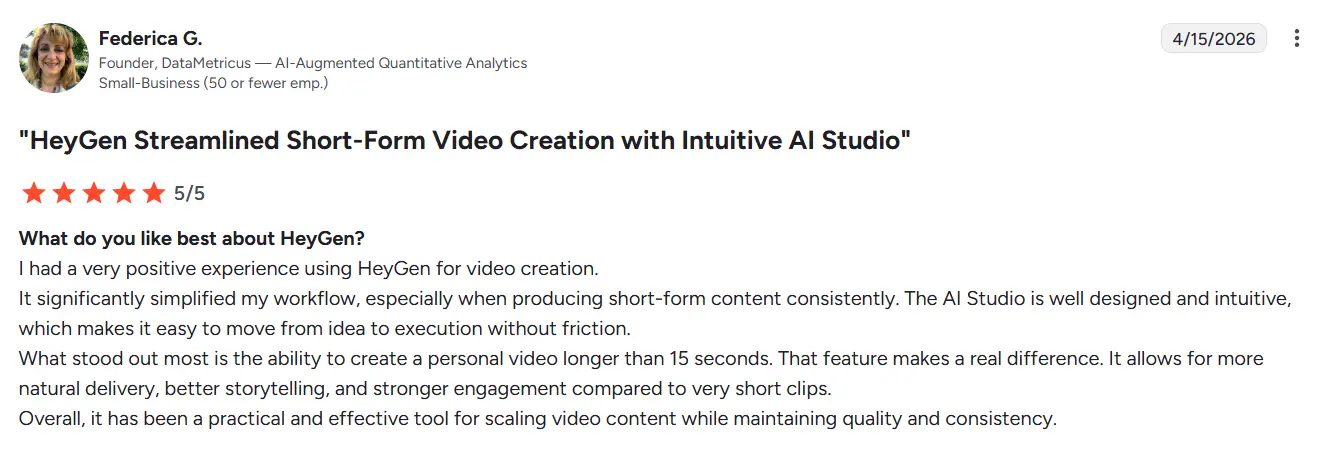
HeyGen - Best for avatar video creation
HeyGen is the kind of platform you look at when you want to make videos faster without putting a camera, studio, or presenter behind every project. Instead of building each video the traditional video way, you can turn scripts into avatar-led videos for training, internal communication, sales enablement, and marketing. It works especially well for companies that care about speed, language coverage, and repeatable output. And if you’re already using Plainly, the HeyGen integration makes it easier to bring AI video tools and AI avatars into broader automated video workflows.
Key features
- AI avatars for presenter-style videos without filming
- Text-to-video workflows that turn scripts into finished clips quickly
- Multilingual voice and translation support for global teams
- Custom avatars and brand controls for enterprise use
- API and integration options for scaling avatar video inside larger workflows
Pricing
If you like what you’ve read, HeyGen offers a free plan, public self-serve pricing for smaller teams, and custom enterprise pricing for larger organizations that need more scale, security, support, and collaboration features. You can start at $29 per month if you want to give it a shot.
Review
Synthesia - Best for AI video creation
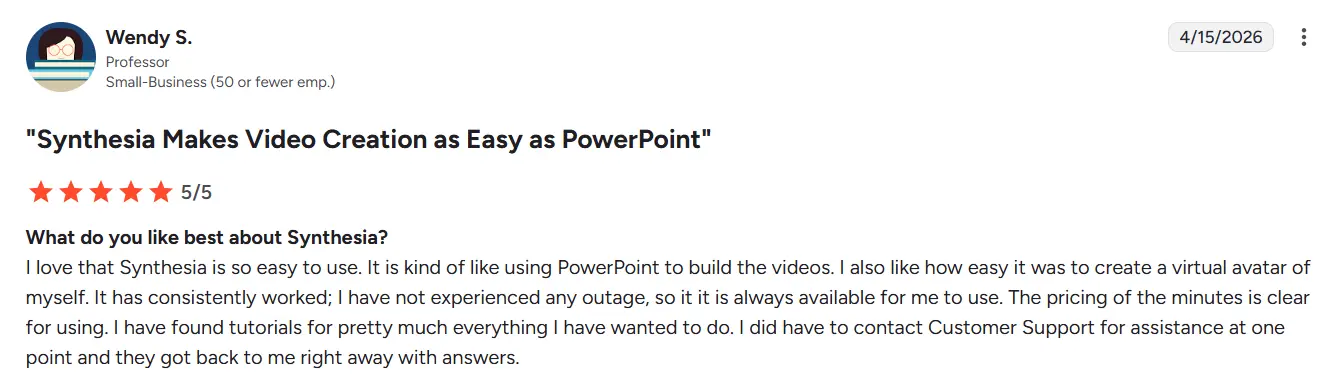
Synthesia is usually one of the first platforms enterprise teams look at when they want to turn scripts, documents, or training material into polished videos without filming anything. That’s really its lane. Instead of treating video like a full production process every time, Synthesia helps teams with content creation - avatar-led videos for onboarding, internal communication, learning, and enablement. We’ve seen it fit best in companies that want to use AI in a practical way, care about speed, multilingual content, and repeatable business video production. It really serves to simplify video creation for teams producing internal updates and training videos.
Key features
- AI avatars and voiceovers for presenter-style business videos
- Script-to-video workflows that remove the need for filming
- 160+ language support for global teams
- Collaboration and governance features built for enterprise use
- Works well for training, onboarding, and internal communication at scale
Pricing
If you want to try it, Synthesia has a free Basic plan. But paid plans start at $18/month for Starter and $64/month, billed yearly, for Creator, while Enterprise pricing is custom.
Review
Wistia - Best for video analytics & intelligence
Wistia is the kind of platform teams grow into when video is already a serious part of marketing, and they want to understand what happens after someone hits play. At that point, hosting alone is not enough. You want to know which videos hold attention, which ones drive conversions, and how video performance connects to the rest of your work inside a broader marketing platform. That’s where Wistia stands out. It is built for companies that want video to be measurable, organized, and easier to act on.
Key features
- Video performance analytics for plays, engagement, visitors, and conversions
- Branded, ad-free hosting with a customizable player
- Project-level reporting with filters and tags for cleaner analysis
- Webinar and video management in one platform
- Integrations that connect video data to the rest of your stack
Pricing
Wistia has a Free plan and a Business plan at $79/month billed annually ($99 if billed monthly). The company also offers custom options for teams that need more scale, storage, or advanced support.
Review
“Great UX, easy to understand menu, terrific and easy-to grasp video personalization options (way too many to mention), world-class analytics options, very good support from their team, both interesting and useful AI capabilities and tons of integrations available.
And, not in the least, the performance is great, me and my colleagues did not have any issues.
I cannot say anything about the pricing, as I was not a decision-maker.” - Lau N.
Zoom - Best for video calls & webinars
Zoom is usually not the first name that comes up when people think about enterprise video automation platforms, but it absolutely belongs in the conversation. Once video becomes part of how a company runs webinars, internal events, customer sessions, and large virtual meetings, Zoom starts to matter in a different way. It is less about producing video assets and more about running live video experiences at scale, regardless of video format. For enterprise teams that need reliability, familiarity, and reach, that still makes Zoom one of the strongest options on the market.
Key features
- Webinars and virtual events built for larger audiences
- Live engagement tools like polls, chat, Q&A, and reactions
- Production features for more polished event delivery
- Recording and repurposing options for post-event content
- Familiar interface that reduces training and rollout friction across teams
Pricing
Basic is free, while the Pro plan starts at $16.99 per month. Zoom also offers public pricing for its webinar and events products, with plans that scale based on audience size and feature depth. Enterprise buyers usually move to custom pricing when they need larger attendee limits, stronger admin controls, advanced event production, or company-wide deployment.
Review
“What I like best about Zoom Workplace is how seamlessly it brings everything together—meetings, chat, and collaboration—all in one place. It’s reliable, easy to navigate, and great for staying connected with teams anywhere. The integration with productivity tools really helps streamline work without constantly switching between apps.” - Nikhil O.
Vidyard - Best for sales & customer video messaging
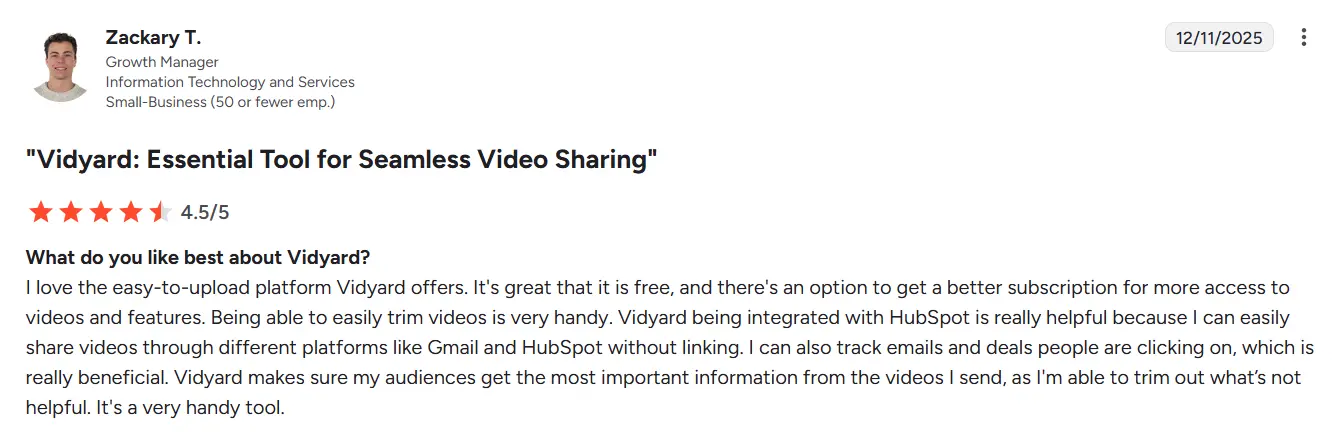
Vidyard makes the most sense when video is part of how your team sells, follows up, and stays in front of customers. This is not really a platform you pick to automate large-scale video production. It is the platform teams reach for when they want reps, marketers, and customer-facing teams to send video in a more personal, repeatable way. We’ve seen it fit best in companies that care about outreach, pipeline movement, and customer communication, but do not want video to feel like a full production project every time.
Key features
- Screen and camera recording for quick sales and customer videos
- Personalized video messaging built for outreach and follow-up
- Video hosting and sharing with calls to action and landing pages
- Viewer insights that show who watched and how they engaged
- Sales-focused integrations for fitting video into existing GTM workflows
Pricing
If you like this tool, Free plan is available, while paid plans start at $89 per month. Plus, they usually offer annual billing discounts. Enterprise buyers usually end up in a sales conversation if they need stronger team management, deeper integrations, or broader rollout.
Review
Smartly - Best for video advertising infrastructure
Smartly is built for teams that don’t just make video ads. They produce them at scale, across markets, products, audiences, and channels. Once paid media gets complex, creative production usually gets messy right along with it. That is where Smartly comes in handy. It helps enterprise brands bring creative automation, ad production, and campaign execution closer together, which makes it a strong choice for performance marketing teams that need speed without losing control over video processing.
Key features
- Creative automation for high-volume ad production
- Dynamic video generation tied to product catalogs and campaign data
- Cross-channel ad workflows for large paid media teams
- Template-based creative scaling across formats and markets
- Built for enterprise advertising operations, not one-off video projects
Pricing
Smartly uses custom pricing. It’s positioned for larger brands and enterprise media teams, so pricing usually depends on campaign scale, workflow needs, and platform usage rather than a simple self-serve plan.
Review
“Smartly is more than just a tool to manage and report on your social media campaigns. They are also a strategic partner to your business or agency. They have all the industry insights on best practices and think with you on how to improve your account structure and performance of campaigns. The reporting is superb and the creative features are amazing. Also, the ability to connect Google Analytics to your campaign reporting for last-click performance is a huge quality of life improvement for anyone working in performance marketing.” - Burton M.
Kaltura - Best for learning & enablement video platforms
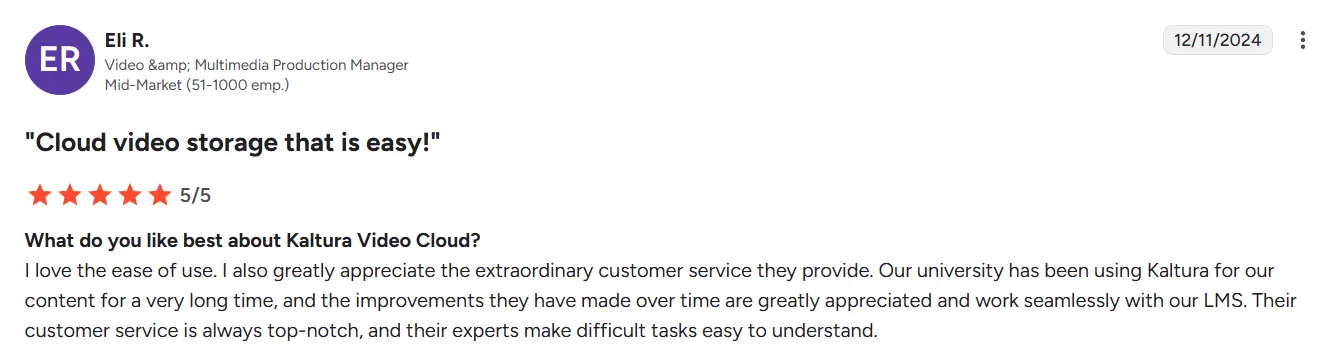
Kaltura is the kind of platform companies look at when video is no longer just a marketing asset. It becomes part of training, internal communication, learning, and broader knowledge sharing across the business. That is where Kaltura stands out. It is built more like an enterprise video ecosystem, which makes it a strong fit for organizations that need flexibility, deeper customization, and a platform that can support education, enablement, training videos, and internal video infrastructure in one place.
Key features
- Video portals and hubs for internal learning and communication
- Live, on-demand, and virtual classroom support
- Flexible content management for large video libraries
- Enterprise integrations and APIs for broader platform fit
- Customization options for organizations with complex learning or enablement needs
Pricing
Kaltura offers multiple pricing packages depending on the product and use case.
Review
Ready to make your pick?
By now, one thing is probably clear: enterprise video automation platforms are not all built for the same job. Some focus on creation, some on hosting, some on collaboration, and others on analytics, webinars, advertising, or learning. It all comes down to what your team actually needs.
That’s why the right choice depends on your use case. Do you want consistent content production? Or does your team want to create personalized, high-volume, data-driven videos? If yes, Plainly is a strong place to start. Plus, it already integrates with some other tools from this list seamlessly, so that might solve your entire workflow without adding extra editing tools to your stack.
If you want to see how Plainly can fit into that and change it for the better, book a demo and explore how your team can automate video creation at scale, plus add another part of the flow effortlessly.



