
Creatomate review 2026: Features, pros, cons, and the best alternative


Summarize with





If you've been thinking about adding Creatomate to your video automation workflow or are simply comparing it to other tools, this Creatomate review will help you figure out if it's a good option for you.
As a matter of fact, we've tested the platform ourselves to see how it performs, and now, we’ll be using what we’ve learned about it to walk you through its core features, pros, cons, and pricing. You'll also see what real users had to say about it, so you can finally decide if Creatomate is the right choice for your use case - or if there's a Creatomate alternative out there that’s better-suited.
What is Creatomate?
Creatomate is a video and image automation tool mostly used to generate content in bulk, particularly videos for social media and marketing, personalized videos for specific occasions, and data-driven videos.
The platform is especially developer-friendly, thanks to its REST API and support for JSON-based video creation. Nonetheless, it can also be used by non-technical teams through no-code tools like Zapier, Make, and n8n. This flexibility makes it a popular choice for SaaS teams, marketers, startups, and content creators.
At its core, Creatomate is a template-based system. You feed data into a design, and the tool renders videos automatically. That said, it doesn’t support After Effects templates. Instead, you’ll need to create a video template using Creatomate’s own web editor or start from one of their built-in templates. That might be totally fine if you’re focused on speed and scale. However, if you’re a motion designer or someone used to working inside AE, it could feel slightly limiting.
Creatomate features overview
With the basics covered, it’s time to review the main Creatomate features in more detail.
Web-based template editor for video editing
Creatomate’s template editor is fully web-based, which means you don’t need any desktop software to create video templates - everything happens in the browser. You can either build templates from scratch or start with one of the pre-made layouts and customize it to fit your needs.
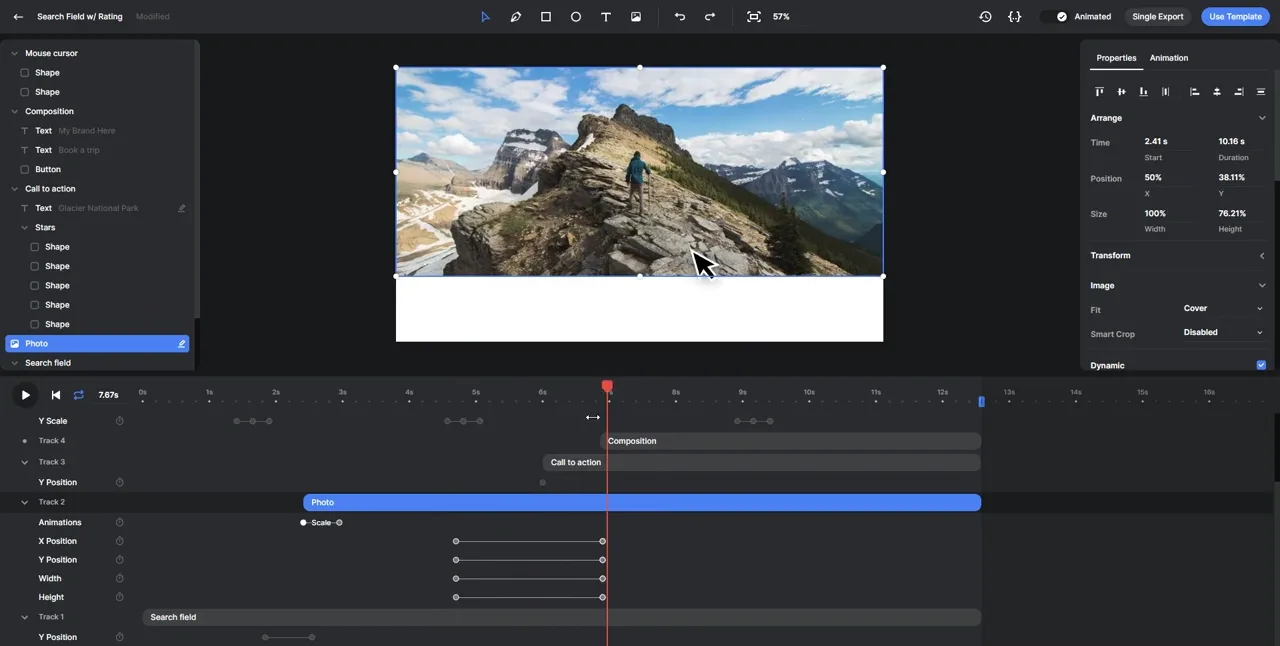
The editor comes with a surprisingly wide range of creative options, including text auto-sizing, animations, gradients, shadows, blur, blend modes, masking, filters, color overlays, support for emojis, and even free-form shapes. It’s also responsive, so you can set up templates that adapt to different aspect ratios or screen sizes. There’s a Source Editor available as well, which developers can use to tweak templates using code.
While this is more than enough for basic automation use cases, the editor does have its limits, in particular if you’re used to working in After Effects, which is the industry standard for video editing. You won’t get the same level of control over timing, easing, keyframes, or motion paths. There’s also no way to upload AE templates into Creatomate. This can be a dealbreaker for motion designers or video teams looking for more advanced motion graphics capabilities.
Bulk video creation and personalization
Being a bulk video editor that it is, Creatomate lets you automate content creation, and it does so in multiple ways.
You can make videos using spreadsheets or CSV files, online forms, use Zapier and other no-code tools like Make and n8n, or go fully custom using their REST API if you’ve got your way around the code. This kind of multi-method flexibility makes the platform approachable for both technical and non-technical teams that didn't learn how to generate content programmatically.
To speed things up, there's also a template library available, as we mentioned. You can use these ready-made templates as a starting point and customize them with your own data - helpful if you’re looking to whip up something quickly.
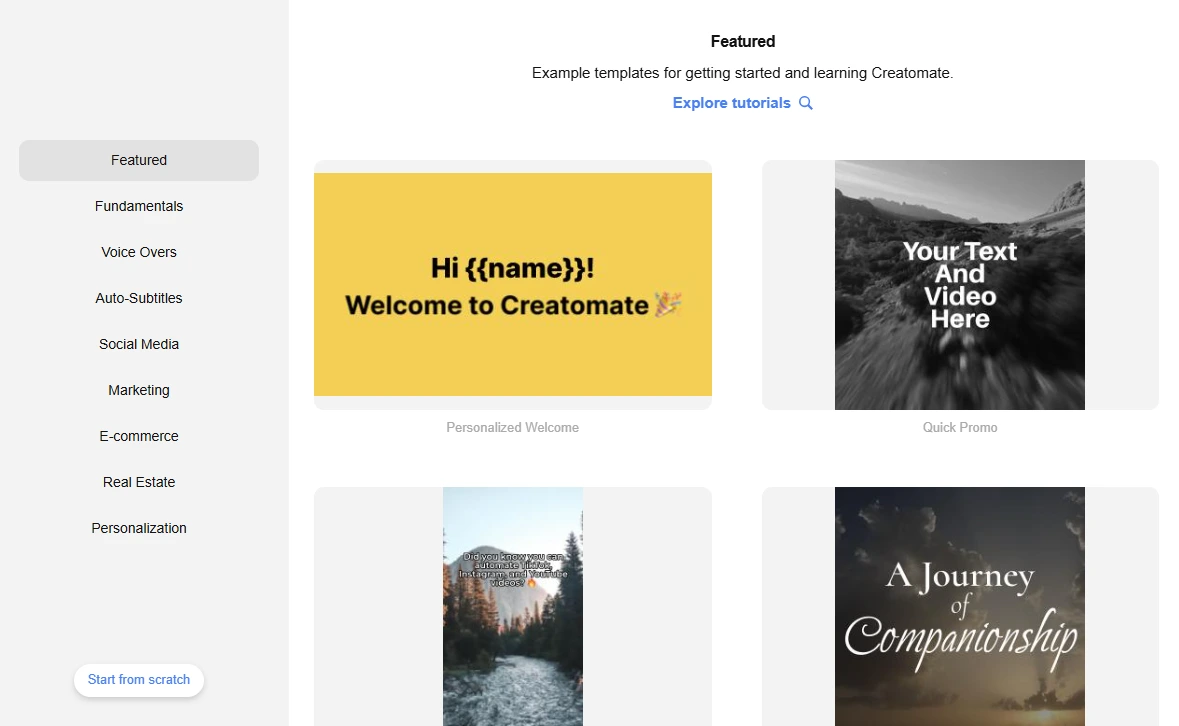
When it comes to personalization, Creatomate lets you adjust elements, including text, images, and video clips, based on your input. We found it unfortunate, however, that it doesn’t offer layer scripting or dynamic adjustment rules that would automatically sync content based on its length, size, or type. This means if your data varies a lot - like having a short sentence in one row and a long paragraph in the next - you’ll need to account for those differences manually when designing the template. Otherwise, elements might overlap, clip, or fall out of sync.
API
One thing we noticed during testing is how developer-friendly Creatomate really is, which is evident by its REST API documentation that’s both well-documented and flexible enough to fit different levels of complexity.
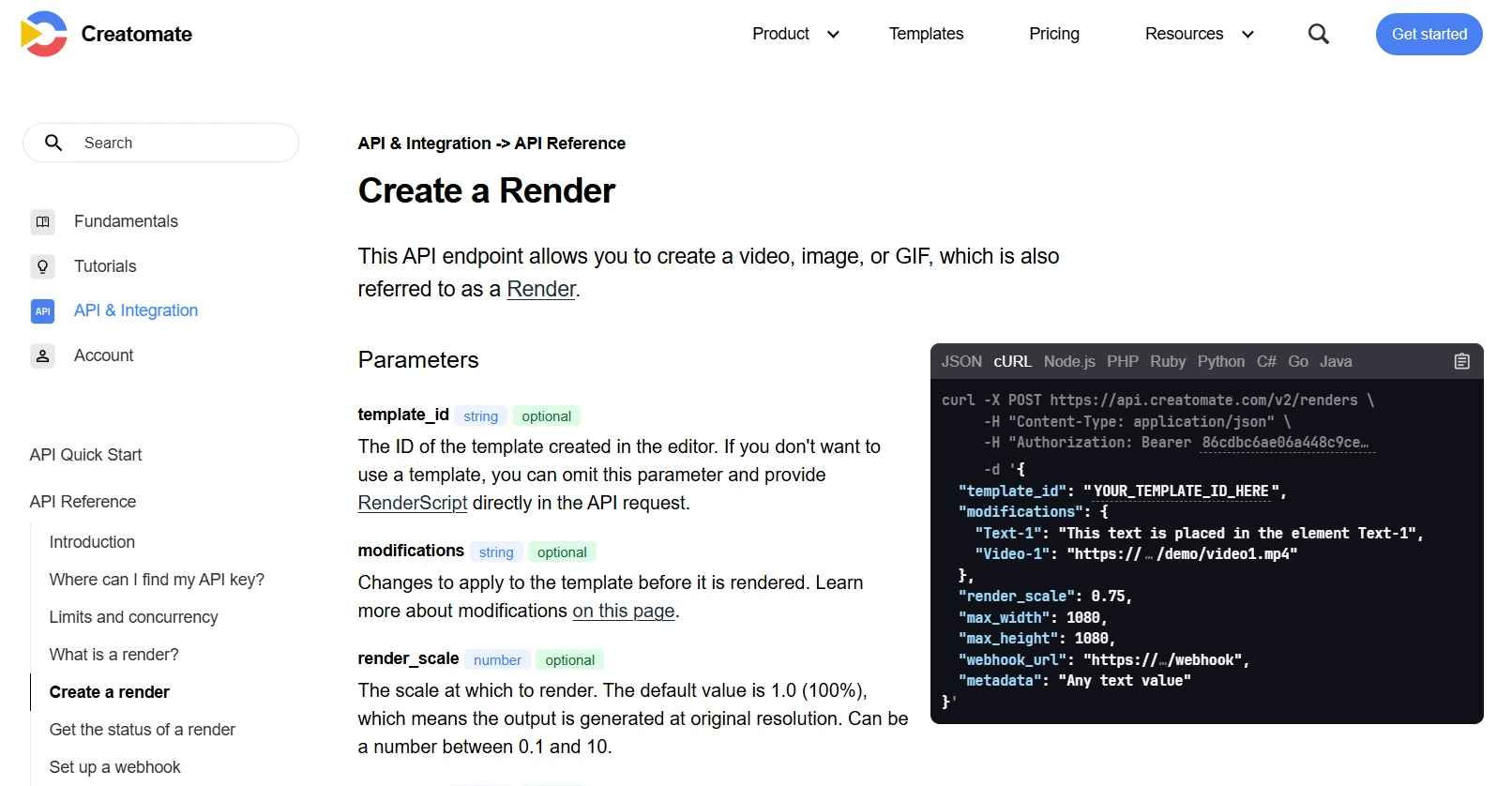
For example, if you’re working with pre-built templates, you can render multiple videos, or rather, their versions, by simply passing modifications to text, colors, or media files using a dot notation format. This lets you target and override specific attributes without touching the template itself.
But if you need something more dynamic, say you want to assemble a video from scratch based on user input or changing scenes entirely, you can skip templates altogether and use RenderScript. It’s Creatomate’s own JSON-based structure that describes every part of a video and it gives you full control over what gets rendered.
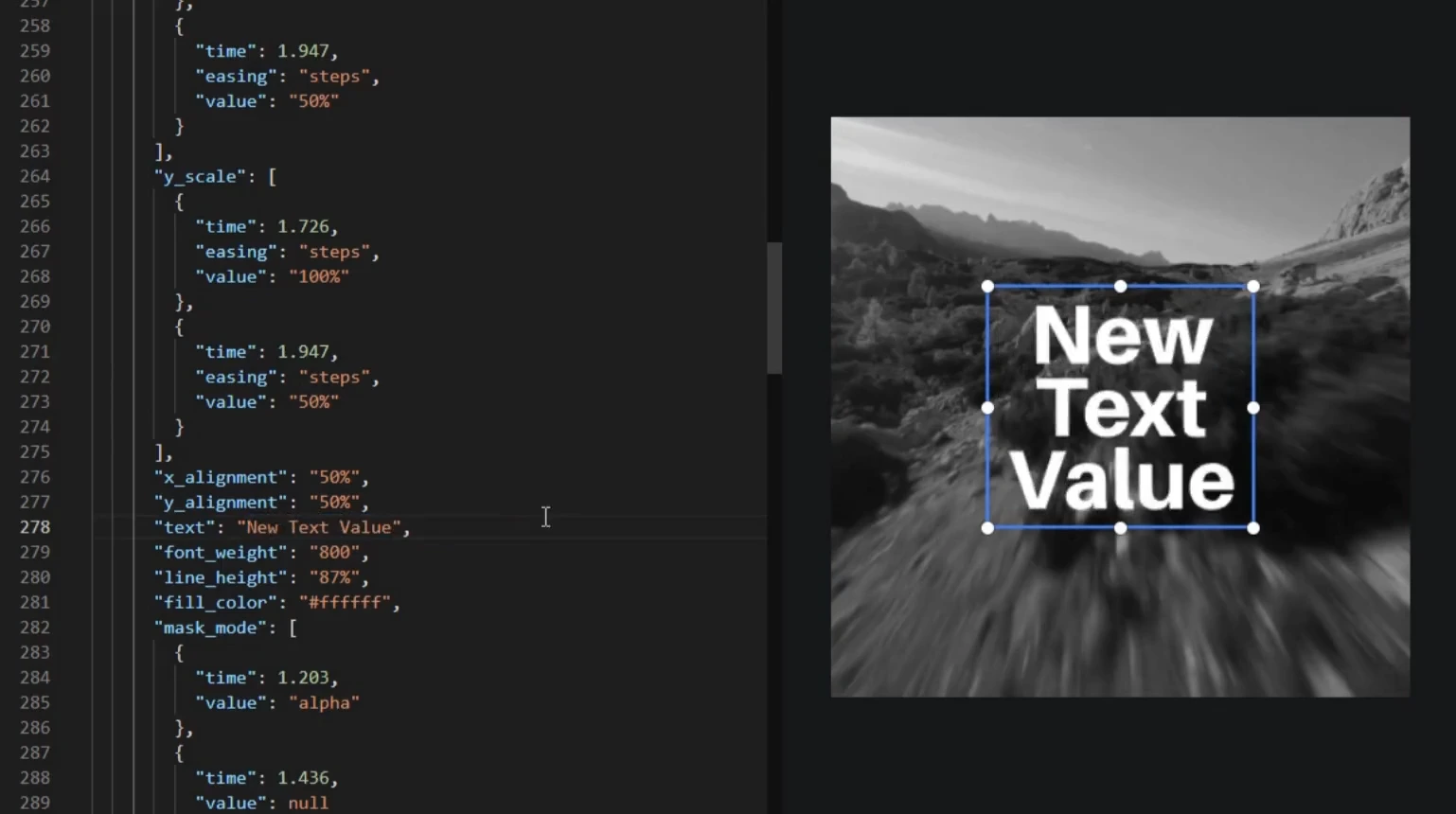
The API is language-agnostic, too, so whether you’re using Node.js, Python, PHP, or something else, you’ll be able to integrate it without much friction. There’s even a Direct API option for simple use cases, such as generating assets with a single URL.
Integrations
You can connect Creatomate to the rest of your tool stack and build automated workflows with triggers using no-code platforms like Zapier and Make, as well as n8n.
That said, there are no direct integrations with tools like Google Sheets, Google Drive, Dropbox, or Airtable. Now, say you want to go from a spreadsheet to video, create videos with Airtable, or auto-save results to the cloud. The only way you can do either of those things is by routing it all through n8, Zapier or Make, or, alternatively, the API.
We wouldn’t call this a downside exactly - those platforms are pretty versatile, after all. Still, it might be a dealbreaker for those who are after a full automation experience.
Security
One thing we couldn’t find in Creatomate’s documentation or help center is information about data security, more specifically, information about their GDPR compliance, ISO 27001, or any other security standards.
If a platform has recognized certifications, it typically highlights them clearly. The absence of any mention likely means they don’t meet these standards, which could be a red flag for many organizations, those handling sensitive or regulated data in particular.
Pricing
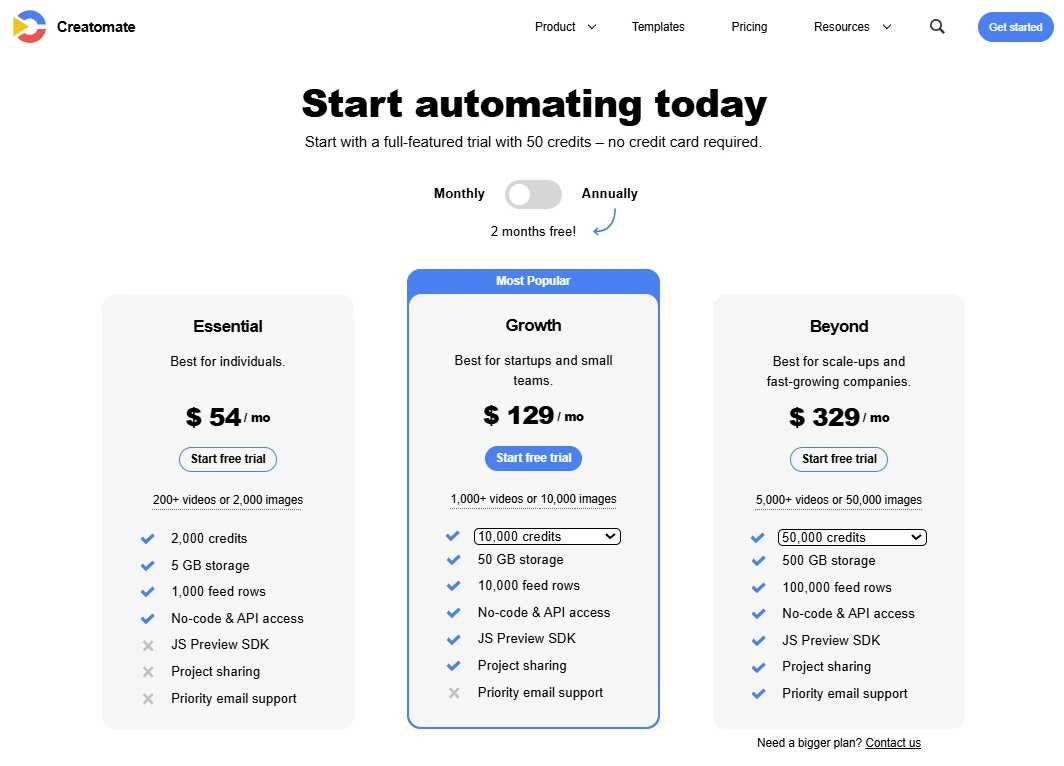
Creatomate uses a credit-based pricing model, which means you’re paying for how much you produce, not how many users you have or how many templates you create.
That said, 1 image equals 1 credit, whereas 1 720p video at 25fps will cost you approximately 14 credits.
Speaking of costs, they offer 3 pricing plans:
Also, keep in mind that:
- Storage refers to the media files (images, video, audio) in your templates and feeds. Renders don’t count toward storage but get auto-deleted after 30 days.
- Feed rows represent the data you use to bulk-generate content (something like spreadsheet rows).
They also offer a free trial with 50 credits, and no credit card is needed to get started.
Creatomate reviews
Creatomate reviews are mostly positive, with users saying that:
- ‘’The platform is highly flexible and allows deep control over templated video generation using JSON—ideal for programmatic and large-scale automation.’’ (Source: G2)
- ‘’It is best generative AI program created specifically for automation of visual content. It enables us to create photos, movies and animation with the help of preselected templates.’’ (Source: G2)
- ‘’It’s a developer and designer-friendly platform that gives you the power to create anything that <canvas> supports.’’ (Source: G2)
- ‘’They have one of the most robust , well documented APIs out there for video production. And they have incredible support.’’ (Source: G2)
However, some users have pointed to certain drawbacks, saying:
- ‘’The design templates are limited. So the beginner who is not yet pro in designing can face difficulty.’’ (Source: G2)
- ‘’We managed to burn through quite a few credits.’’ (Source: G2)
- ‘’Can get expensive at scale.’’ (Source: G2)
- ‘’The only minor drawback I’ve encountered is the current limitation when using looping audio or video elements in combination with multipart rendering for long videos. While there are effective workarounds, such as explicitly setting durations and avoiding loop: true, this requires additional configuration effort.’’ (Source: G2)
Best Creatomate alternative: Plainly Videos
Creatomate is a great tool - there’s no doubt about it.
However, it’s not ideal for everyone, and by everyone, we primarily mean those used to designing templates in After Effects. But there is a better option, and it’s called Plainly Videos.
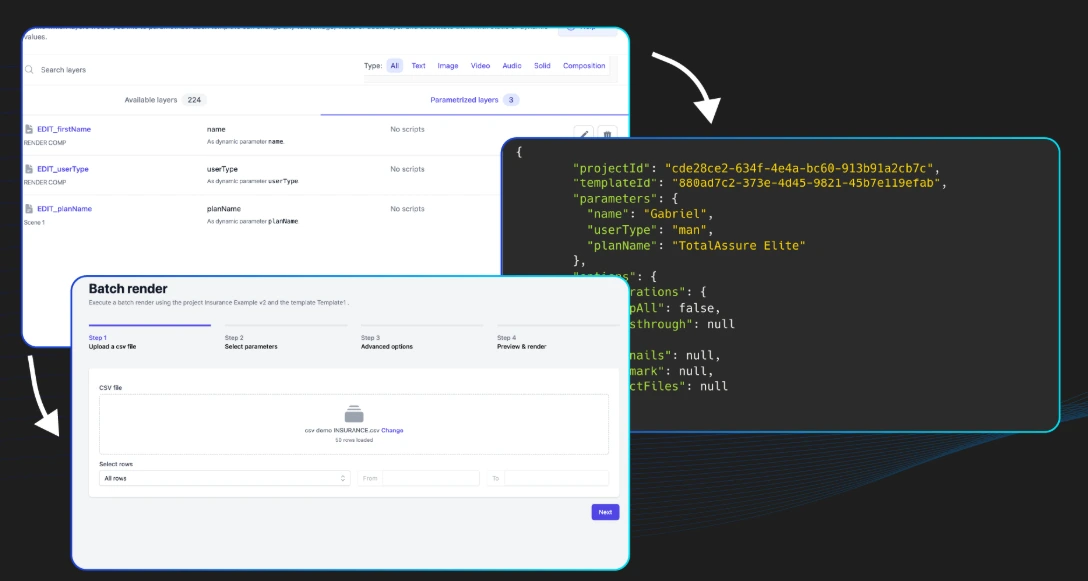
Plainly is a video automation software that’s primarily built for teams who need to automate the video production process, but do it without giving up the creative flexibility of After Effects. In fact, you can upload your AE templates directly, set up placeholders for text, images, video layers, and audio, and let Plainly render endless variations of dynamic videos in the cloud.
You can use it to create dynamic video ads, localized content, automated news videos, and digital signage content, and, yes, also for programmatic video editing.
Here’s where Plainly outshines Creatomate:
After Effects compatibility
You don’t need to learn a new editor or rebuild your designs from scratch. Just import your AE template, and you’re good to go. This means motion designers can keep working in AE and enjoy full creative freedom, while developers can still plug in data and run automations. Plainly brings the two worlds together, and that’s why teams across industries rely on it.
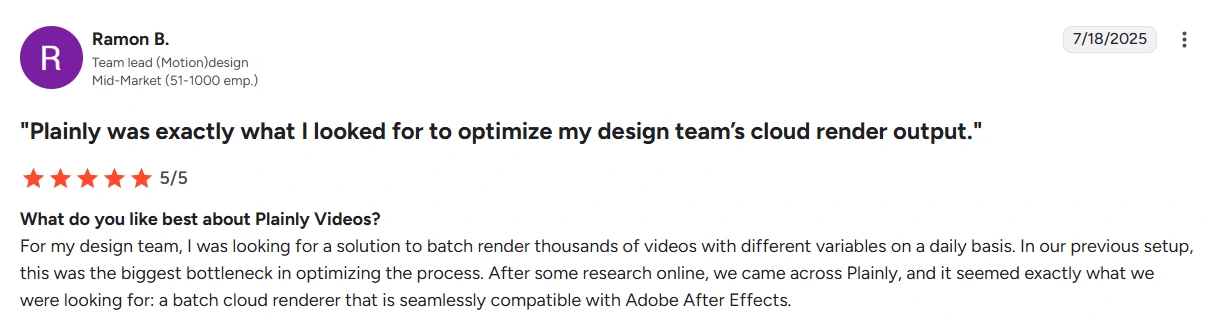
Full control over timing and dynamic logic
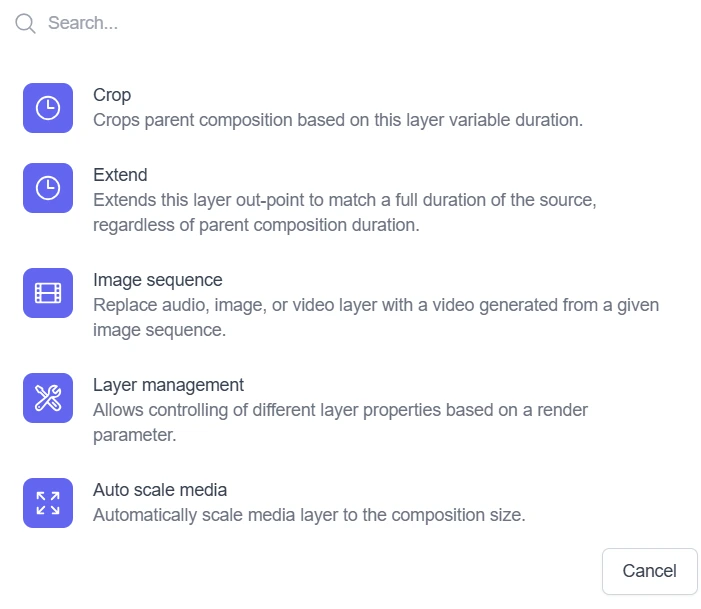
Need a video scene to last longer if the text is longer? Want to sync footage duration with audio clips? With Plainly, your template and data stay in sync. You can define rules, adjust timing, and control how every layer behaves dynamically.
Web App = API
There’s no difference in what you can do through the Web App or the API. You get full feature parity across both, which isn’t something every platform offers. This gives developers and non-developers the same creative power. The outcome is identical, whether rendering in the browser or programmatically via API.
Native integrations with 20+ tools
No need to duct-tape your workflow with Zapier. Plainly connects natively to Google Sheets, Airtable, Dropbox, Drive, HubSpot, and many others, right out of the box. You can pull assets, sync data, push completed videos to your preferred delivery channels, and much more.
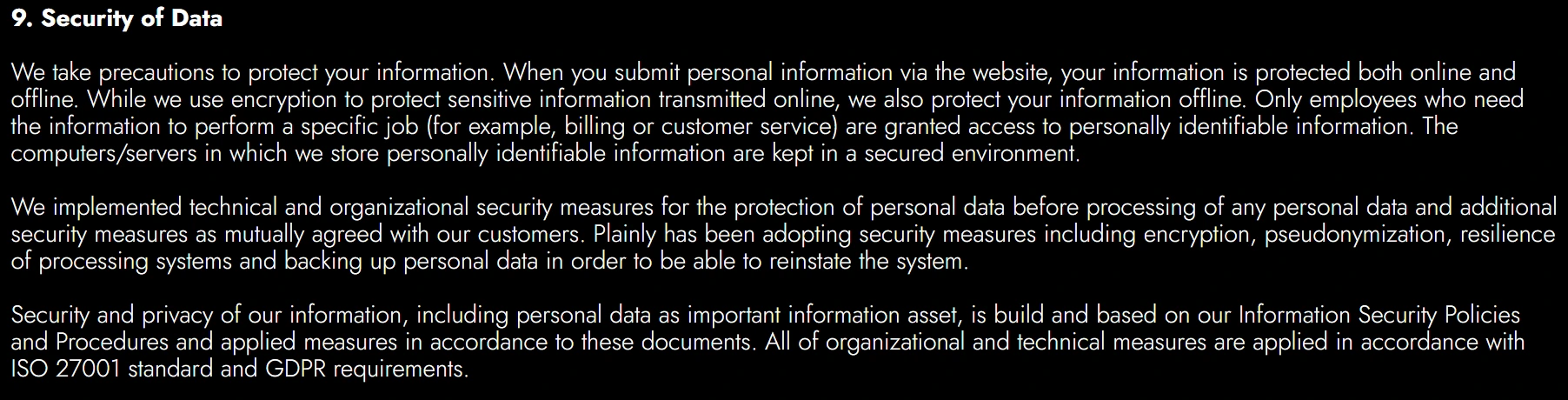
Enterprise-grade infrastructure & security
We’re ISO 27001 certified and fully GDPR compliant, so you’re covered even if you’re working with sensitive or regulated data.
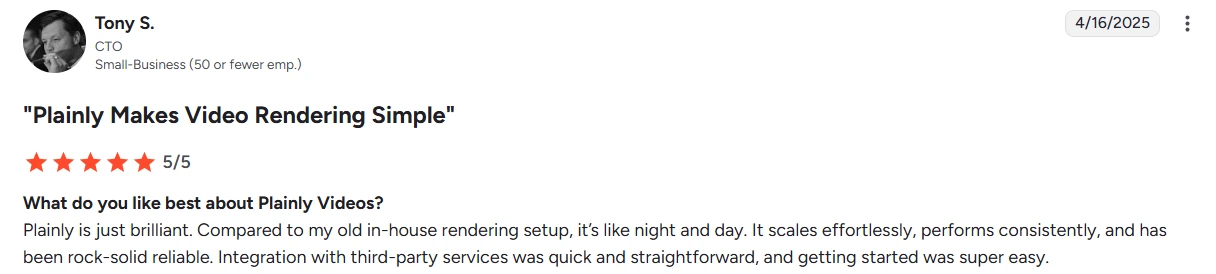
First-class support
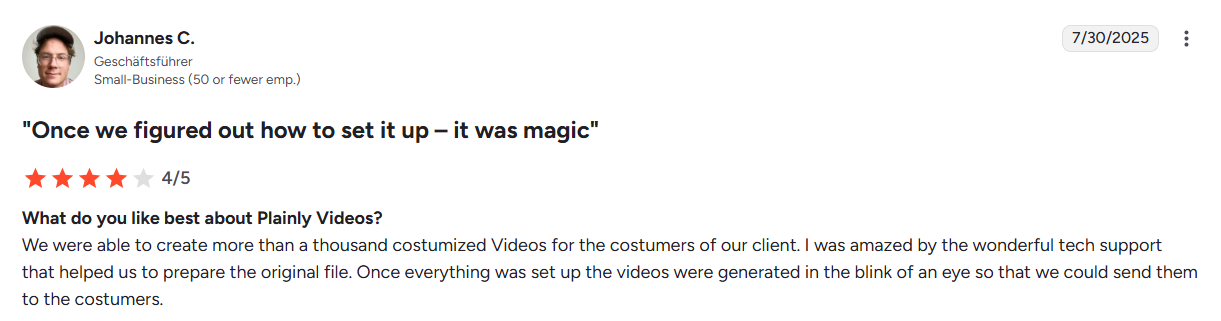
Every user gets access to responsive email support, and according to customer feedback, it’s superb. If you're on a higher-tier plan, you’ll also benefit from extras like live training sessions, Slack support, and the option to book 1:1 calls with our team.
Is Creatomate worth it or not?
If there is anything that our Creatomate review made clear, it’s that it’s a solid pick, especially if you’re okay with working inside a browser-based editor. It’s developer-friendly, comes with flexible APIs, and supports various automation workflows through Zapier, Make, and n8n.
Be as it may, if you're working with After Effects, need full control over timing, or want to build advanced workflows with native integrations... Creatomate might not cut it.
But Plainly Videos just might! With support for AE templates, dynamic logic between data and design, a truly powerful API, and native integrations with 20+ tools, Plainly gives you everything you need to scale your video production, without compromising on creative freedom.
Start automating today with a 14-day free trial or book a demo to see how it fits your workflow.



