
Top 9 video automation examples you should be using


Summarize with





If your team is stuck doing the same video edits over and over, you're not alone. Creative teams everywhere are drowning in manual work: cutting 50 versions of the same product video, personalizing customer onboarding clips one by one, or adapting campaigns for different markets. It doesn't scale, and it burns people out.
Video automation changes that. Instead of manually editing each video, you set up templates that pull in data automatically to generate data-driven videos. Feed in product information, customer names, or regional details, and the system generates hundreds or thousands of variations without touching your timeline.
This article walks through 9 video automation examples from real brands - from dynamic video ads and personalized videos to batch video editing and video localization workflows. You'll see specific tools, real use cases from companies like UNICEF, and more, and workflows you can replicate in your own business.
TLDR
- What it is: You build a video template once, connect it to a data source, and the system automatically generates unique videos at scale for different audiences, products, or markets, saving creative teams enormous time and resources.
- Top use cases: Dynamic video ads, e-commerce product videos, localized campaigns, personalized onboarding, social media clips, client recap videos, automated video editing, thank you videos, and UGC-style ads.
- Real results: UNICEF generated 20,000 personalized donor videos and saw an 8% increase in donations.
- When to avoid it: Skip automation for high-emotion brand films, one-off hero campaigns, or any project where originality and creative craft matter more than efficiency.
- Getting started: Pick the workflow burning the most time, build one template, and scale from there.
What is video automation?
Video automation uses software to create and edit videos based on data inputs without requiring manual work for each version. Instead of spending hours in your video editor tweaking individual videos, you set up the process once and let the software handle the repetitive work.
Here's how it works: you design a video template once (usually in After Effects), mark which elements should be dynamic, then connect it to your data source. That could be a simple CSV spreadsheet, or an API pulling from your database with product information. You can also use AI for generating data, cutting clips, and more. The automation platform connects these pieces and generates finished videos at scale.
Any element you mark as dynamic can be automated with an automatic video editor workflow: text overlays, images, voiceovers, background colors, and more. Personalized videos with customer names, dynamic video ads pulling product specs, or video localization across 20 languages all follow the same pattern, where you template it once and let the system handle the variations.
Top 9 video automation examples
These examples span different industries and use cases, showing just how versatile video automation can be for marketing, operations, and customer engagement. Whether you're running performance campaigns, managing e-commerce catalogs, or scaling personalized outreach, there's likely a workflow here you can adapt to your own business.
Dynamic video ads based on data
Static creative is the fastest way to fatigue an audience. The best offer in the world means nothing if you're showing the same ad to a first-time visitor or someone who abandoned their cart an hour ago. Paid social algorithms reward engagement, and one-size-fits-all creative gets skipped because it doesn't speak to where someone actually is in their journey.
Instead of producing one generic ad for everyone, video automation lets you serve thousands of personalized variations driven by real-time data. A viewer in New York sees an ad referencing their city. A returning customer sees a loyalty offer instead of an intro discount. Someone who browses your winter collection sees exactly that and not your summer sale. The video itself changes based on who's watching: the text overlays, the product shots, the CTA, sometimes even the voiceover.
This also solves one of the biggest bottlenecks in paid social: creative production speed. When you're testing at scale, waiting on designers kills your momentum. Dynamic video ads let you define the template and logic once, then let the data do the work. You can run dozens of variations simultaneously without a single extra export from your editor.
The data feeding these variations can come from almost anywhere. CRM data, browsing behavior, purchase history, location, weather, live inventory, even the day of the week. By using video automation tools like Plainly Videos, you can connect your video templates directly to your data and automatically generate thousands of dynamic video variations without touching your editing software again.
The brands winning on paid social right now aren't just spending more. They're personalizing harder and producing faster. Dynamic video ads are how both happen at the same time.
E-commerce product videos
Every product in your catalog deserves its own video, but traditional production makes that impossible. Creating even a handful of product videos is expensive and slow, and keeping them updated as inventory changes becomes unmanageable. Most brands only cover their hero products and leave the rest without video, which means most of their catalog sells at a disadvantage.
Video automation flips that equation. By connecting your product data feed directly to a video template, you can generate a unique video for every SKU in your catalog automatically. New product added? A video gets created. Price drops or stock runs low? The existing video updates to reflect it. Seasonal promotion goes live? Every relevant product video updates overnight.
These videos feed into your ad campaigns, email marketing, social channels, and marketplace listings from a single automated pipeline. Every product gets video coverage, not just the ones you prioritize based on budget. The value becomes obvious when you consider scale. If you have 500 products and it takes 30 minutes to create each video manually, that's 250 hours of work. Automation handles that in a few hours of rendering time.
Localized videos for different markets
Video localization matters more than most teams realize. A U.S.-focused video with dollar pricing and English text won't resonate in Germany or Japan, and in many markets, it won't just underperform, it will actively signal that your brand doesn't understand its audience.
Global brands need videos that work across languages, currencies, cultures, and regulations in every market they operate in. The traditional approach means briefing local agencies, managing multiple production timelines, and hoping everything stays on-brand across dozens of regional variations. It's slow, expensive, and nearly impossible to keep consistent at scale.
Video automation turns localization into a data problem instead of a production problem. Build one master template, connect it to your localization data (language, currency, regional offers, voiceover, culturally relevant imagery), and the system generates fully localized versions for every market.
We've seen companies launch global campaigns in days instead of months, spinning up fully localized versions for dozens of markets without rebuilding the entire creative each time. One master template feeds personalized data for each region - language, currency, regional offers, voiceover tracks, and culturally relevant imagery - while maintaining the same brand standards across every version.
Personalized onboarding videos
The first few days after signup are your critical window to turn a registration into an active customer. Most companies blow it with a generic welcome email and help center link. Teams care about onboarding, but creating thousands of personalized videos by hand just doesn't scale.
Instead of sending the same generic walkthrough to everyone, you can automatically create a personalized onboarding video for each new user. Each video pulls live data at signup to address the user by name, reference their chosen plan, highlight relevant features for their use case, and walk them through the setup steps that actually matter to them.
The impact on activation rates can be significant. Personalized videos create a stronger first impression than generic welcome emails. Users feel recognized, and that emotional connection increases the likelihood they'll complete onboarding steps and become active users.
This is scalable personalization that actually feels human. You're not faking it with "Hi [FIRSTNAME]" text in an email. You're showing users a video with their name, their company logo, or details specific to their plan rendered automatically for thousands of users.
Social media video clips from long-form content
Every podcast episode, webinar, interview, or long-form video your brand produces is a content goldmine that most teams barely tap into. The standard approach is to publish the full video, maybe pull one or two clips manually if someone has the time, and move on. The result is that hours of valuable content get reduced to a single post, and the social media calendar stays starved while the asset library sits full.
Instead of manually scrubbing through footage, identifying the best moments, and exporting clips one by one, automation tools can analyze your long-form content and generate multiple ready-to-publish short-form clips in a fraction of the time. This workflow differs from template-based automation but still automates repetitive video tasks. OpusClip and similar tools analyze long videos using AI to identify engaging moments, automatically clip them, format for vertical or square aspect ratios, add captions, and even publish to multiple platforms in one click.
One 60-minute podcast episode can become 10 to 15 platform-optimized clips without anyone opening an editing tool. For content teams already stretched thin, that's often what separates a consistent multi-channel presence from barely managing one platform.
Beyond volume, there's a strategic advantage too. More clips mean more chances to find what resonates. The best-performing short clips often come from moments you wouldn't have prioritized manually. Automation makes sure nothing gets left behind.
Automated recap and report videos for your clients
Automated recap videos help SaaS platforms, banks, insurance providers, and sports teams send personalized updates without lifting a finger. Instead of static dashboards or text-heavy emails, users receive short, branded videos generated directly from live data. The system pulls key metrics, populates dynamic scenes, updates charts, and produces one personalized video per customer automatically.
Spotify Wrapped made the world familiar with what personalized data recaps can do, a single annual moment that generates millions of social shares and deepens user loyalty in a way no dashboard ever could. The same mechanic is now accessible to any business with customer data and a video automation tool.
A SaaS platform sends each user a monthly summary of their activity and progress. A bank delivers a personalized year-in-review of spending habits and savings milestones. A sports team recaps the season for every fan based on the games they attended.
Augment Agency created over 5,000 personalized recap videos for a running event, showing each runner their individual stats like start time, average pace, position, and final time. That level of personalization at that scale would be impossible with manual editing. The result was a post-event experience that felt individually crafted for every single participant.
The business impact goes beyond just looking cool. Visual reporting differentiates you from competitors who rely on static email or in-software updates. Clients engage more deeply when they see their data animated and presented professionally.
Thank you videos for your customers
Most customer communication is transactional. Order confirmed. Payment received. Subscription renewed. Businesses spend enormous energy acquiring customers and almost none making them feel valued after the fact. A generic automated email with "thanks for your purchase" in the subject line doesn't build loyalty, It just blends into the inbox noise like everything else.
Personalized thank you videos change that dynamic entirely. Instead of a templated email, your customer receives a short branded video that addresses them by name, references what they purchased or achieved, and delivers a genuine moment of appreciation that feels anything but automated.
The use cases span almost every industry. An e-commerce brand thanks a customer for their third order and highlights their loyalty status. A SaaS platform acknowledges a user hitting a meaningful product milestone. A fitness app celebrates a member's one-year anniversary with a thank-you video and what they accomplished.
For example, UNICEF created thousands of personalized videos highlighting the specific projects each donor supported. They used automation to render 20,000 unique videos, showing donors the real-world impact of their contributions with their names and donation details integrated naturally. The results were striking: UNICEF achieved an 8% increase in donations
A thoughtful, personalized thank you video in that moment creates a memory, drives word of mouth, and builds the kind of emotional connection that keeps people coming back without needing to be incentivized.
Automated video editing and post-production
The real bottleneck in video production isn't filming but the editing that comes after. For teams producing content at scale, post-production drags everything down and keeps creative people stuck on technical busywork.
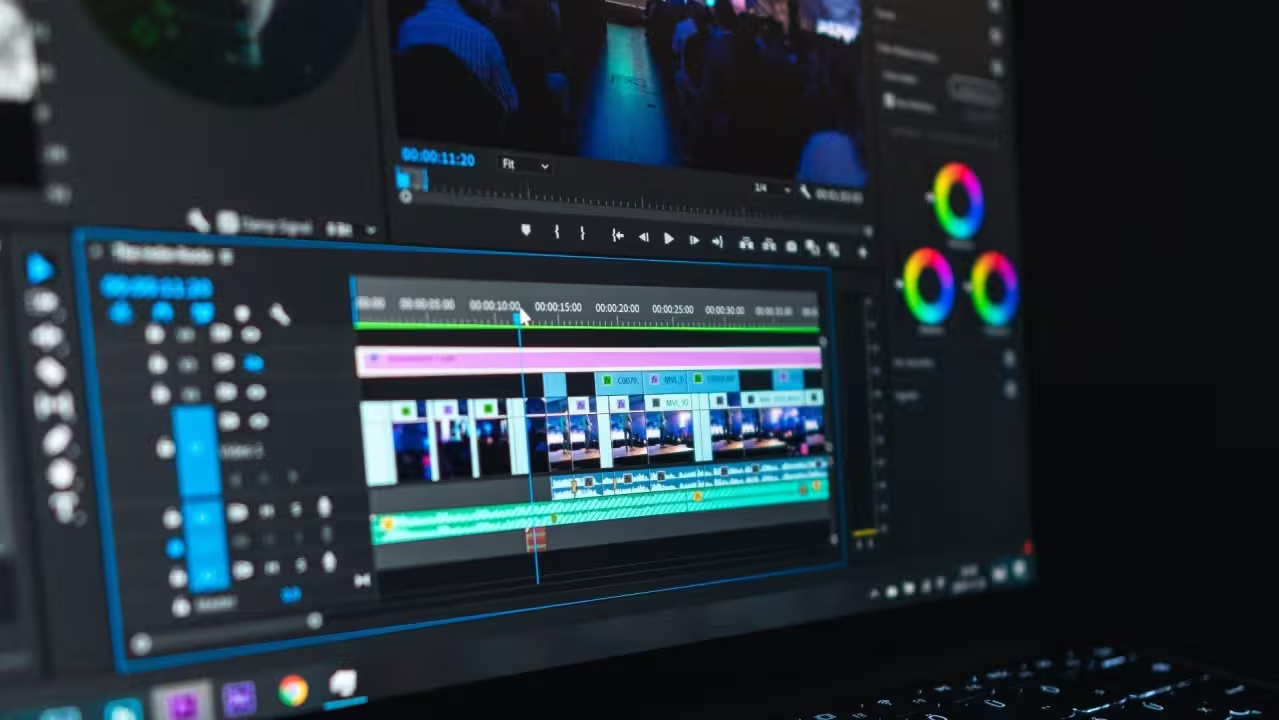
Automation now handles the grunt work that used to bog down post-production. Color grading, audio leveling, intros, outros, and lower thirds can all be templated and applied consistently without touching an export button. Automating these tasks saves more time than most teams realize. Those hours spent on repetitive post-production work go back to the editors, who shift from executing technical tasks to making creative decisions.
Leads.io operated as a high-volume, performance-driven lead generation agency, but their creative process was heavily manual and decentralized. Designers were stuck in render queues, and the team couldn't scale production to match campaign demands. The workflow transformation focused on creating base templates with modular elements. Instead of editing each video from scratch, they automated batch updates across dozens or hundreds of videos simultaneously. Cloud rendering eliminated local machine bottlenecks that previously kept designers waiting hours for exports.
This example matters because it's not as exciting as personalization, but it fixes something that actually slows teams down. If your team is stuck making the same edits over and over, you don't need new content. You need an automated video versioning system.
UGC-style video ads
User-generated content has become one of the highest-performing ad formats on paid social, and the numbers back it up. According to Bazaarvoice, UGC-based ads generate 4x higher click-through rates and 50% lower cost-per-click compared to standard brand creative. It feels native to the feed, builds instant credibility, and converts better than polished brand creative. Real UGC is unpredictable, though. You can't control the quality, messaging, or timing, and waiting on creators to deliver what you actually need slows everything down.
Video automation solves this by letting brands produce UGC-style content at scale without waiting on creators for every campaign. Templates mimic authentic creator aesthetics like raw cuts, direct-to-camera framing, casual pacing, and on-screen text to generate dozens of variations quickly, each tailored to different segments, offers, or products. The output looks organic while giving you full control over messaging, timing, and volume.
This matters most when you're testing at scale. UGC-style ads tend to have a shorter fatigue cycle than polished brand creative, which means you need a steady pipeline of fresh variations to keep performance from dropping off. Automation makes that pipeline sustainable without ballooning your creator spend or your production timeline.
The creative consideration here is critical: template design determines whether this works or looks fake. The goal is authentic-feeling content, not obvious templates. When executed well, viewers can't tell the difference between automated UGC-style videos and real creator content.
This approach complements real UGC rather than replacing it. You use actual creators for your hero content and proof points. You use automation to rapidly test variations and scale winning concepts across audience segments.
When video automation is not a good idea
We've covered a lot of powerful use cases for automation: dynamic video ads, batch video editing, video localization, and personalized videos. But in reality, automation isn't the right fit for every video project. Knowing when to step back and go manual is just as important as knowing when to automate.
- High-emotion brand films - Emotional storytelling needs human creative judgment, nuance, and artistic direction that templates can’t replicate.
- Mission/values launch videos - When you’re defining brand identity (pacing, tone, music, visual metaphors), creative control matters more than production speed.
- One-off hero campaigns - Major launches and flagship campaigns are high-stakes moments where originality and creative excellence outweigh efficiency gains.
- Super Bowl/tentpole ads - Massive paid exposure demands precision, uniqueness, and craft that shouldn’t rely on automated structures.
- Highly sensitive communications - Crisis response, PR statements, or legal announcements require careful human oversight and messaging control.
- Poor data quality - Automation scales whatever you feed it, so inconsistent catalogs, messy databases, or outdated data will multiply errors instantly.
- Very low volume projects - If you’re producing just 1–2 videos once, setup time may exceed the efficiency benefits of automation.
- Undefined creative direction - Automation works best when the format is clear; if you’re still exploring tone, style, or structure, go manual first.
Rule of thumb: Automate when structure repeats and data is clean. Go manual when emotion, originality, or precision define success.
Get started with video automation
The video automation examples we've covered span wildly different use cases, from dynamic video ads and batch video editing to video localization and personalized videos. But they all share the same foundation: structured data feeding reusable templates, and applied to the right use case.
That's the pattern worth remembering. Whether you're automating e-commerce product videos, personalized onboarding flows, or localized campaigns for different markets, the mechanics stay consistent. The creativity is in how you apply them to your specific workflow.
If you're spending hours on repetitive video edits, there's likely a use case here you can adapt. Start with one workflow that's burning the most time and automate that first.
Ready to build your first automated workflow? Sign up for Plainly and turn your templates into a scalable video system.



