
7 best video APIs [2026]


Summarize with





Video API choices pretty much exploded in the last two years, and in 2026, picking the right one directly determines how fast you ship, how well you scale, and what your product can actually do with video features and video experiences.
The key thing to understand is simple: not all video APIs solve the same problem. Some are built for generation, others for hosting, rendering, streaming, personalization, or automation. Here at Plainly Videos, we’ve dealt with the video industry long enough to know that teams usually get stuck because they compare tools without separating these use cases first.
That’s why we’ve created a guide that covers the 7 best video API platforms in 2026 across the main categories, explains what each one is best for, and helps you decide which option fits your current needs - whether you’re researching, switching providers, or just planning for later.
Let’s dive right into it.
What is a Video API?
A video API is a set of endpoints and tools developers use to create, process, manage, or deliver video inside an app or workflow without building the full video infrastructure from scratch. In practice, teams usually connect these APIs through backend services, automation platforms, or frontend apps using languages and frameworks they already rely on, including JavaScript for web-based product experiences and internal tools, with each API request typically routed through an API server in the stack.
The main thing to understand is that video API is a broad term. It doesn’t refer to one specific product category, but rather covers multiple types of APIs, each built for a different video use case. The easiest way to narrow the market is to group tools by job first. Some APIs focus on generation and editing, while others handle infrastructure tasks like hosting, streaming, and transcoding video into different formats and resolutions for playback compatibility across devices. So, before you choose, we advise you to define the job you need the API to do first. That first step makes the rest of your research much easier.
The main types of video APIs
Here are the most common categories you’ll see on the market, to help you narrow down your search:
- Video generation APIs - Let you create videos from prompts, templates, scripts, or assets (text, images, voice, data).
- Video rendering APIs - Programmatically render/export videos from scenes, templates, timelines, or motion graphics.
- Video personalization APIs - Let you generate unique video versions at scale using dynamic variables like name, company, plan, or CTA.
- Video hosting and delivery APIs - Use them to manage storage, handle video uploads, and deliver video files inside websites and applications.
- Video streaming APIs - They handle live streaming or on-demand video streaming playback, delivery, and infrastructure.
- Video processing/encoding APIs - They transcode files into different formats, resolutions, and bitrates for compatibility and performance.
- Video automation APIs - Let you connect video workflows with other systems (CRM, marketing tools, product data, internal apps) to generate or trigger videos automatically.
Because some of these categories overlap, two platforms can both be labeled “video API” while solving very different problems. And that’s why the best way to compare tools is to first identify the use case, then compare APIs within that category. Only then can you know you’ve made the right decision.
Best video API at a glance
Plainly Videos - Best video & After Effects automation API
Plainly Videos is a video automation API for teams that already know the pain of manual versioning: one template, dozens of edits, endless exports. If you’re looking for an After Effects API workflow, Plainly is built for that exact job - it turns AE templates into scalable, data-driven video production. It’s a strong fit for personalization, batch production, and repeatable rendering inside products and internal workflows.
Key features
- After Effects template automation - Plainly turns AE templates into programmable video workflows, so teams can generate many versions without editing and rendering each one manually. This is a big advantage for creative teams that already work in After Effects.
- API-first video rendering - Developers can trigger renders and pass dynamic variables from apps, backends, or automation tools, often in a single API call, with each variable mapped to a template parameter. That makes high-quality video generation part of your product workflow, not a separate production step.
- Data-driven video generation - One template can output thousands of variants by swapping text, images, and data fields. This is what makes personalized campaigns, localized versions, and dynamic product videos practical.
- Cloud rendering for batch production - Rendering happens in the cloud, so teams don’t need to manage local render machines. It’s built for repeatable, high-volume production at scale.
Pricing
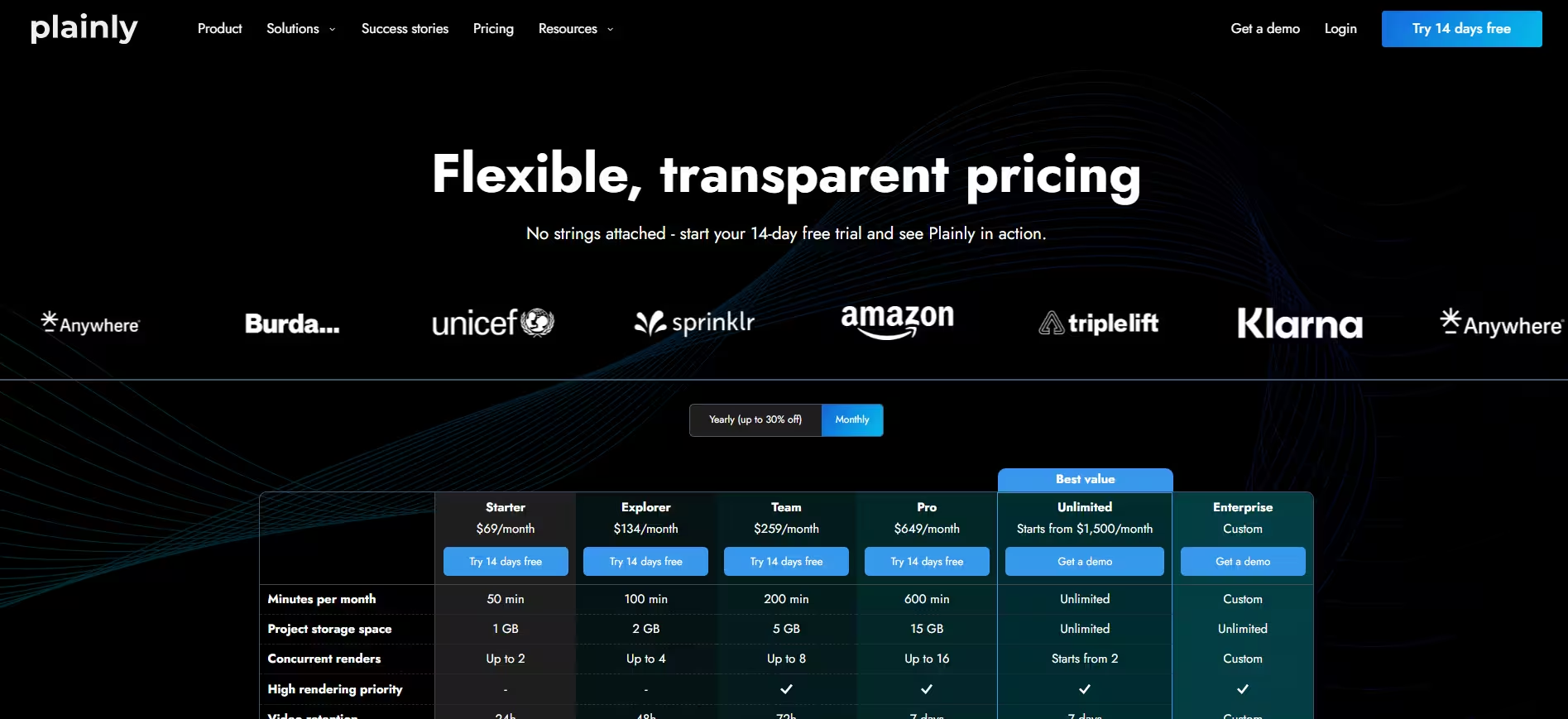
Here’s a look at Plainly’s pricing plans you can choose from:
- Get Starter for $69/month
- Explorer for $134/month
- Team plan for as much as $259/month
- Choose Pro for $649/month
- Get the Unlimited plan for $1500/month
- Finally, the Enterprise plan is custom, based on volume and needs.
All plans include all features, but minutes and other limits change based on the plan you choose.
Review
“Outstanding features - they understand what our developers need AND our After Effects creative professionals as well. The support is outstanding and responsive - they genuinely care about their customer's success and are willing to help solve our challenges in executing our creative vision. Plainly is continually adding new features, many of which I can see are directly in response to client requests.” - Ben J.
Sora - Best AI video generation API
Sora is OpenAI’s video generation API for teams that want to create videos from prompts instead of timelines. It fits AI-native product workflows well, where speed matters and teams need fast, repeatable tasks and no traditional editing setups. It’s a strong fit for video generation and editing use cases, if you’re looking for that, but it is not a hosting, streaming, or template automation API.
Key features
- Text + image to video generation - Sora lets developers generate videos from prompts and image inputs, which makes it a strong fit for AI-native creation flows inside apps and internal tools. This is the core reason why teams evaluating LLM-powered UX often shortlist it early on.
- Synchronized audio output - Sora 2 supports audio output alongside video, which makes generated clips more usable for demos, prototypes, and short-form content. That removes one more manual post-production step.
- Multiple model tiers (Sora 2 and Sora 2 Pro) - OpenAI offers Sora 2 and Sora 2 Pro, so teams can choose between lower-cost iteration and higher-quality output. We recommend this kind of tiering when you need one model for testing and another for production-quality renders.
- Video API access via /v1/videos - OpenAI exposed video generation and editing through the Video API, so developers can integrate Sora directly into your product workflows, and that matters if you’re building repeatable, API-driven generation at scale.
Pricing
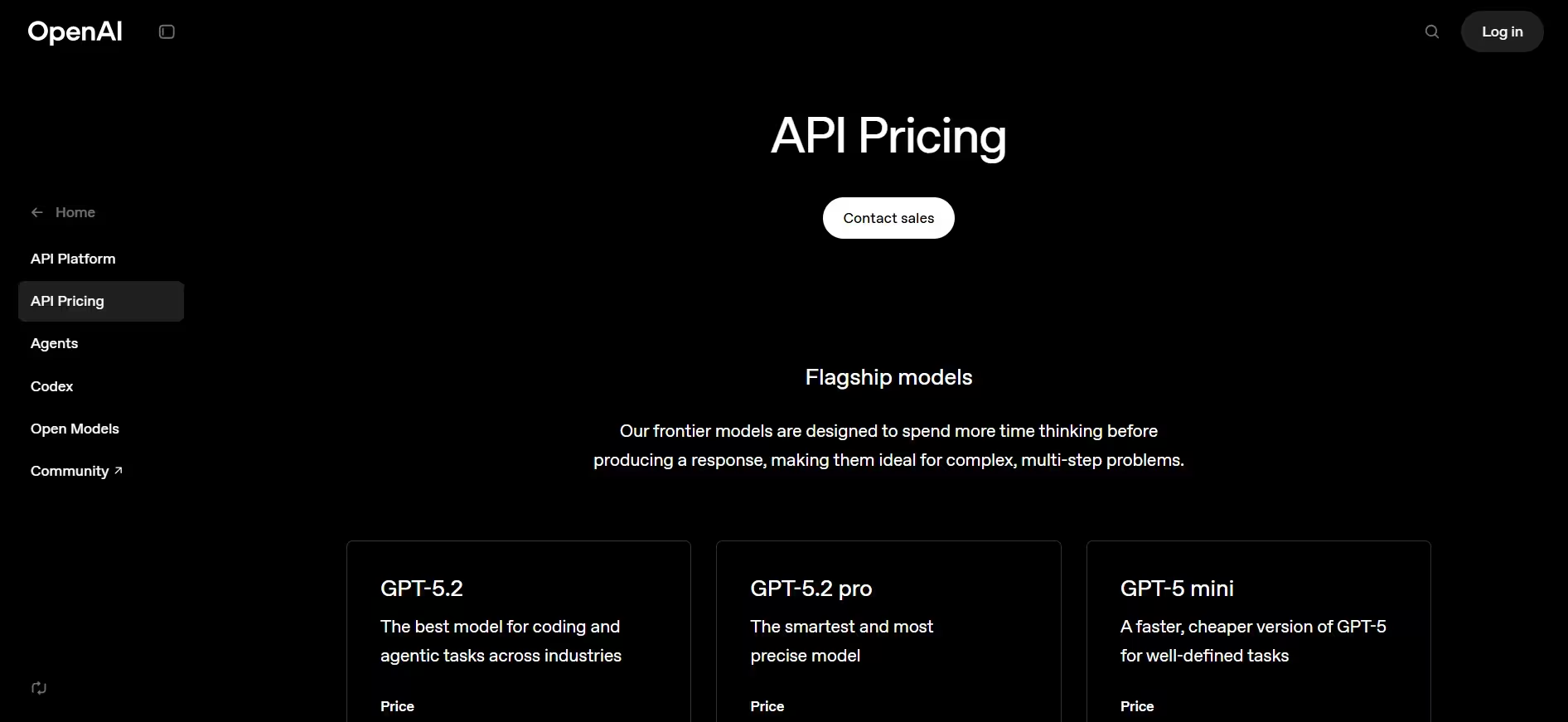
The pricing depends on the version you use. Here’s the starting price:
- Sora 2: $0.10/sec (720p video generation)
- Sora 2 Pro: $0.30/sec (720p video generation)
Review
“After spending hours experimenting with Sora, I’m convinced it’s a game-changer—but only for the right audience. If you’re a business professional or someone serious about leveraging AI for video production, the Pro plan’s features justify its cost. Casual users might find the Plus plan more accessible, though its limitations (watermarks, 720p resolution) could be a dealbreaker.” - Fliki Sora review
HeyGen - Best AI avatar video generation API
HeyGen fits teams that need a person on screen in every video. Think onboarding flows, support updates, product walkthroughs, and outreach. Need to stay consistent as volume grows? This is your pick then. It’s built for avatar-led video generation, which makes it a strong option when speed, repeatability, and localization start driving production decisions, especially for teams producing custom video at scale. And if you’re building a broader automation stack, a HeyGen integration can fit naturally alongside template-based video workflows with Plainly, which gives you another way to scale output across use cases.
Key features
- Avatar video generation API - HeyGen’s API supports creating avatar videos programmatically, so teams can build presenter-style video workflows directly into their product or ops stack. It’s a strong fit for repeatable communication formats where the “human presenter” is part of the experience.
- Template-based video generation - HeyGen’s Template API lets you replace elements like text, images, audio, voices, and avatars inside predefined templates. This makes personalized and localized video production much easier to scale across campaigns and lifecycle flows.
- Streaming avatars for real-time experiences - HeyGen also offers a Streaming API/SDK for interactive video avatar experiences in apps. That opens up use cases like virtual assistants, guided onboarding, and live support experiences.
- API + SDK workflow support - The docs cover API access, SDKs, auth, and integration paths, which helps developers move from testing to production with fewer handoffs. This matters when HeyGen is one part of a larger automation pipeline.
Pricing
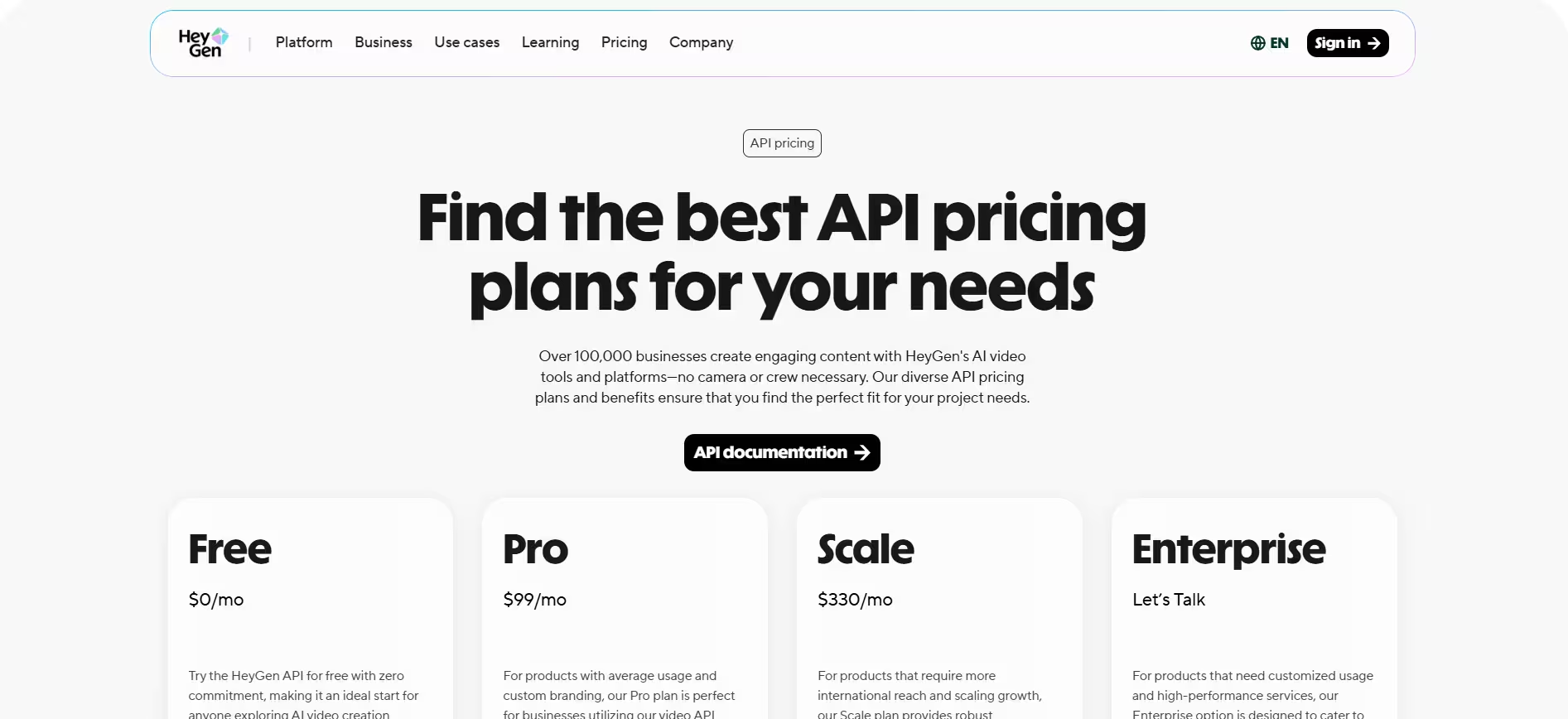
HeyGen’s API pricing starts with a Free plan ($0/month), then moves to Pro API ($99/month) and Scale API ($330/month).
Review
“HeyGen has become an essential tool in my daily content production. It allows me to transform structured scripts into clear, professional instructional videos in a matter of minutes. The platform is intuitive, efficient, and remarkably consistent in delivering high-quality visual communication. For short educational and strategic videos, it significantly reduces production time while maintaining a polished and credible presentation. It has streamlined my workflow and elevated the standard of my digital content.” - Marcio G.
Shotstack - Best developer video editing API
Shotstack fits teams that need to generate lots of videos from code, not clicks. It’s built for products and workflows where video output follows a repeatable structure like timelines, templates, batch exports, personalized variants, and where rendering needs to happen reliably in the cloud. If you’re researching Shotstack alternatives, this is usually the benchmark you compare against for API-first rendering workflows.
Key features
- JSON-based video editing and rendering API - Shotstack lets developers define edits in JSON and send them to a REST API for rendering. That makes video generation programmable and easier to automate across apps, internal tools, and pipelines.
- Cloud rendering built for concurrent output - Shotstack is designed to handle rendering in the cloud. This includes high-volume workflows with many videos generated from templates. This makes it a strong fit for batch production and data-driven video use cases.
- Dynamic templates and automated video workflows - Shotstack positions its platform around dynamic templates and scalable video creation, which helps teams standardize repeating formats and produce variations faster.
- White-label video editor options - Shotstack also includes white-label editor capabilities with a customizable interface that teams can embed into their own product. This can reduce frontend build time for teams that want a built-in editing experience alongside API rendering.
Pricing
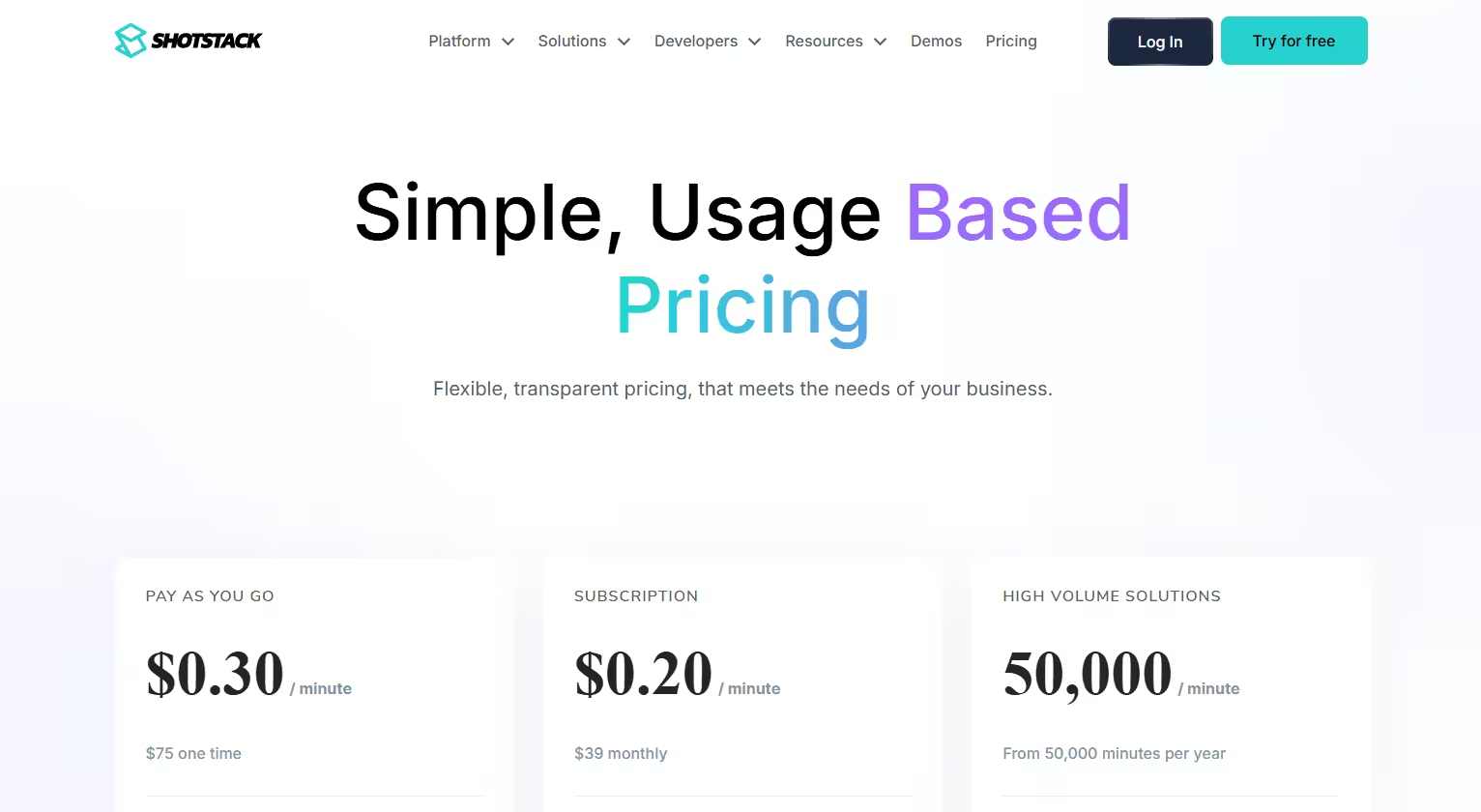
Shotstack’s official pricing page shows a pay-as-you-go model at $0.30 per minute and a subscription option from $39/month at $0.20 per minute, with high-volume plans available for larger usage.
Review
“My overall experience with Shotstack has been fantastic. The product is amazing and it exactly addresses our needs of generation movies based our input medias and instructions.” - Bo Y.
Cloudinary - Best video management & optimization API
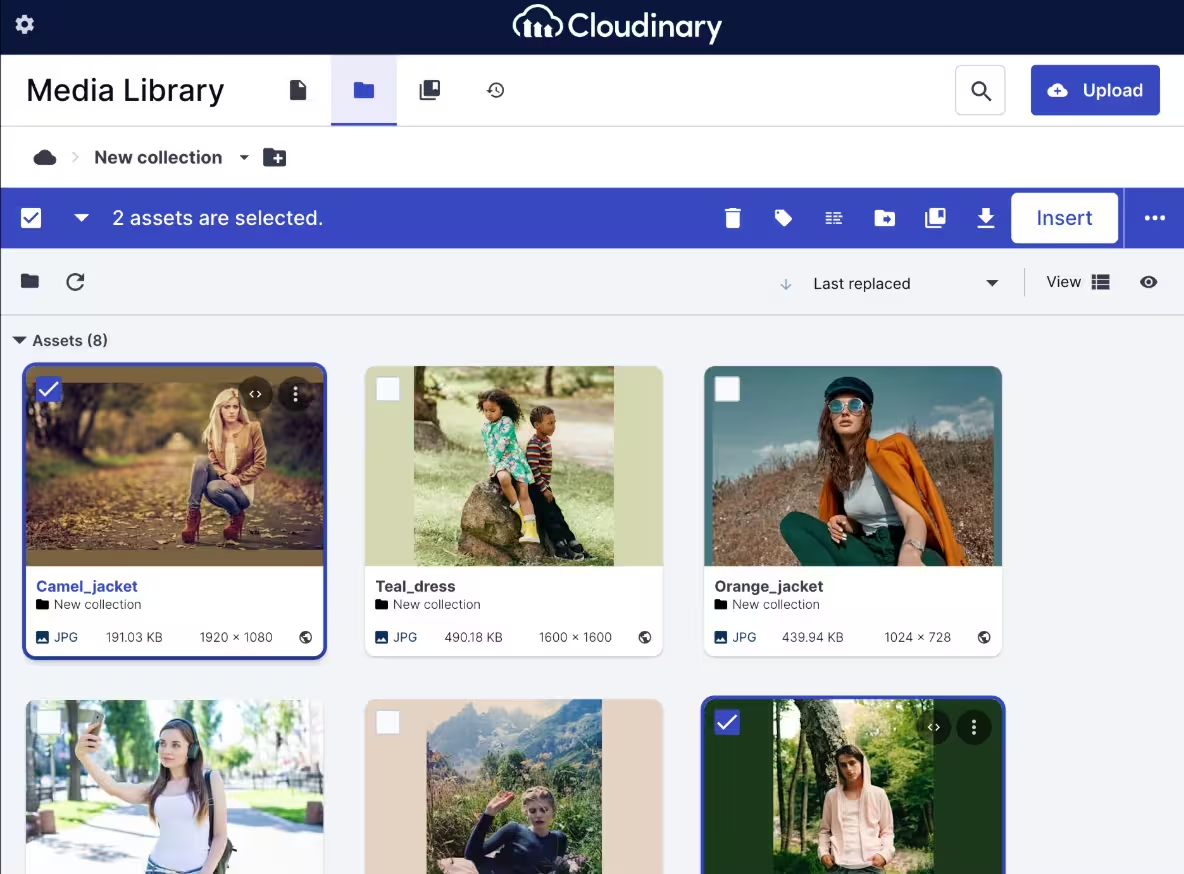
Cloudinary fits teams that already create video in one place and need the infrastructure to optimize, manage, and deliver it everywhere else. That matters not just for performance, but also for accessibility: when video delivery is handled well, teams can maintain more consistent video quality across devices, support captions/subtitles more reliably, and make video content easier to use for a wider range of users.
Key features
- Upload and media management APIs - Cloudinary provides APIs for uploading and managing media assets, including video, which helps teams centralize video operations inside one platform. This is the foundation for scalability and product workflows that handle large volumes of assets.
- Video transformation and optimization - Cloudinary supports on-the-fly video transformations, formatting, resizing, and optimization for delivery. That way, teams can prepare videos for different devices, surfaces, and performance goals.
- Video hosting and CDN delivery - Cloudinary combines storage with delivery infrastructure, including CDN-backed delivery for media assets. This matters when playback speed and global performance directly affect user experience.
- Video-focused developer docs and APIs - Cloudinary documents dedicated video capabilities, not just image workflows with video added on later.
Pricing
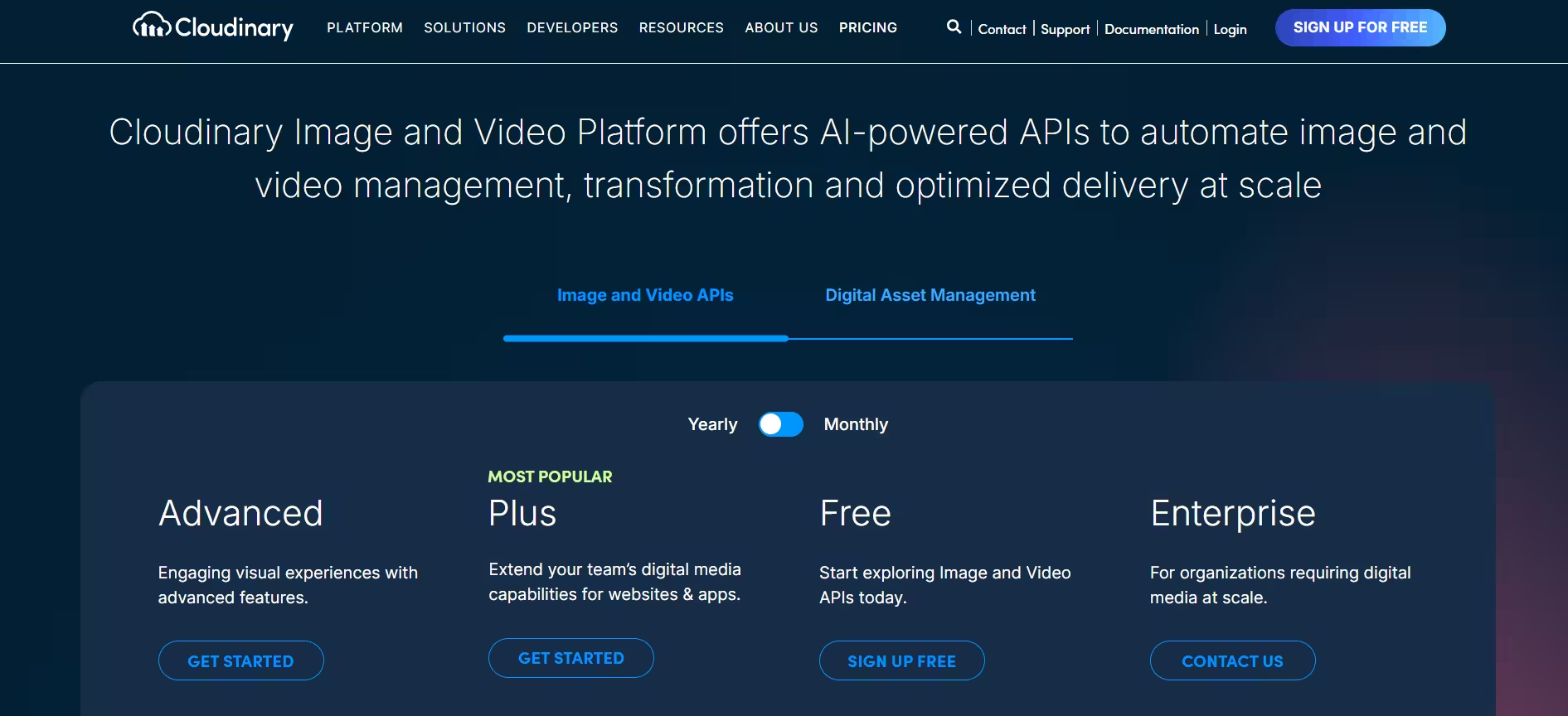
Cloudinary has a free plan you can check out with 25 credits to use, and if you opt for the paid version, the starting price is $99/month on a monthly basis.
Review
“I like that Cloudinary provides a central storage point for all our assets, making it easier for everyone to access them at all times. I appreciate the various upload transformations available, ensuring a consistent look, feel, and size for our hotel images. The interface is really easy to use, and the folder search functionality makes finding things straightforward - we use it all day every day.
I enjoy the additional features, including media flows that streamline image processing, and the video player, which delivers simple video assets in a more aesthetically pleasing manner than the previous YouTube player, and uses smart technology to reduce the time it takes for pages with video on to load. The initial setup was very easy, with a team member assigned to help us get the best out of the product. The client support team have also worked with us closely to unlock new ways of working.” - Danielle P.
Mux - Best video hosting & streaming infrastructure API
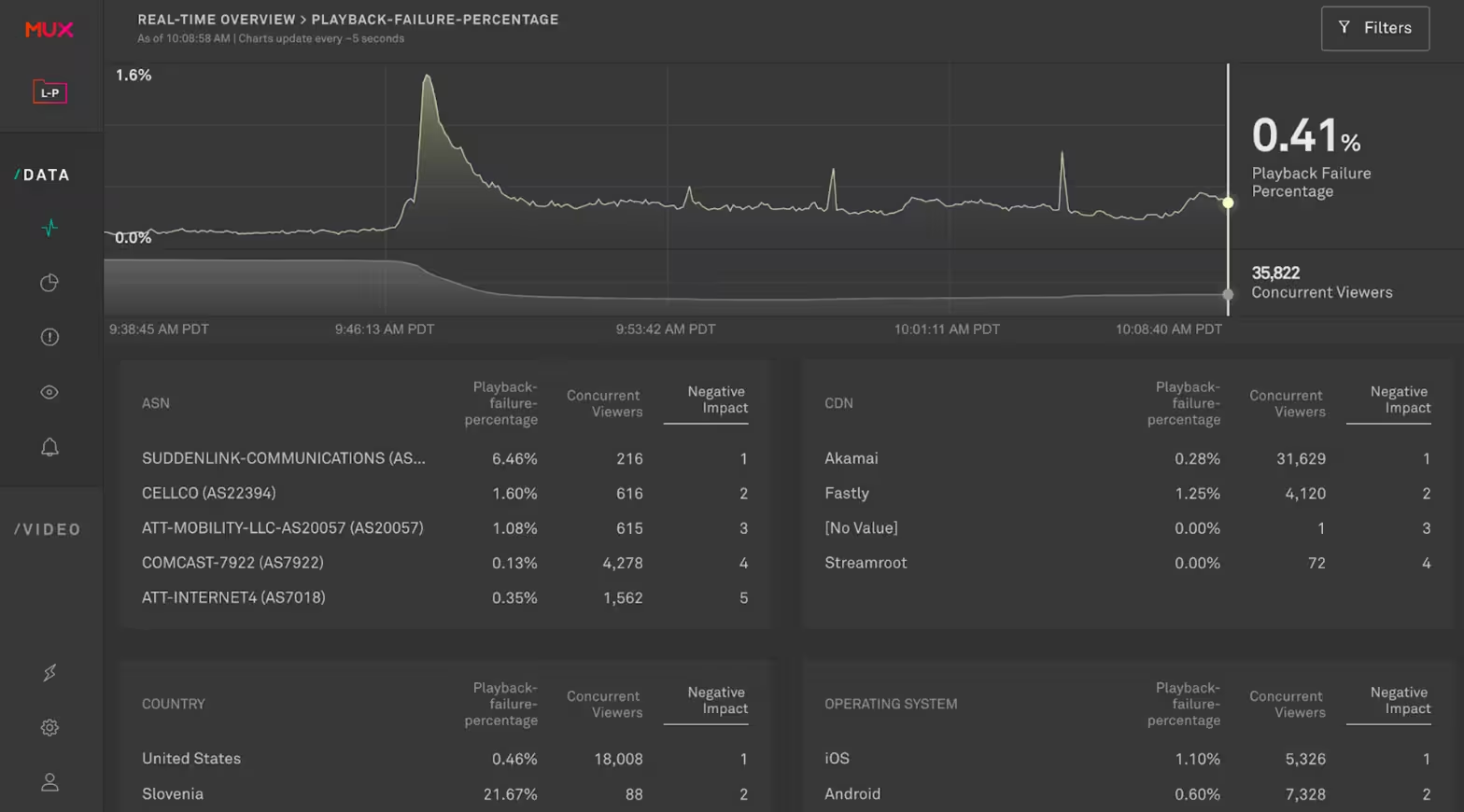
Mux fits teams that need video to work inside a product reliably, globally, and at scale. It’s built for on-demand and live video workflows where encoding, playback, delivery infrastructure, and live broadcasting matter more than video creation, especially for teams shipping video features across web products, Android, and iOS apps. If you’re comparing “video APIs” across categories, Mux is the one you evaluate for streaming infrastructure, not generation or template automation.
Key features
- Video input, encoding, and preparation for playback - Mux handles ingestion and video encoding through its API, then prepares assets for streaming across devices and network conditions. This is the infrastructure layer product teams usually want to buy, not build.
- Playback delivery for on-demand and live video - Mux is built around reliable video delivery, with infrastructure for both VOD and live streaming use cases. That makes it a strong fit for platforms and apps where streaming performance directly affects user experience.
- Minute-based pricing model - Mux prices video usage in minutes (input, storage, and delivery), which maps closely to how video products scale in production. This makes cost planning more predictable than many file-size-based models.
Pricing
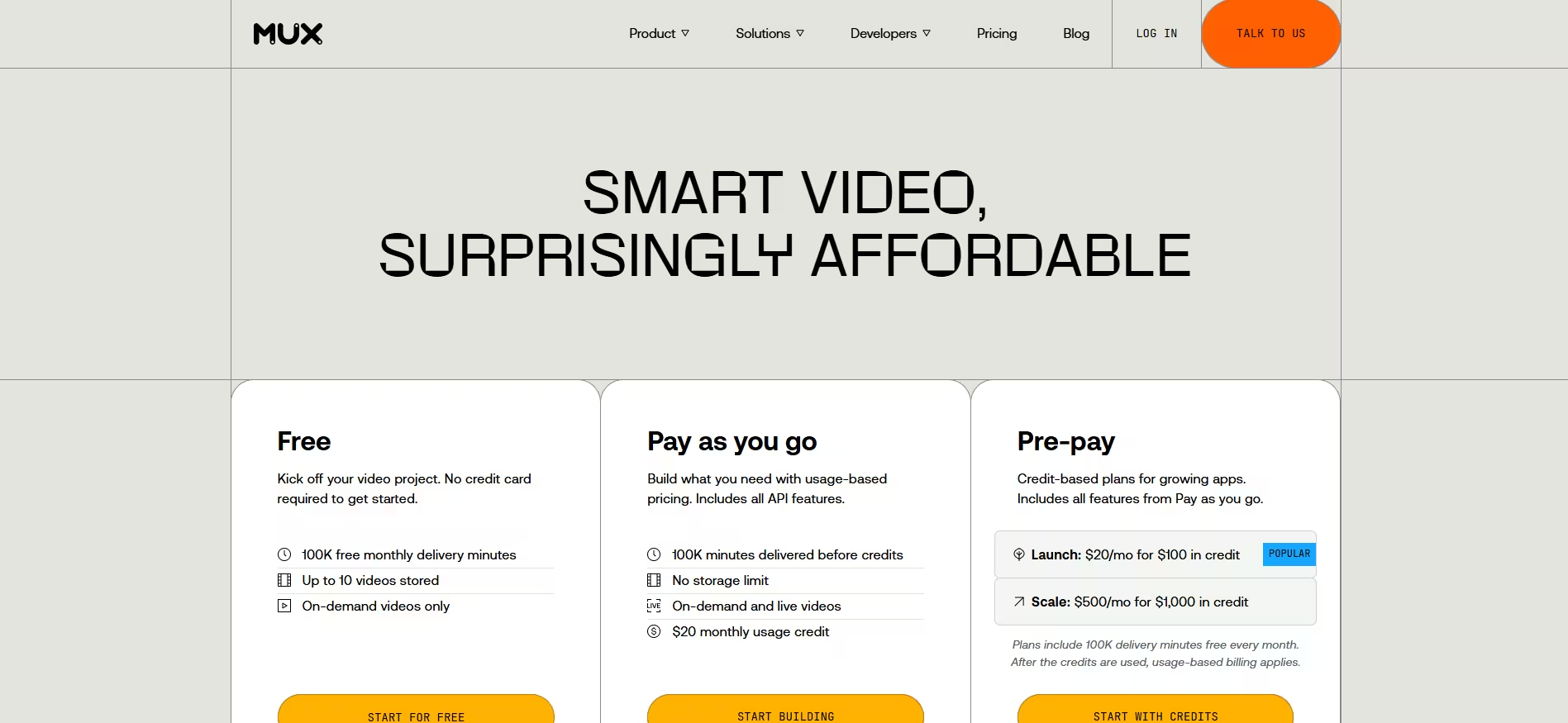
Mux pricing starts free (all resolutions + 100,000 delivery minutes for free). Then you have the flexible, pay-as-you-go plans, and finally, monthly plans start at $10 a month for the Starter plan.
Review
“It just works. Everything seems in the right place. The API documentation is clear and up to date. The API makes sense, the dashboard is clean and easy to use. Their support is fast and assertive. Using Mux in our project was one of the best decisions that we made since we are not experts in video hosting/streaming.” - Renato F.
Shutterstock - Best stock media API for video asset search & licensing
Shutterstock fits teams that need video assets inside a product or workflow and want that asset layer to feel organized from day one. It sits in a different part of the market than rendering, hosting, or streaming tools: the job here is discovery, metadata, licensing, and download across a large stock media library. In our “video API battle royale”, Shutterstock is the category pick for asset access and licensing, not video creation infrastructure.
Key features
- Media search, previews, and metadata via API - Shutterstock’s API gives developers access to its media library so they can search assets, view previews, and pull media details programmatically. This is what makes it useful for brand content workflows, creative tooling, and asset-driven products.
- Licensing and download endpoints - The API supports licensing and downloading media securely through dedicated endpoints, which let teams build rights-aware workflows directly into their applications. That matters when commercial use and compliance are part of the product experience.
- Authentication support for production integrations (OAuth + Basic Auth) - Shutterstock supports OAuth authentication for all public API endpoints and Basic Auth for some endpoints, which gives developers flexible options when building account-level licensing and media workflows.
Pricing
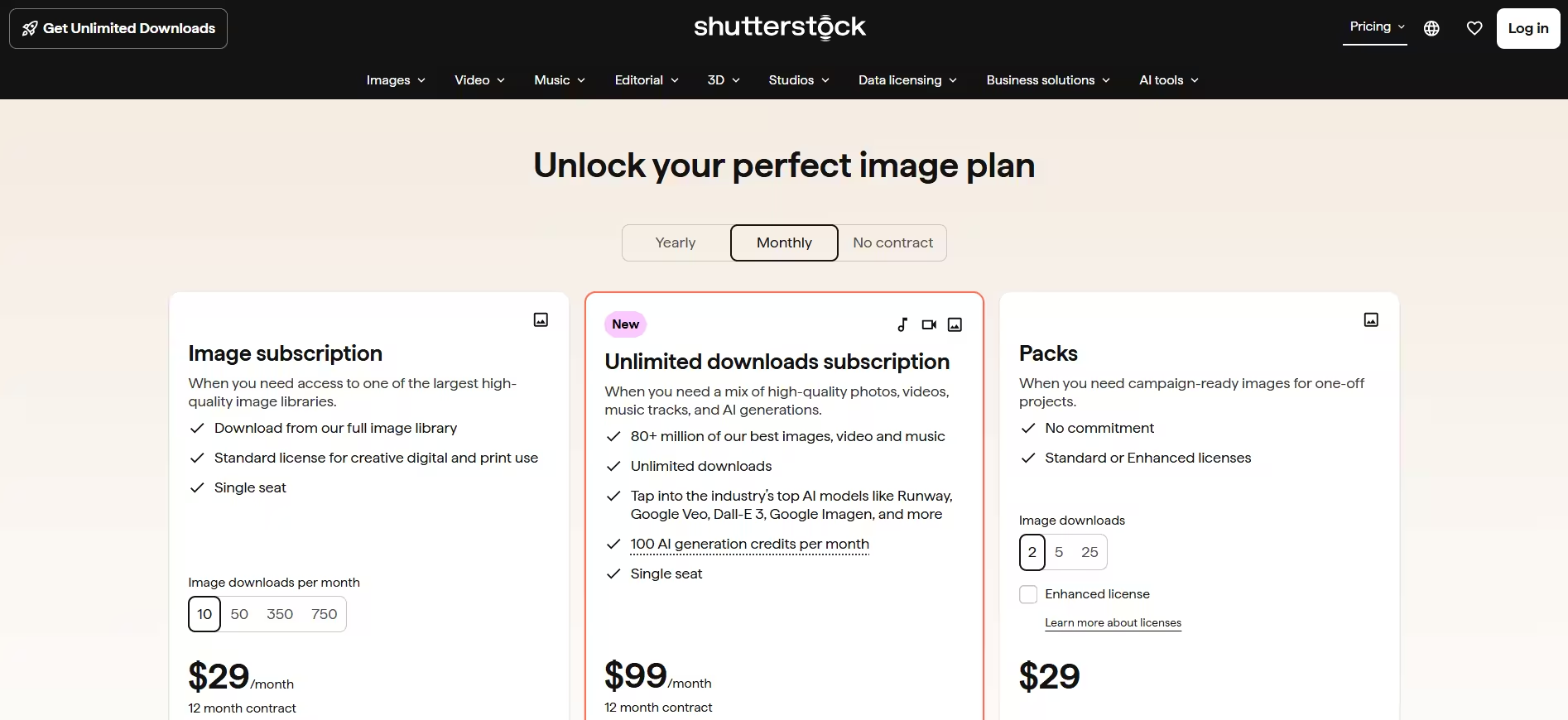
You can start with a free API subscription, pay-per-use, or choose to pay as low as $49 per month for 10 images, as part of their paid API subscription program.
Review
“Easy to use and the content is gigantic. And with the AI feature is so so easy to create stuff. The customer support is amazing, and I frequently use it, mostly daily.” - Karina P.
Ready to pick your video API?
After reviewing these 7 video APIs, we can only conclude one thing - the best one for you depends on the job it’s supposed to do. In this guide, we covered the main categories teams usually mix together - video generation, avatar video, stock media access, hosting and delivery, streaming infrastructure, and programmatic editing/rendering - so you can compare tools by use case instead of just features.
And if your team needs scalable, repeatable video production built around templates and data, Plainly Videos is the only viable option built for that workflow. It’s especially strong for After Effects automation use cases where one template needs to turn into hundreds or thousands of video versions across campaigns, products, or markets.
If that sounds like your kind of setup, book a demo with Plainly and see how the workflow fits your stack and production goals today!



