
Shotstack review 2026: Features, pros, cons and the best alternative

.avif)

Summarize with





This Shotstack review breaks down what Shotstack actually offers in 2026 - including its core features, pricing, real-world pros and cons, and whether it’s the right tool for your video automation workflow.
We’ve looked closely at how Shotstack handles cloud video editing, bulk video creation, personalization, and API-driven workflows. You’ll also see where the platform shines, where it feels limited, and how it compares to alternatives. By the end of this review, you should have a clear answer to one simple question: is Shotstack worth buying for your use case or is there a better option?
What is Shotstack?
Shotstack is a cloud-based video editing platform built mainly for teams that want to generate videos programmatically.
In simple terms, Shotstack lets you create video templates in a browser-based editor (or define everything in code), feed in data via CSV or API, and render videos at scale. Most people use it for automated marketing videos, social content, highlight reels, and other data-driven videos where manual editing doesn’t really make sense anymore.
Shotstack is clearly developer-first.
Engineering teams and product-led companies tend to get the most value out of it, especially when video creation needs to live inside an app, backend workflow, or a custom pipeline. Marketers can use it too, but many of the core workflows assume you’re comfortable working with APIs or technical setups.
Its main value proposition comes down to three things:
- Cloud video editing (everything happens in the browser or via API)
- Automated video generation from structured data
- API-based workflows for building custom video pipelines
Speaking of limitations, Shotstack doesn’t support Adobe After Effects templates, meaning you can’t upload existing AE projects. Instead, you need to build templates inside Shotstack’s own editor or start from their pre-made options - not a big deal if your main focus is speed and automation.
On the other hand, if you’re a motion designer or someone who’s already pretty comfortable working in After Effects, you’ll likely feel constrained by the editor and its creative flexibility, as we have. Or the lack thereof, that is.
Shotstack features overview
Shotstack markets itself primarily as a cloud video editing API, and we agree it's one of the best video editing APIs out there.
Now, features-wise, from what we’ve tested (and what Shotstack documents publicly), the product breaks down into a few core pillars.
Online template editor
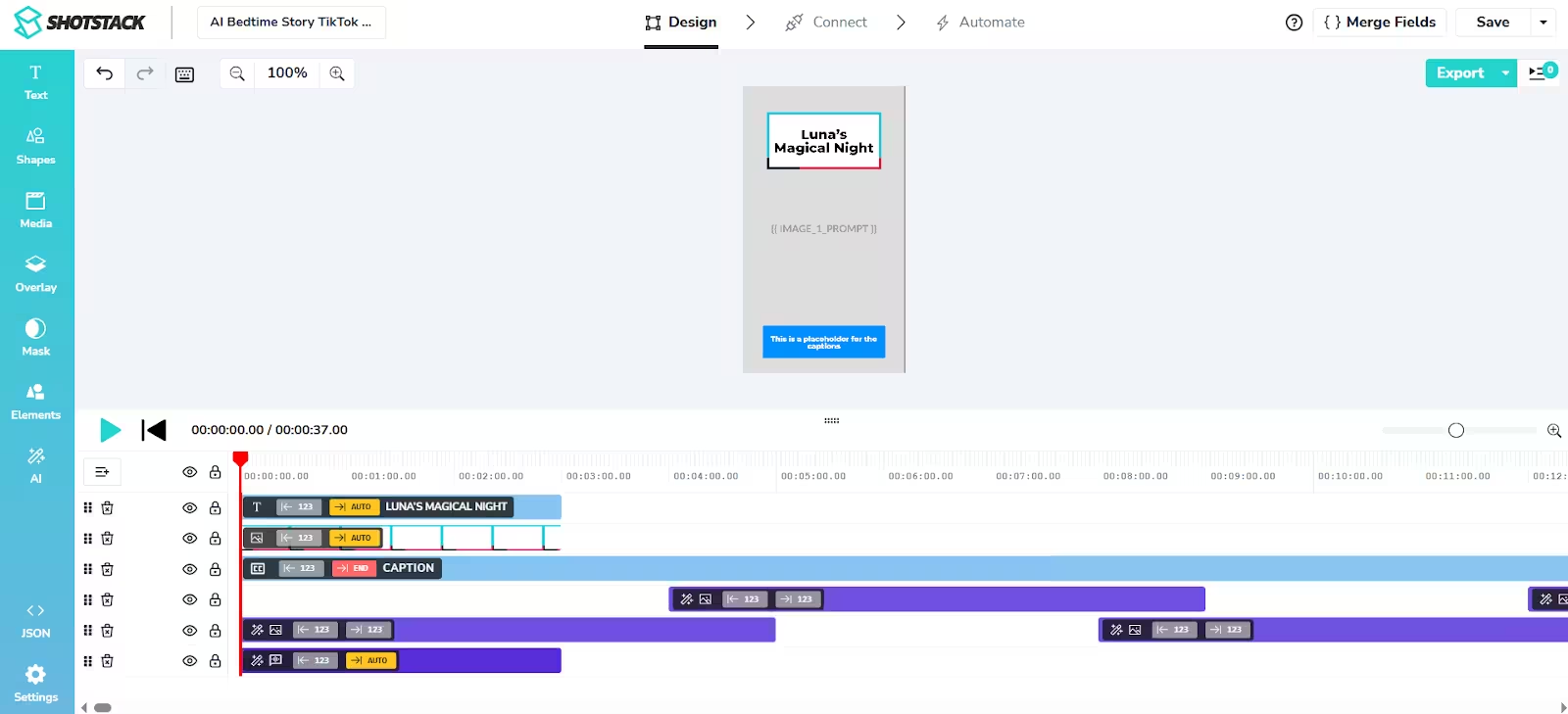
Shotstack comes with a browser-based video editor where you build templates for bulk rendering. This is where most non-code users will spend their time.
The editor uses a familiar timeline layout. You can create simple videos from scratch or start with one of Shotstack’s pre-made templates and tweak them to fit your needs.
Inside the editor, you can:
- Add and arrange video clips, images, text, and audio
- Adjust the size and position of elements
- Trim clips and control timing
- Change volume levels
- Apply chroma key (green screen)
- Add transitions, basic motion effects, and filters
- Work with common formats (MP4, MOV, PNG, JPG, GIF, MP3)
Shotstack also supports merge fields (placeholders), which let you swap out text, images, video clips, colors, and other properties, which also means you can use it to turn merge fields to videos in bulk. And if you’re working through the API, you can control many of these same elements directly in code using JSON.
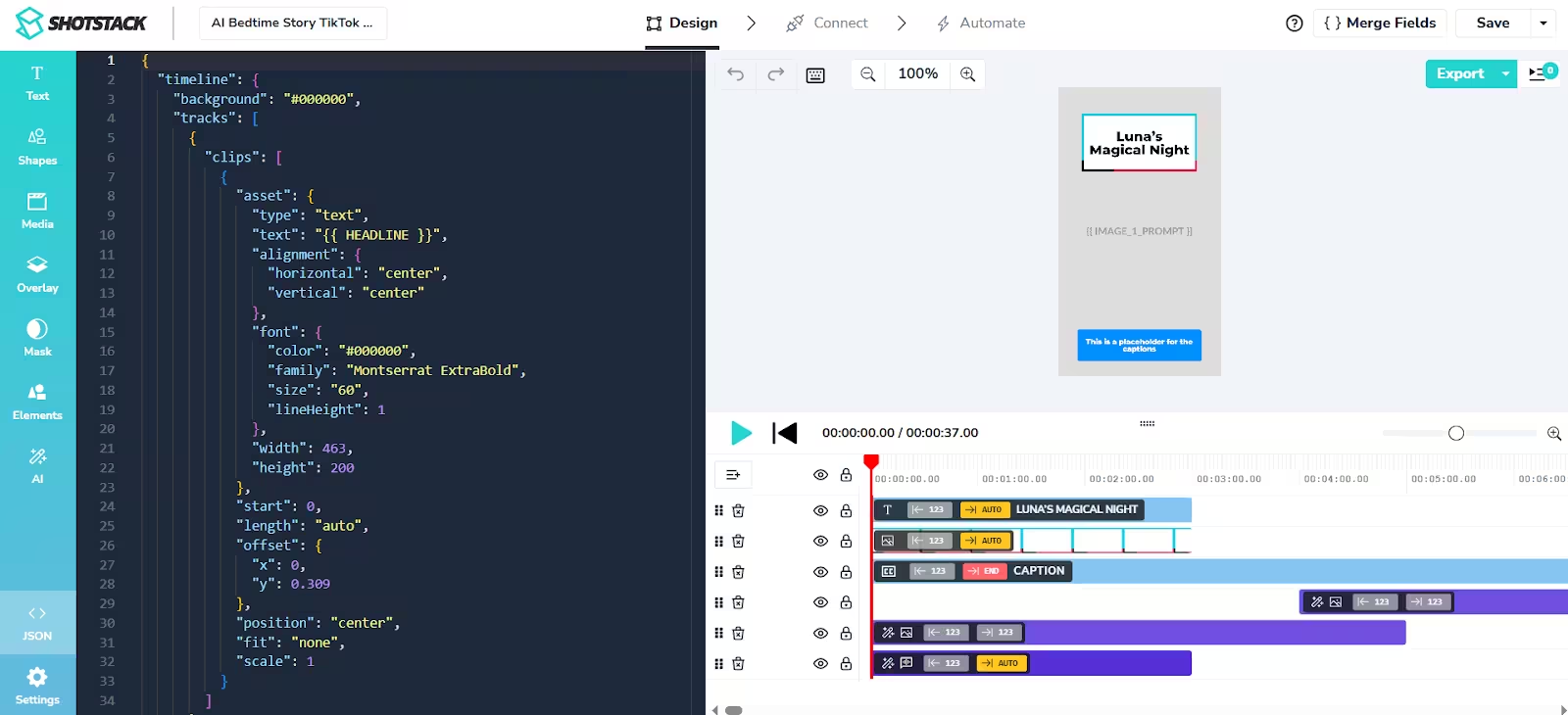
From an automation standpoint, this works well. You design a template once, connect it to your data, and generate hundreds or thousands of versions from it. Creatively, though, this is where Shotstack starts to show its limits.
Even with transitions, masks, transparency, and basic motion effects, the editor stays fairly surface-level. Compared to After Effects - which is still the industry standard for motion design - you don’t get the same control over timing, keyframes, easing, or motion paths, which will definitely make you feel boxed in if you’re a video editor, motion designer, or someone familiar with the AE infrastructure. There’s also no way to import existing AE projects, so if you already have your projects all ready and set, unfortunately, you’ll need to rebuild everything in Shotstack itself.
Bulk video creation and personalization
Shotstack is a bulk video editor that lets you generate videos in 2 ways:
- By uploading a CSV file
- By triggering renders through the API
There’s no option to transfer data from Excel to video, no direct connection to Google Sheets, and no visual editor for non-tech users. If you’re comfortable working with APIs, that’s fine. But if not, designing can start feeling overwhelming fast.
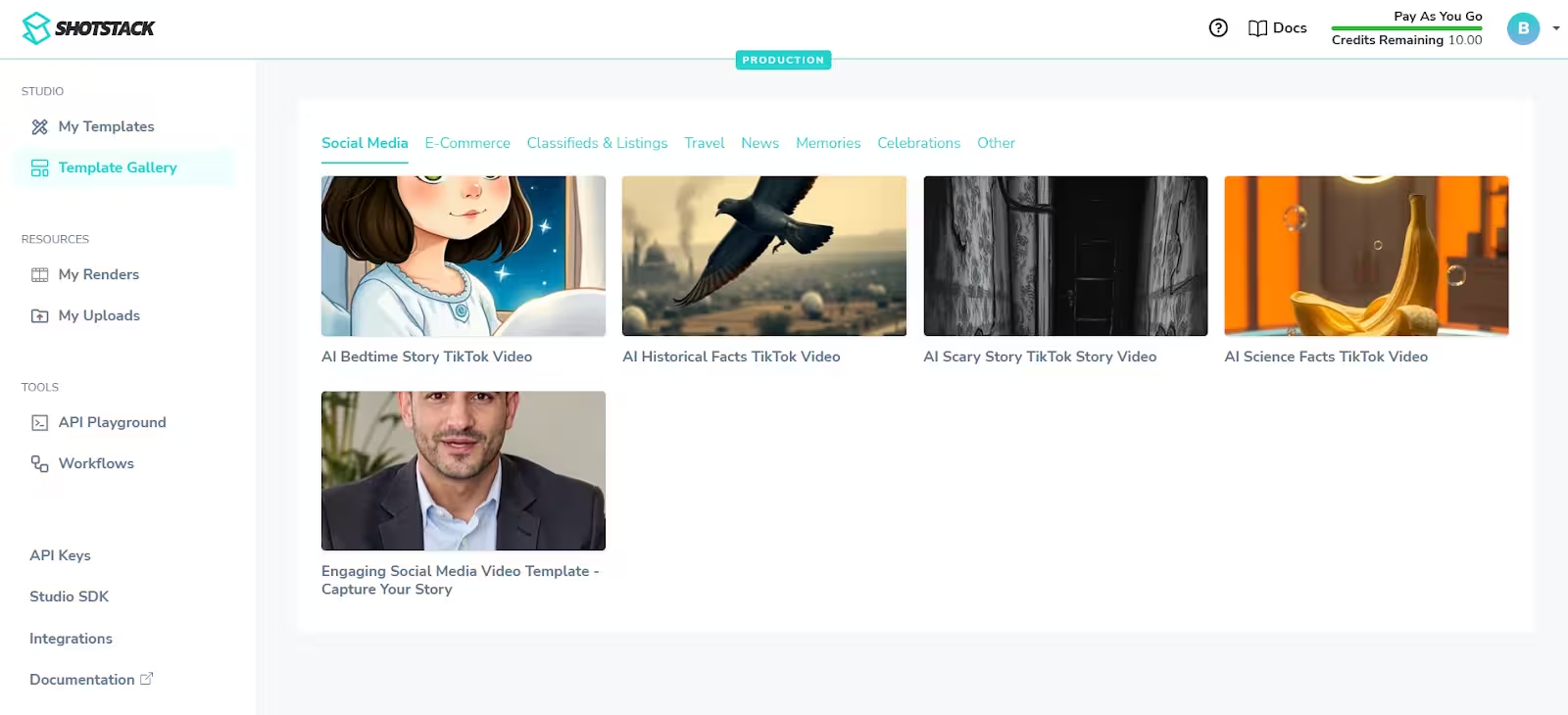
They do offer a template library, though, which helps when you want to get something live quickly. You just pick a template, replace the content, and start rendering without building everything from scratch.
In terms of personalization, it works through placeholders (merge fields), as we already mentioned. You can swap out text, images, video clips, colors, fonts, and a few other properties per render. This gets the job done for simple campaigns.
But everything still operates within the boundaries of the template you designed (or picked) upfront.
Shotstack doesn’t have logic that adapts layouts or timing based on the content you inject. So, say, when a headline suddenly gets longer, an image comes in with a different aspect ratio, or a video clip runs shorter than expected, the template doesn’t adjust itself.
That puts the burden back on you because you have to anticipate these edge cases while designing the template. Otherwise, layouts break, elements collide, scenes lose their rhythm, and things fall out of sync faster than you know it.
It’s all manageable when your data is clean and predictable. Once it isn’t, you start feeling the limits of rigid, template-based personalization.
AI-powered video and image generation
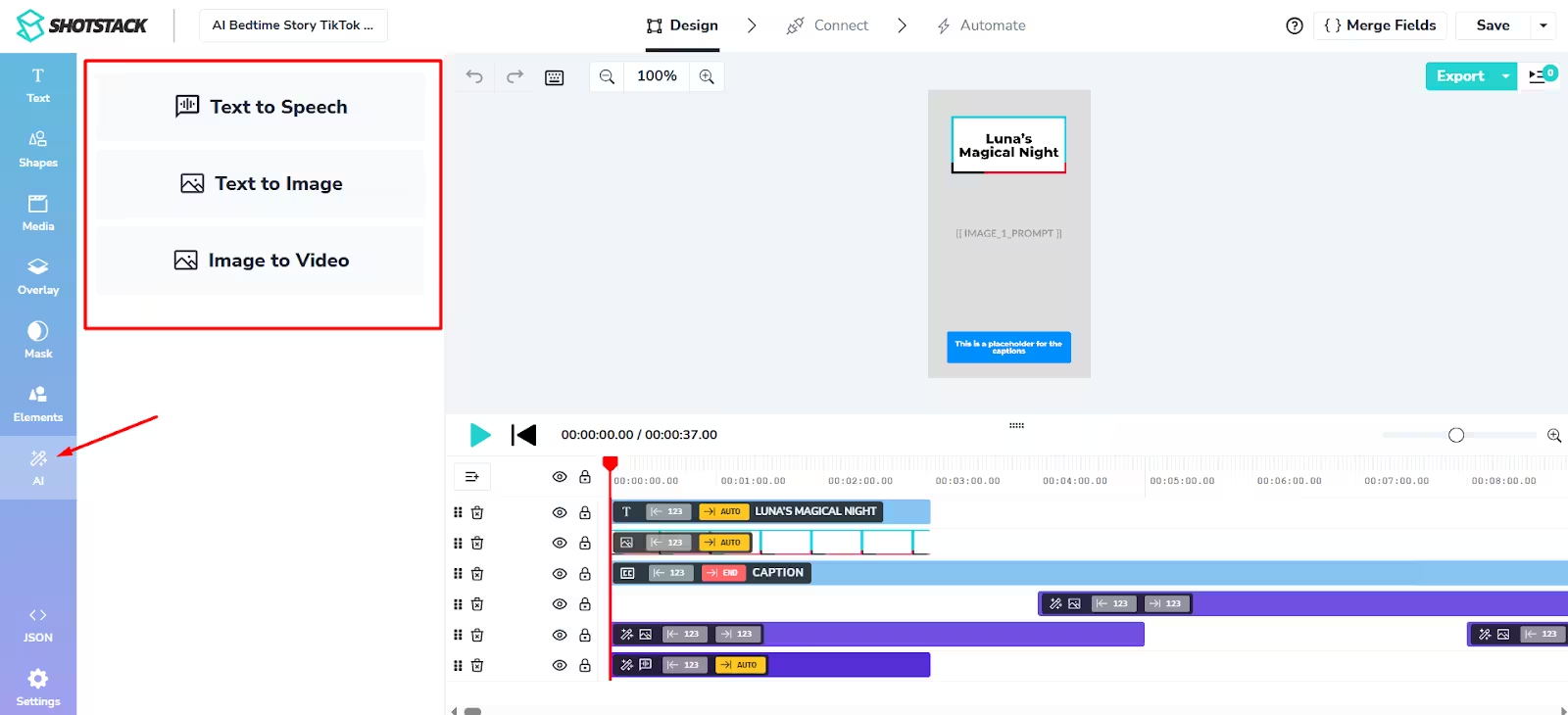
Shotstack also positions itself as an all-in-one AI video creation platform.
Through their Create API and AI automation layer, you can generate images, voiceovers, short videos, and even avatar-style content, then stitch everything together into finished videos.
This absolutely makes sense from a technical perspective. Rather than relying on separate tools - and paying for multiple subscriptions while at it - you can run everything through Shotstack. That should save you time, keep your workflow centralized, and remove some of the manual work that comes with stitching different tools together. Right?
Well, not exactly.
While great in theory, the problem is that Shotstack tries to cover everything, and we mean EVERYTHING: AI images, AI voices, image-to-video, avatars, compositing, rendering, personalization, and delivery. As a result, most of these AI tools live at a fairly basic, utility level, somehow feeling… underdeveloped.
If your goal is to create AI-style videos and you don’t mind that they visibly look AI-generated, you’ll likely be satisfied with the results. But once you start mixing AI elements with real footage, branded visuals, and production-quality templates, the gaps become much more noticeable. The AI outputs don’t always blend naturally, which makes it harder to maintain a consistent, professional look.
API
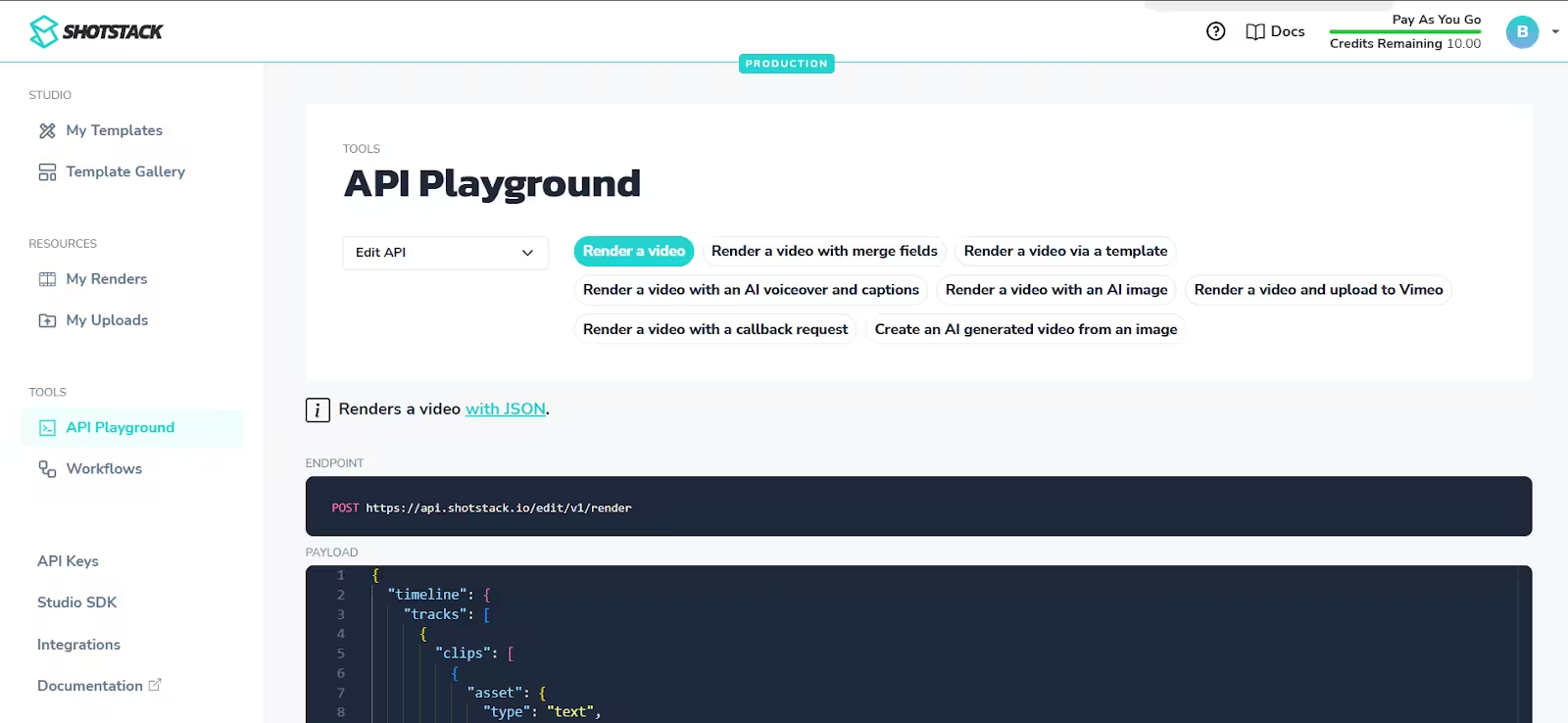
Shotstack is built around a cloud-based REST API that lets you define full video edits using JSON. You describe timelines, layers, transitions, motion effects, images, audio, and text in code, send that payload to the API, and the platform renders the final videos for you.
In production terms, that means you don’t have to worry about servers, queues, concurrency, storage, codecs, or scaling infrastructure. You trigger renders, Shotstack handles parallel processing, and you get finished assets back.
From what we’ve tested, this part of the platform is solid, and if you know your way around the code, it’s fairly straightforward to:
- Assemble videos programmatically
- Override template parameters per render
- Trigger large rendering jobs
- Receive results via webhooks
- Push outputs directly to your storage or distribution channels
…and more!
They also provide fairly detailed API documentation, SDKs for common languages, and a sandbox environment for testing.
But this API-first approach also reinforces something we’ve seen throughout this Shotstack review. They treat video creation as a dev problem. If you are one, you’ll appreciate the flexibility and scalability. If not, most of the power will unfortunately stay locked behind code unless someone tech-savvy sets everything up for you.
Integrations
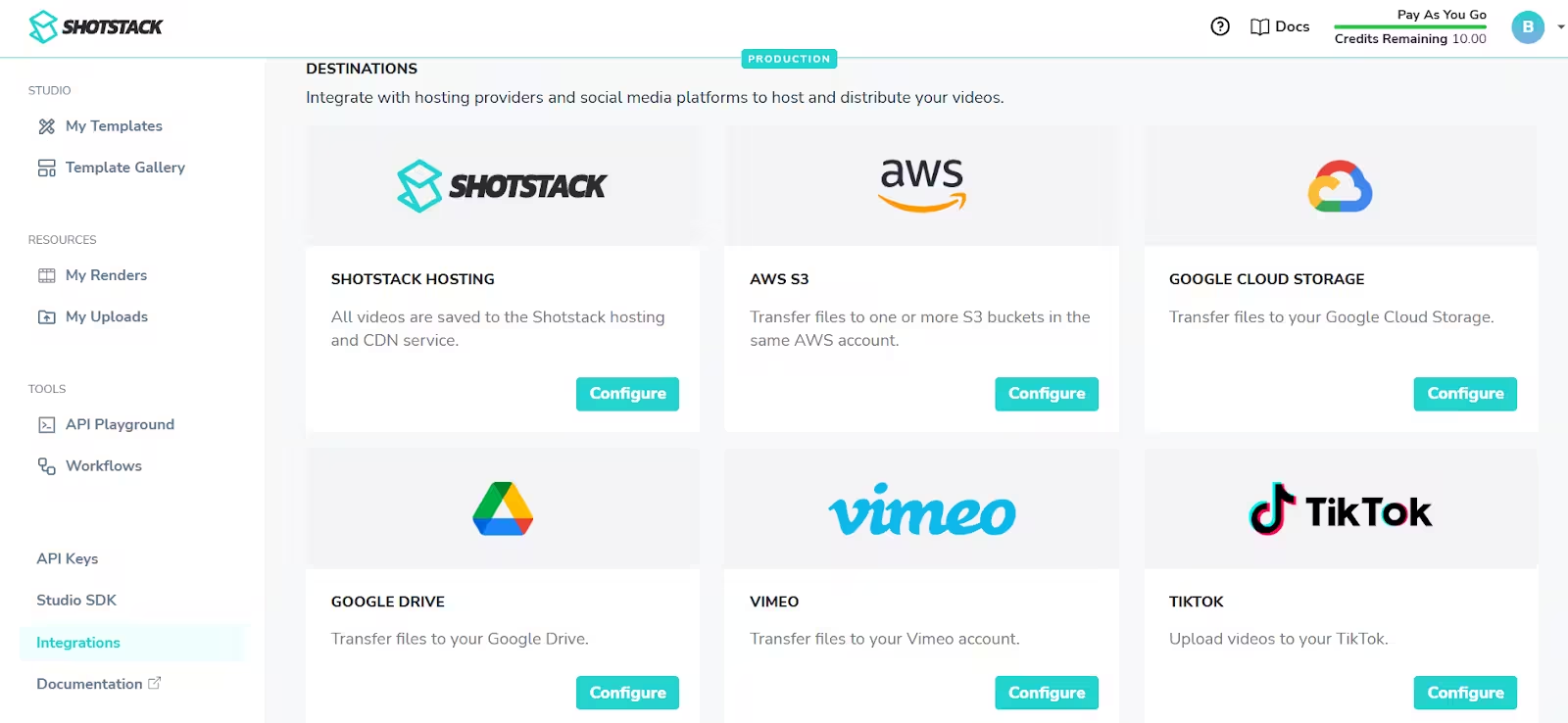
If you’re looking to integrate Shotstack with the rest of your tools and do it natively, you won’t find much luck.
Why yes, out of the box, you can deploy finished videos to AWS S3, Google Cloud Storage, Google Drive, Vimeo, TikTok, and YouTube. But that only covers basic hosting and distribution once a render is complete.
In terms of automation workflows, Shotstack supports no-code tools like Zapier and Make, and they also mention n8n for building custom workflows. Though the latter requires a certain level of technical knowledge, meaning, once again, it’s primarily developer-oriented.
So while integrations technically exist, most of the ‘’workflow’’ still depends on custom development.
White-label video editor
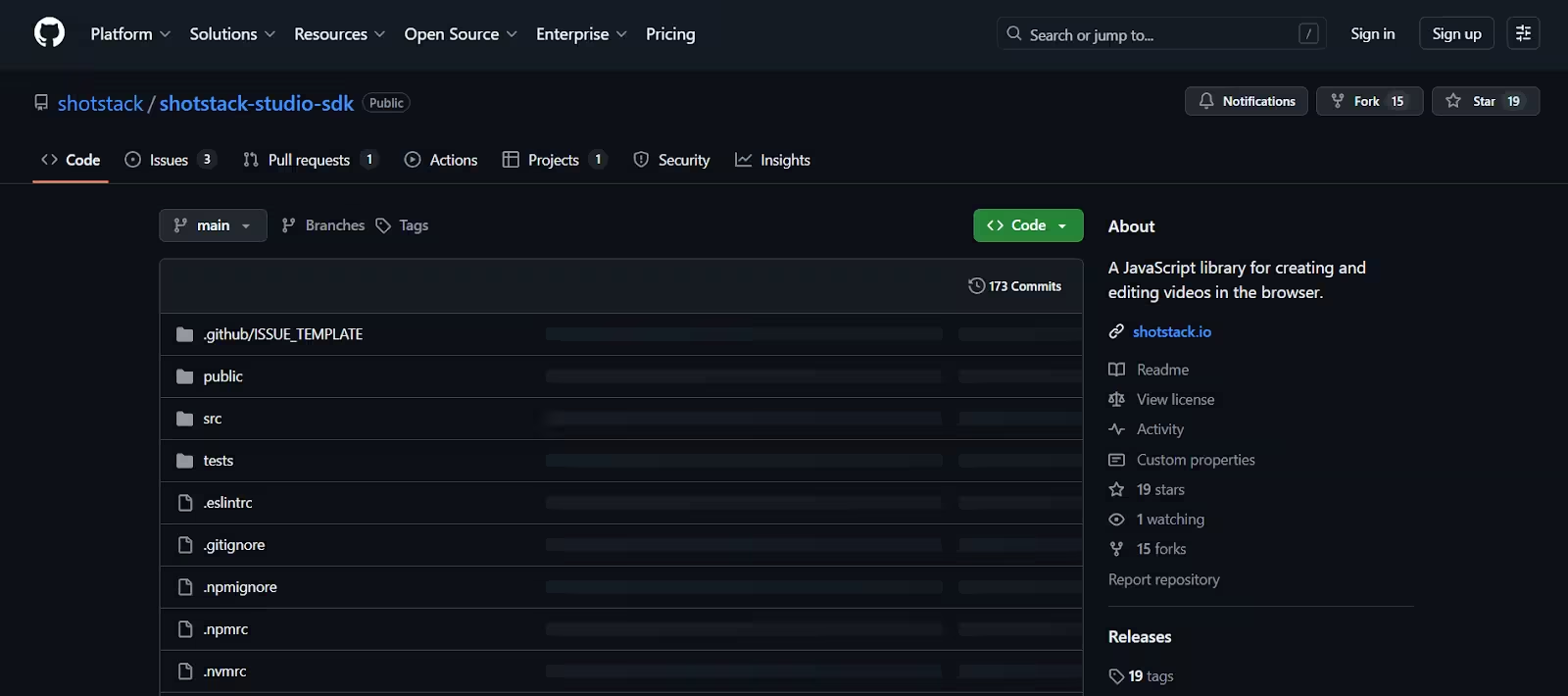
If you’re building your own product and want it to have video editing capabilities, Shotstack gives you the option of white-labeling their editor via their Studio SDK.
Using it, you can embed Shotstack’s browser-based editor directly into your app, style it to match your brand, and let users create or edit videos without ever leaving your platform.
The editor itself covers the basics: timelines, drag-and-drop clips, trimming, transitions, filters, plus support for images, video, text, and audio. You can load templates, let users tweak them, preview changes in real time, and then send everything back to the API for rendering.
The SDK code is available on GitHub and is licensed under Polyform Shield, meaning you’re free to use it in your own applications. As long as you’re not building a competing video automation product, that is.
But make no mistake, this is very much a dev feature.
You’re not getting a ready-made white-label product. You’re getting a software development kit (SDK). Someone still needs to integrate it, manage templates, wire up backend logic, and define how edits turn into renders.
Security
Nowhere on Shotstack’s website and help center could we find information about data security and how it’s handled.
Now, that doesn’t automatically mean they have no security measures in place. Most platforms do. But when it comes to recognized certifications like GDPR or ISO 27001, companies that meet these standards usually highlight them pretty clearly.
The absence of any mention likely means they don’t meet these certifications, which could be a red flag for many organizations - especially those handling sensitive or heavily regulated data.
Pricing
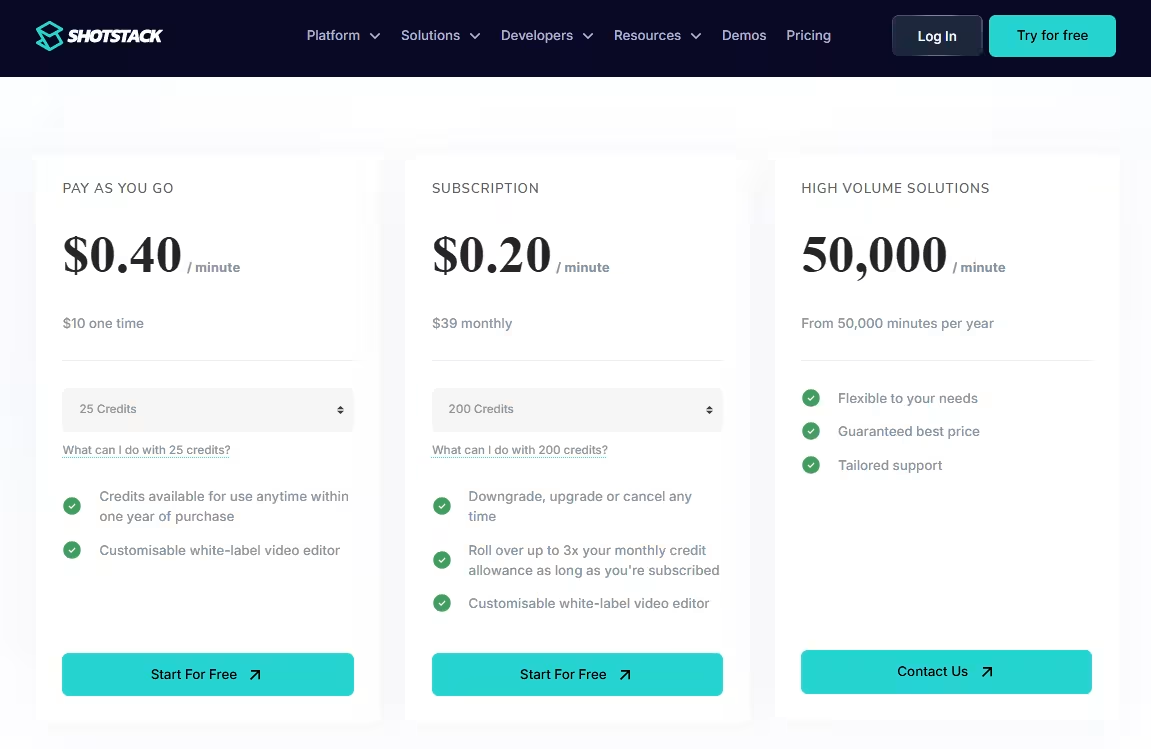
Shotstack uses a credit-based pricing model where 1 credit equals 1 minute of rendered video. They also apply credits to AI image and video generation, where 1 credit gets you:
- 10 generated images
- 0,66 AI-generated videos
You can choose between pay-as-you-go, a monthly subscription, or a high-volume enterprise plan.
If you want to pay-as-you-go, the current starting rate is $0.40 per rendered minute, with a minimum purchase of 25 credits for $10. Those credits are valid for one year.
The subscription plan brings the per-minute cost down to $0.20, starting at $39/month for 200 credits. You can scale up to larger monthly bundles, and Shotstack lets you roll over up to 3 times your monthly allowance as long as you stay subscribed.
This is the more realistic option if you’re rendering videos regularly or running production workflows. You also get the same core features: API access, template editor, Zapier/Make integrations, and the white-label editor SDK.
Now, if you’re rendering 50,000+ minutes per year, Shotstack pushes you into a custom “High Volume” tier.
At that point, pricing becomes quote-based, with promises of better rates, tailored support, and higher limits (including 4K output). But you’ll need to talk to sales to get concrete numbers.
Shotstack reviews
Unfortunately, there are only a handful of Shotstack reviews available on the internet, and the majority of them date back to 2021.
Nonetheless, most of the reviews are positive, with users saying that:
‘’Shotstack provided a render engine that was needed for many different projects we had going on. Being able to batch render and automate creation was an amazing benefit.’’ - Kevin M, Founding Producer (Source: Capterra)
‘’Shotstack enabled us to roll our own online video editing tool for our customers to easily design marketing videos with a custom drag-and-drop interface. We’ve had great success using Shotstack APIs, and intend to use them for multiple new projects.’’ - Patrick B, Software Engineer (Source: Capterra)
There are not many complaints about the software floating around, except for a few comments that point out the following:
‘’Documentation is a little brief and the JSON format hard to get around when starting off.’’ - Kevin U, GM (Source: Capterra)
‘’The ability to utilise integration tools such as Integromat and Zapier means that only a subset of API parameters can be used, so using these mechanisms is definitely a compromise (compared to coding for own front-end to the Shotstack API). For example, only one transition type can be used for the entire slideshow, and motion effects (such as Ken Burns) are not currently possible via these integration tools. For those features, you need to code your own front-end to the API.’’ - Bo Y, CTO (Source: Capterra)
Best Shotstack alternative: Plainly Videos
We would be lying if we said Shotstack is a bad product. It certainly has its uses, especially in the developer community.
But if, after reading this Shotstack review, you find yourself craving a solution that’s easier to use yet superior when it comes to individual features, we’ve got a great alternative for you - Plainly Videos.
Plainly is a video automation platform built for teams that already design in After Effects and want to scale production without rebuilding their entire workflow all over again.
Instead of forcing you into a new editor or data model, Plainly connects directly to After Effects templates and turns them into automated, data-driven video systems. You design your template once in AE, connect your data to Plainly, and let dynamic videos render at scale in the cloud - no matter if there are 10 or 10,000 of them.
That said, let’s see exactly what makes this software the best Shotstack alternative.
After Effects compatibility and infrastructure with no compromise
Plainly natively supports After Effects projects, meaning that, contrary to when working with Shotstack, you don’t have to rebuild templates in a browser editor or translate motion design into JSON. Your existing AE project files stay exactly as they are.
That means you get the full creative freedom that AE provides, including support for complex animations, easing, expressions, and motion paths, and no creative downgrade when you move into automation.
If you already rely on After Effects (or work with motion designers who do), this alone removes a massive amount of friction.
Dynamic layouts that adapt to your data
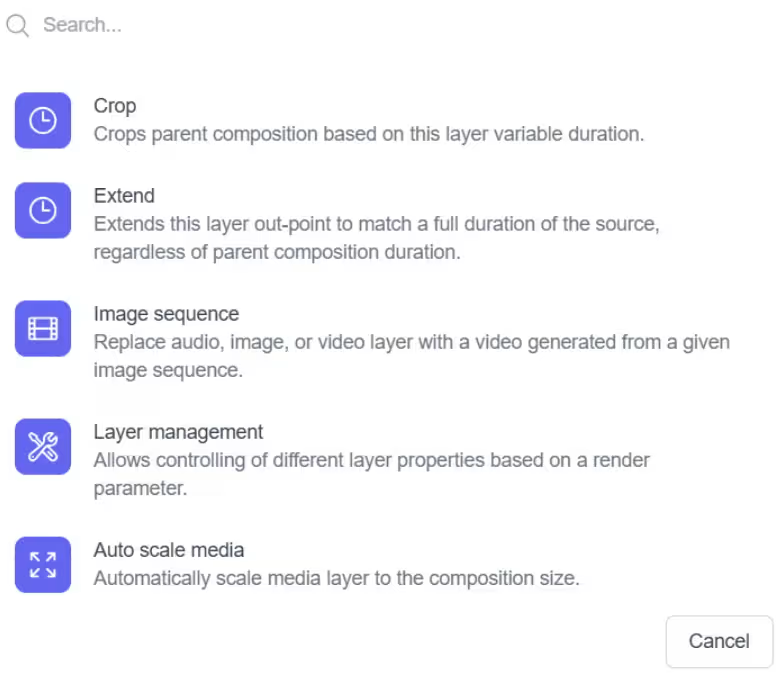
With Plainly, templates don’t just swap text, color, images, footage, and audio. You can define logic that controls timing, scaling, positioning, and scene behavior based on incoming data.
So when text gets longer, images come in different sizes, or footage runs shorter, layers can automatically crop, resize, or extend. That means your videos stay visually balanced even when inputs change.
Shotstack doesn’t offer this kind of layer scripting or time-based logic. If your content varies, you’re stuck designing around edge cases manually.
True feature parity between the web app and API
Plainly web app and After Effects API have exactly the same capabilities.
Anything you can configure visually, you can also control programmatically. There’s no ‘’lite’’ version of After Effects automation, so to speak, depending on how you access the platform.
Broader integrations & workflow support
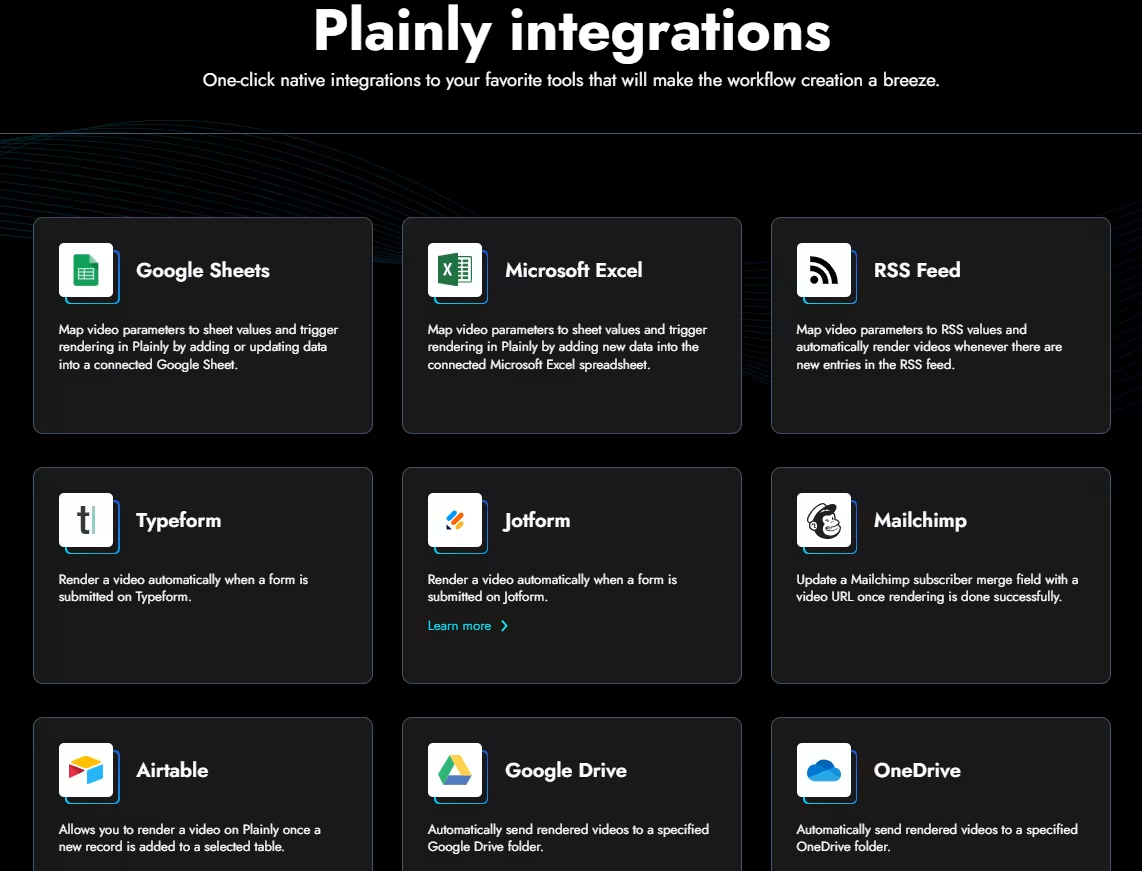
Plainly comes with native integrations with 20+ tools, including Google Sheets, Airtable, Frame.io, Google Drive, and more. Yes, on top of full API access. That makes it much easier to plug video automation into existing marketing, content, or operations workflows without routing everything through Zapier.
Focus on high-scale & enterprise use-cases
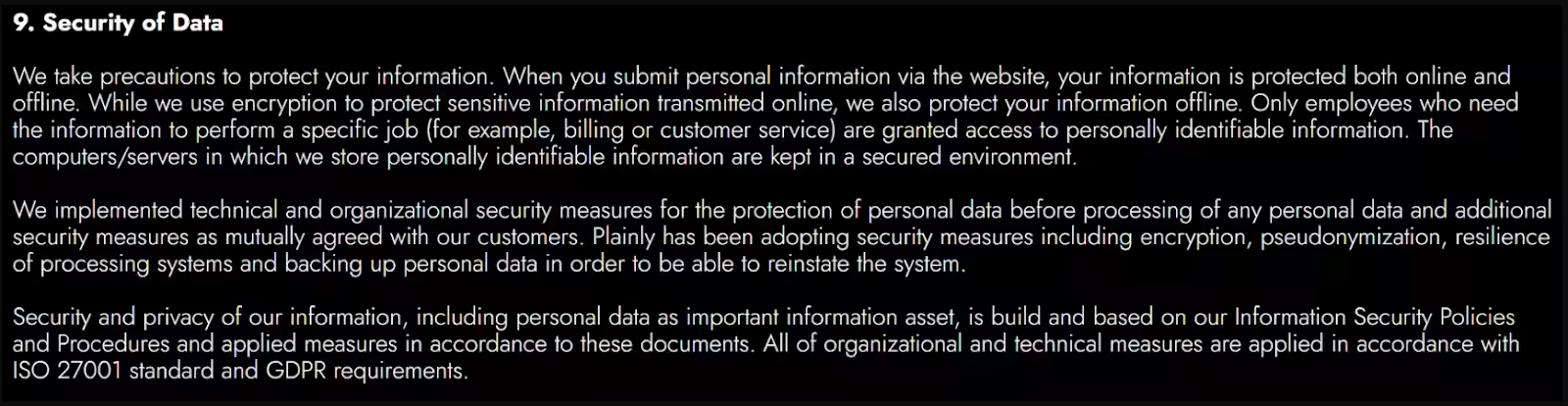
Plainly is designed specifically for large-volume production and enterprise workflows.
It’s GDPR compliant and ISO 27001 certified, which matters if you’re handling customer data, running regulated campaigns, or operating at scale.
We also offer hands-on support during onboarding and beyond, which makes a noticeable difference once workflows get complex.
Excellent support backed by real reviews
Support is something Plainly users consistently call out, especially when it comes to complicated templates and large-scale automation.
Every customer gets access to responsive email support, which, based on feedback, is genuinely helpful. On higher-tier plans, that expands into live training sessions, Slack support, and the option to book 1:1 calls with the team.
Here’s what one of our users, Ben J., had to say about the support and Plainly in general:
‘’Outstanding features - they understand what our developers need AND our After Effects creative professionals as well. The support is outstanding and responsive - they genuinely care about their customer's success and are willing to help solve our challenges in executing our creative vision. Plainly is continually adding new features, many of which I can see are directly in response to client requests.’’
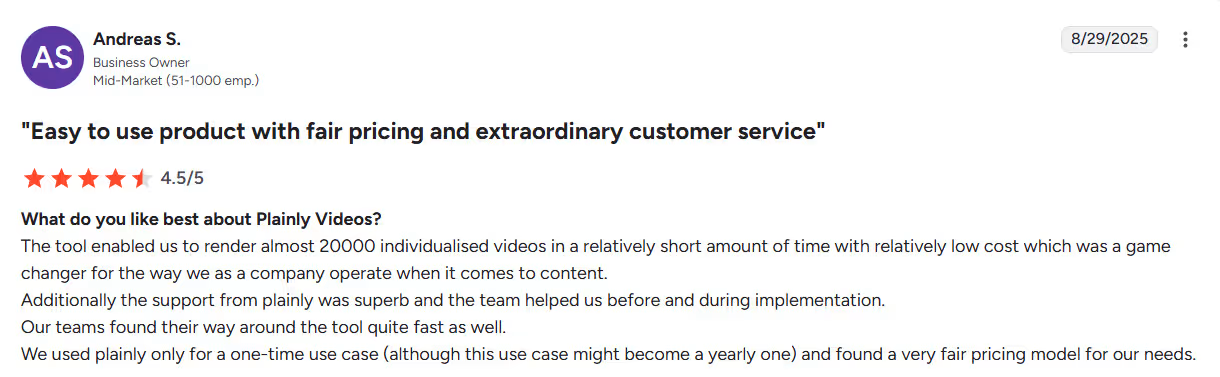
If you want to see what other users are saying, you can also check their reviews here.
Pricing
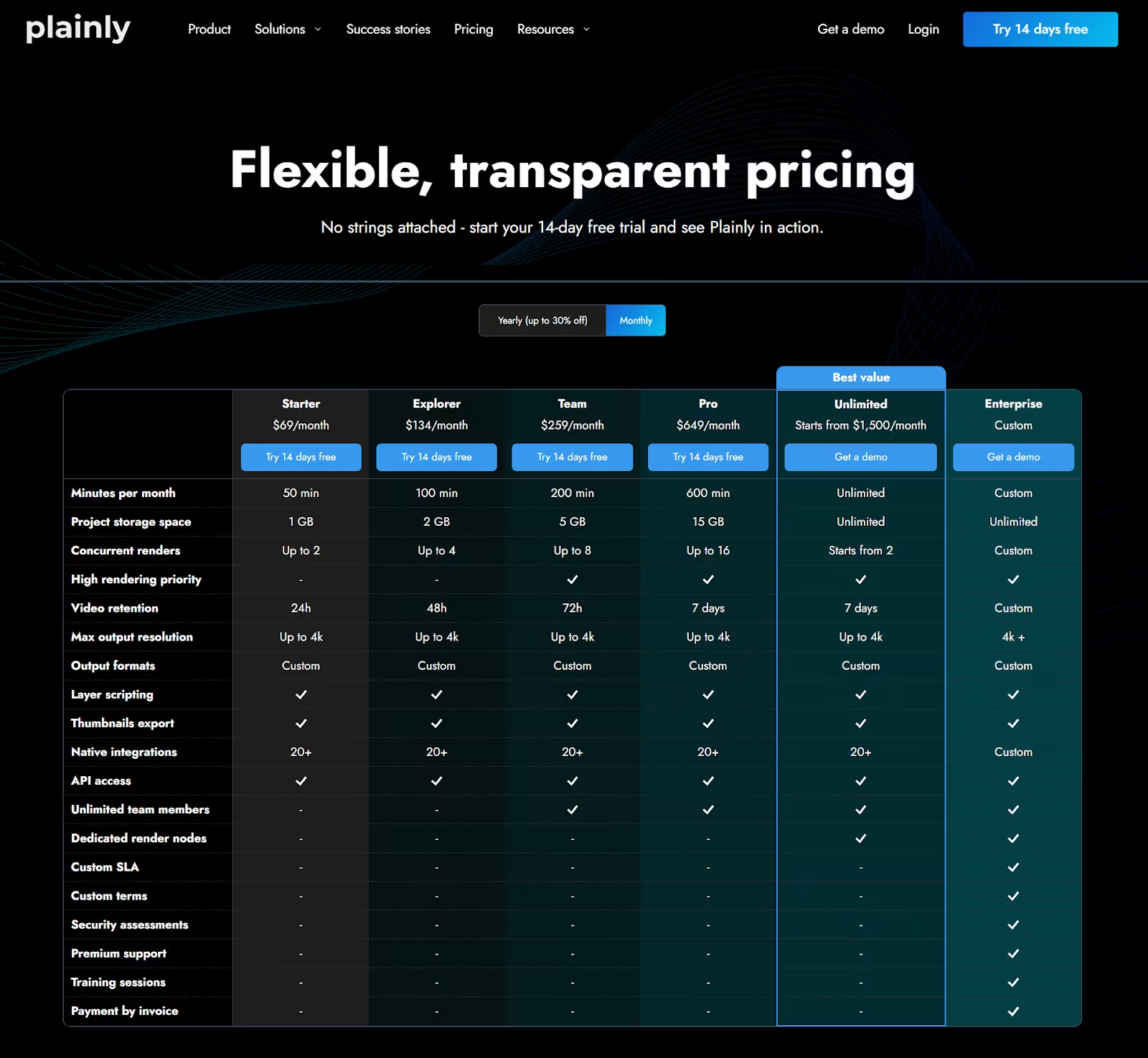
Plainly runs on usage-based pricing, which means you pay for how many minutes of video you actually render.
The Starter plan kicks off at $69/month and includes 50 render minutes. That’s usually enough to test templates, run smaller campaigns, or just make sure everything works before you go full automation beast mode.
From there, plans and pricing scale based on volume:
- Explorer - $134/month for 100 minutes
- Team - $259/month for 200 minutes
- Pro - $649/month for 600 minutes
And if you fall into the ‘’we generate 1000s of videos per month’’ category, the Unlimited plan starts at $1,500/month and comes with unlimited rendering, higher concurrency, and more breathing room across the board.
There’s also a custom Enterprise tier for teams that need dedicated infrastructure, SLAs, and extra support.
Final verdict: Is Shotstack worth it or not?
Short answer: it depends on who you are.
If you’re a developer looking to build custom video workflows from scratch, Shotstack does a solid job. The API is capable, rendering at scale works well, and if you’re comfortable working in JSON and stitching things together yourself, you can build some powerful systems on top of it.
But there’s also a catch, as this Shotstack review clearly pointed out.
Shotstack treats video creation primarily as an engineering problem. Templates live in a browser editor, personalization is rigid, and creative control is limited. And once your inputs get messy - which, let’s be honest, they always do in real life - you start designing around edge cases instead of letting the platform handle them.
If, on the other hand, you already design in After Effects, care about motion quality, need layouts that actually adapt to your data, or want automation that doesn’t feel like a permanent workaround, Shotstack will likely feel restrictive pretty fast. But Plainly won’t.
Plainly lets you keep your After Effects workflow, adds dynamic logic on top of it, and scales production without forcing you into a new editor or data model. You get full creative freedom, true parity between web and API, real integrations, enterprise-grade security, and support that actually sticks around once things get complex.
So, is Shotstack worth it?
For developer-first teams building video pipelines from code - yes. But for motion-driven teams who want automation without creative compromise? Probably not.
If you fall into the second camp, you can start a 14-day free trial of Plainly or book a demo to see how it all works with your own templates and data.



