Turn form submissions into videos
Turn your video template into a simple form you can send to clients, customers, or teammates. They fill in text, images, and other input you defined to generate videos.
Collaborating with Plainly was a seamless experience. Their team was committed and proficient, allowing us to achieve our campaign goals and create great experiences for our supporters.
Toma Delafosse, Head of Performance @ UNICEF




How to create videos with forms
Set up your template
Upload your After Effects template to Plainly and define which elements can be changed in each video.
Build the form
Add your input fields and connect each one to the matching element in your video template.
Generate videos
Share your form link with anyone and generate ready-to-download videos with every submission.

Anyone can create videos from your design
You control what can change. Everyone else opens a link, fills in the fields, and creates without touching After Effects.
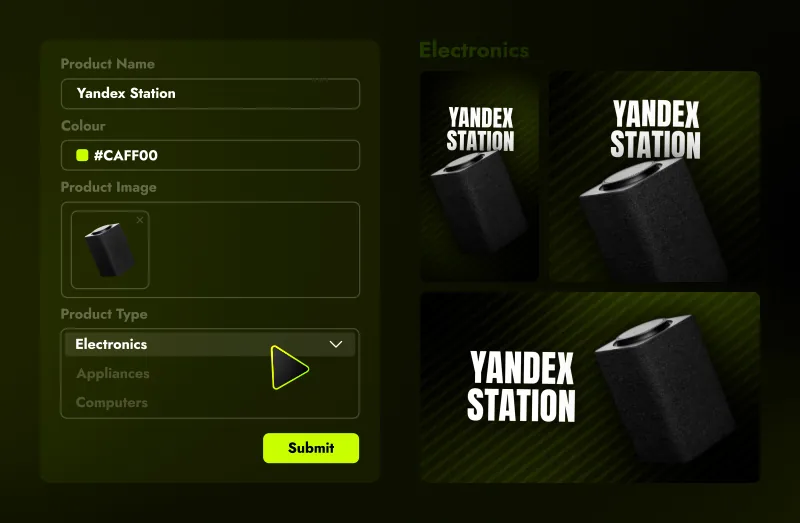

Every field type
Add text, number, color, yes / no, media, documents, and multiple choice fields that you can map to your video template.

Rules for every field
Set required fields, character limits, number ranges, allowed file types, or a regex pattern to control exactly what users can submit.

Three levels of access
Share the form link publicly, put a password on it, or restrict it to members of your organization only.

Preview before submitting
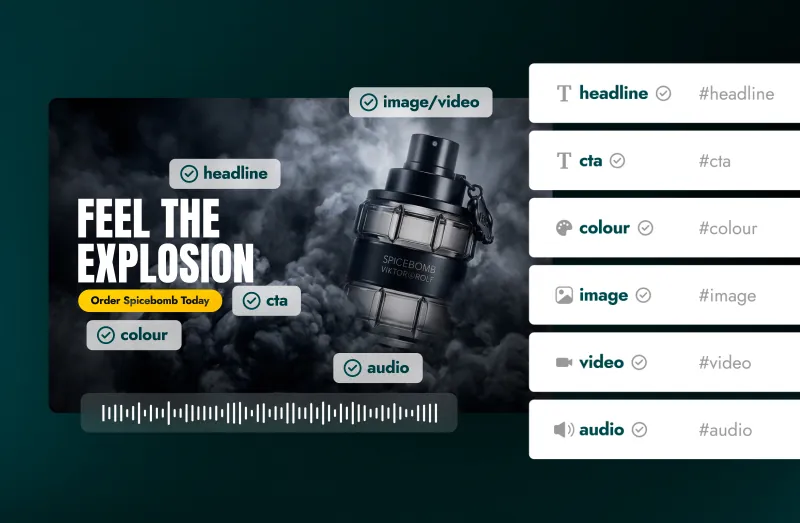
Add a preview of your video and mark the area each field controls, so whoever fills the form can see exactly what they are editing.

Bulk submission
Add multiple values to a field or upload a CSV file to generate multiple videos from a single form submission.

Connect multiple tools
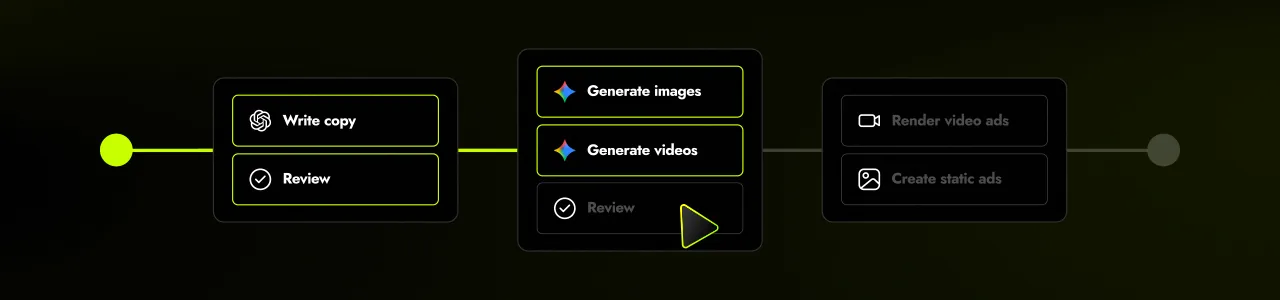
Combine different tools and AI nodes into one workflow that runs automatically with every form submission.

The video engine behind every submission
Apply submitted inputs to your After Effects template and automatically render a new video.

Native After Effects
Design the template where you already work, upload it, and every submission renders from that exact file.

You pick what's dynamic
Choose which text, images, audio, video, colors and other elements change per video while everything else stays fixed.

Formatting rules
Add scripts to layers so text and media auto-scales, and videos adapt to dynamic asset lenght.

Any format, any resolution
Render MP4, MOV or GIF at resolution from Full HD up to 4K and beyond.

Generate sets of creatives
Connect multiple versions of your template and render them all at once, or let users choose in the form.

Enterprise-grade security
Protect sensitive data throughout your workflows with ISO 27001 and GDPR compliant infrastructure.
Connect the form you already have
Already using another form? Connect Jotform, Typeform, or Airtable directly, or use the API to send submissions from any other form builder into your video workflow.

Typeform

Jotform

Airtable

API
Ways teams use form-to-video
Client requests
Give your clients a simple form to generate their own branded videos without asking you to recreate the same video for every request.
Personalized videos
Let people submit their details to generate personalized welcome videos, thank-yous, announcements, recaps, or milestone videos.
Event announcements
Collect event details, speaker names, dates, locations, and images to render announcement videos for your events.
Localized campaigns
Make it easy for regional teams to update languages, locations, offers, and other details to create market-specific campaign videos.
Video ad creation
Submit multiple hooks, headlines or call-to-actions and create a separate video ad for each one.
Product videos
Drop product shots, features, and specifications to generate a ready-to-publish product video.
What others say about us
We have a great experience working with the team and Plainly. They weren’t shy to break the mold and go the extra mile. Personalization in today’s saturated digital landscape is paramount to cut through the noise and stick out; Plainly offers a great platform, product, and solution for this.

CMO, Y11 Sport & Media Holdings
Working with Plainly was great, their API is robust but simple to set up. After setting up the workflow, we literally forgot about it. The integration with After Effects allowed my team to work with tools they are familiar with and create high-quality video templates.

CTO, Tapni
Plainly allows you to produce large amounts of video content very quickly. A great advantage is that your content can be still very individual and on-brand due to the ability of using Templates made in Adobe After Effects. Its interface is quite intuitive and the software gets new interesting features often.

Motion Designer, Freelance
Try Plainly's form to video workflow today

Frequently asked questions
What is form-to-video?
Form-to-video is a way to create videos from information submitted through a form, survey or questionnaire. You define which parts of the video can change, such as text, images, colors, logos, audio, or footage. Each form submission adds those inputs to your video template and automatically renders a new version.
How are form responses turned into video content?
Form responses are mapped to placeholders in your video template. When someone submits the form, Plainly takes each field, like name, text, images, or colors, and inserts them into the corresponding elements in your After Effects template. The system then renders the video automatically after the submission process.
Are forms included with Plainly Videos?
Yes. You get free access to Plainly Flows forms with any Plainly Videos plan. One account covers both, so you don’t have sign up or create a new account.
Do people need an account to submit the form?
No. You can share the form through a public link or protect it with a password.
Where can people download the generated videos?
Once rendering is complete, the videos can be made available directly through the form workflow or delivered through your configured output step.
Can I use my own After Effects template?
Yes. Upload your After Effects project to Plainly Videos, define which elements can change, and connect those elements to fields in your form.
How long does a render take?
A few seconds to several minutes, depending on the length of the composition, how many layers it has, and how much data goes into it. You can cut it down by simplifying expressions, pre-rendering what you can, or skipping encoding.