
7 best video personalization softwares



Summarize with





If you’re at a stage where you want to level up your marketing game, you need the proper tools to do your best work - a video personalization software, if you will. Now, with the plethora of options out there, evaluating which one would be the best fit for you is sure to take up a fine chunk of your time, especially if you do not know what it is that makes such software tick.
But we do! To help you pick the right fit, we did extensive research on the best video personalization platforms and signed up for free trials where possible to explore available features and test the limitations of each. We also dug into the pricing and what the actual users had to say.
So, without further ado, here’s everything we found out!
What is video personalization software?
Video personalization software refers to the technology that makes it possible to create videos that feel as if they were tailored for each individual viewer, thereby driving a deeper connection with them.
While all such software revolves around the same idea - creating personalized videos - they don’t all function the same, nor are they built for the same use cases.
In fact, if we had to categorize them, we’d get 4 main categories:
- Video automation platforms, which are used to generate personalized videos from templates and data sources.
- AI video generators that use avatars and AI voices to create personalized content.
- Personalized sales video tools, designed for 1-on-1 outreach and prospecting.
- Enterprise video personalization platforms built to scale content production.
Your ultimate choice will depend on what you actually need the software for. The good news, we’ve thrown in a bit of everything, so you can decide which category - and the tool within - suits you best.
Best video personalization softwares at a glance
We’ll go over each video personalization platform in detail in a second. But before we do that, here’s a quick comparison table of all the options we’ll be covering. If any of the tools tickle your fancy, feel free to click on the software name to jump right to its section.
Plainly Videos - Best video personalization software for After Effects automation
Plainly Videos is a video automation software designed for those who’d like to create personalized content while retaining the most creative control.
It lets you create video templates in Adobe After Effects, connect them with your data, and automatically render multiple video variations. In other words, your creative team gets to keep full control over the design, while your marketing, ops, or tech team can turn one template into hundreds or thousands of personalized videos at scale using spreadsheets, integrations, or API.
Key features
- After Effects automation
- Bulk-video personalization
- Advanced layer scripting
- Cloud-based rendering
- 20+ native integrations
- True feature parity between API and Web App
- Extensive API documentation
- Full GDPR and ISO 27001 compliance
Pricing
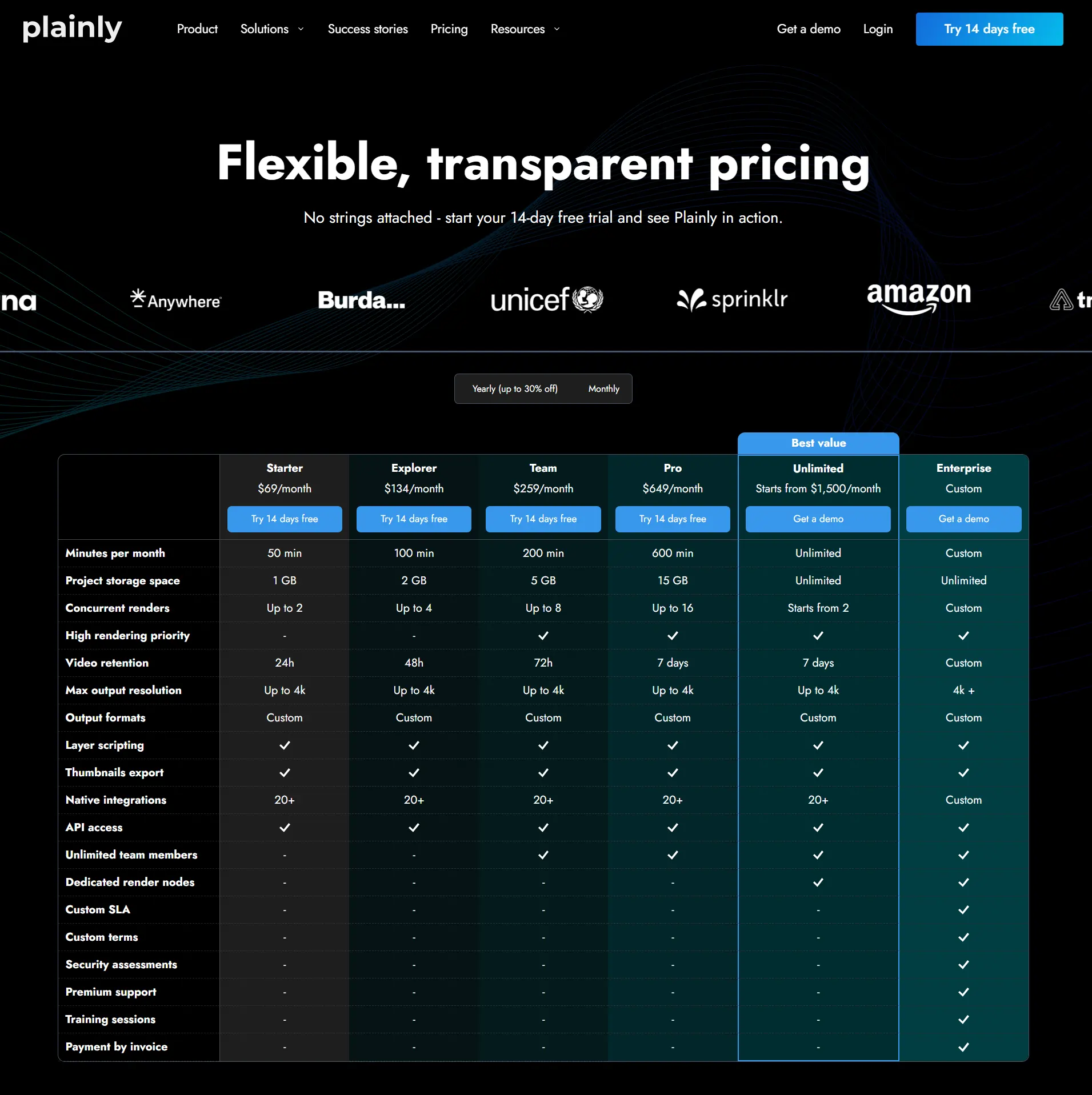
Pricing starts at $69/month for a Starter plan, which gets you 50 render minutes, 1GB of project storage, API access, and 20+ native integrations. If you need more minutes, storage, or priority rendering, you can move up to:
- Explorer - $134/month
- Team - $259/month
- Pro - $649/month
There’s also an Unlimited plan starting at $1,500/month, while Enterprise pricing is custom.
Review
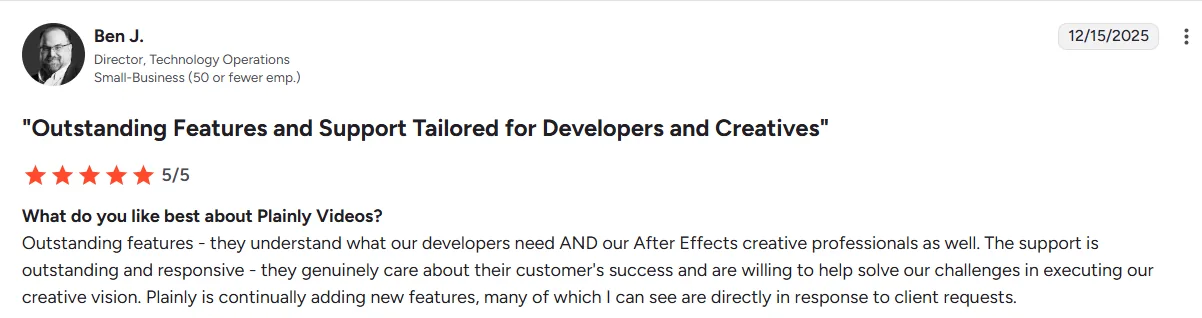
‘’Outstanding features - they understand what our developers need AND our After Effects creative professionals as well. The support is outstanding and responsive - they genuinely care about their customer's success and are willing to help solve our challenges in executing our creative vision. Plainly is continually adding new features, many of which I can see are directly in response to client requests.’’ - Ben J. (Source: G2)
Idomoo - Best for interactive video creation
Idomoo is one of the oldest video personalization tools on the market. They started 15+ years ago, and over the years, built a solid platform that’s the standard personalized video solution for large enterprises.
Idomoo’s biggest selling point isn’t personalized videos per se, but interactive videos that let viewers choose their own journey. In other words, each video has interactive elements that allow the viewer to pick the next scene that will be displayed.
Key features
- Compatibility with After Effects templates (though templates need to be converted to their proprietary IDM format)
- Interactive player
- Lucas AI video creator
- API access
- Enterprise support
Pricing
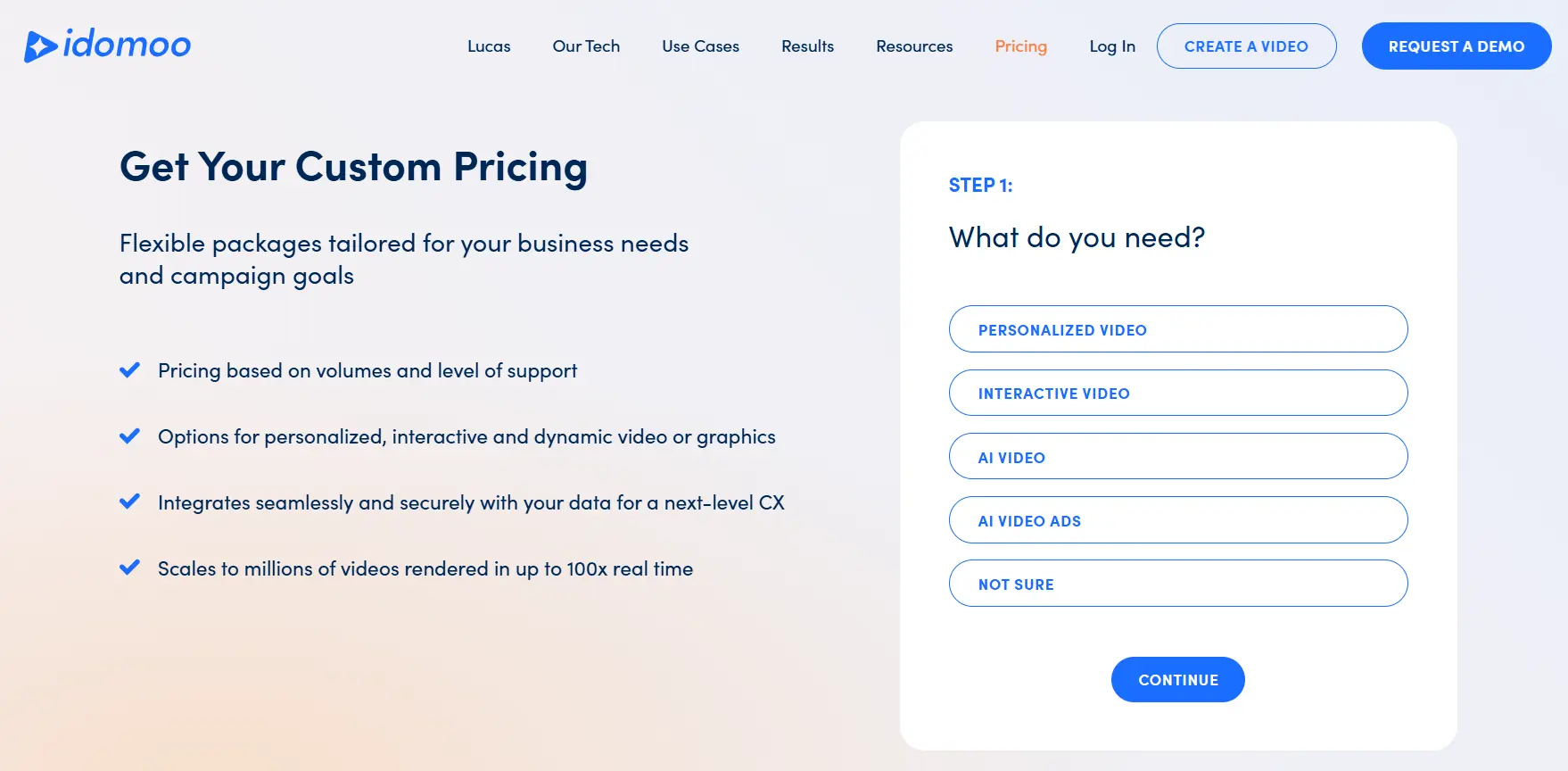
Idomoo doesn’t publicly display the pricing information simply because it depends on the services/features that you need. To get the exact details, you need to book a demo with their team.
Review
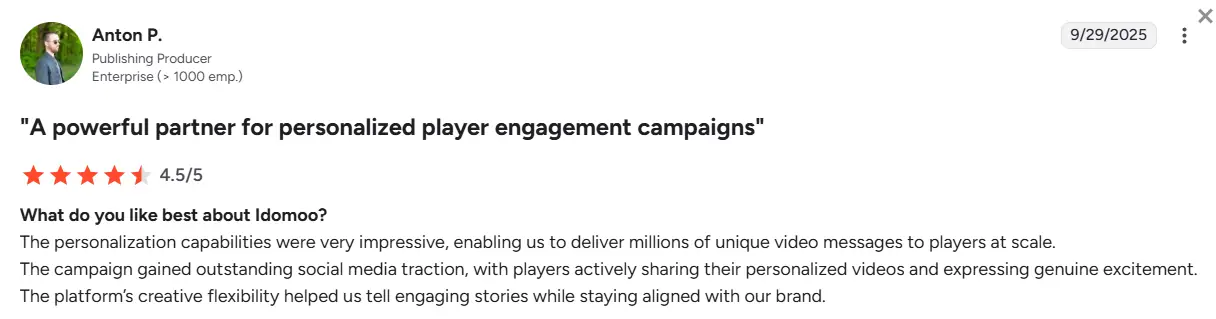
‘’The personalization capabilities were very impressive, enabling us to deliver millions of unique video messages to players at scale. The campaign gained outstanding social media traction, with players actively sharing their personalized videos and expressing genuine excitement. The platform’s creative flexibility helped us tell engaging stories while staying aligned with our brand.’’ - Anton P. (Source: G2)
Sendspark - Best for cold outreach personalization
Sendspark is dubbed the #1 platform for video marketing and selling. Hence, it’s best used to create personalized cold outreach videos.
Rather than trying to personalize video content for prospects and customers individually, you record one video and let the platform utilize the power of AI to create the rest at scale, while personalizing them based on viewer data, such as:
- Their name
- Company
- Website
- Personalized thumbnail
… and other details!
Key features
- AI video personalization
- AI scripts & teleprompter
- Voice cloning technology
- Custom video landing pages
- Detailed viewer analytics
- 50+ integrations, particularly with sales and marketing automation platforms that make it possible to deliver personalized video emails
Pricing
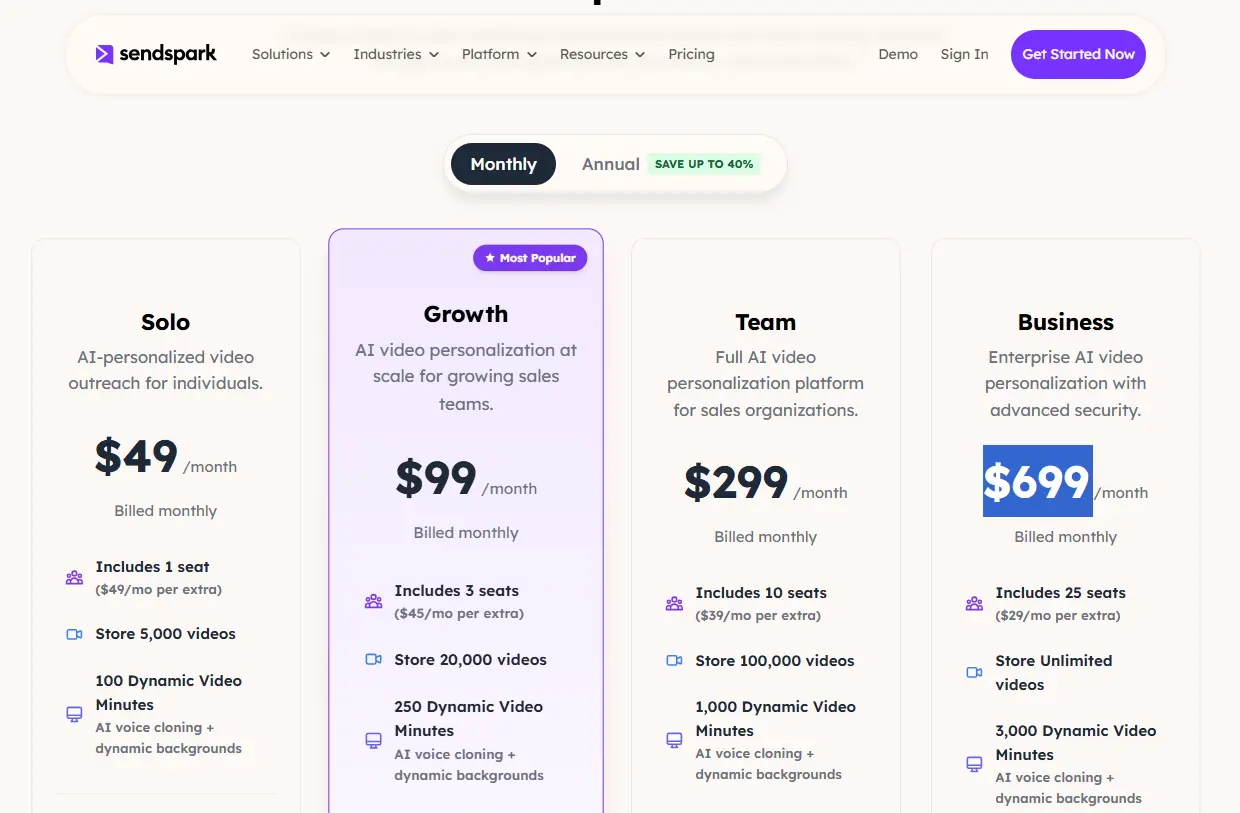
Sendspark offers 4 pricing plans.
Depending on the size of your team, you can subscribe to:
- Solo - $49/month (1 seat)
- Growth - $99/month (3 seats)
- Team - $299/month (10 seats)
- Business - $699/month (25 seats)
Review
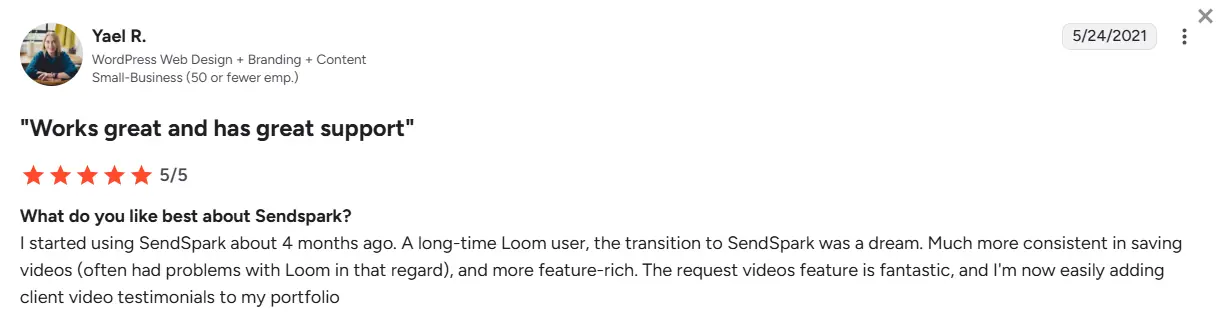
‘’I started using SendSpark about 4 months ago. A long-time Loom user, the transition to SendSpark was a dream. Much more consistent in saving videos (often had problems with Loom in that regard), and more feature-rich. The request videos feature is fantastic, and I'm now easily adding client video testimonials to my portfolio.’’ - Yael R. (Source: G2)
HeyGen - Best for generating AI avatar videos
HeyGen was among the first AI video generators on the market, and it’s also one of the most popular to date.
Unlike Plainly and Idomoo, which use AE templates as a base for video generation, HeyGen uses AI to power the process.
This means you don’t get as much creative control, but you do get to the output more quickly since all it takes to create a video is a text prompt. This makes it a user-friendly option for beginner content creators, especially those interested in producing talking-head videos.
Key features
- Custom AI avatars + over 1000 video avatars
- AI voiceovers and voice cloning technology
- Support for 175+ languages and dialects
- Video translation
- AI studio editor
- Integrations with n8n, Make, HubSpot, and Zapier on the Business plan
Pricing
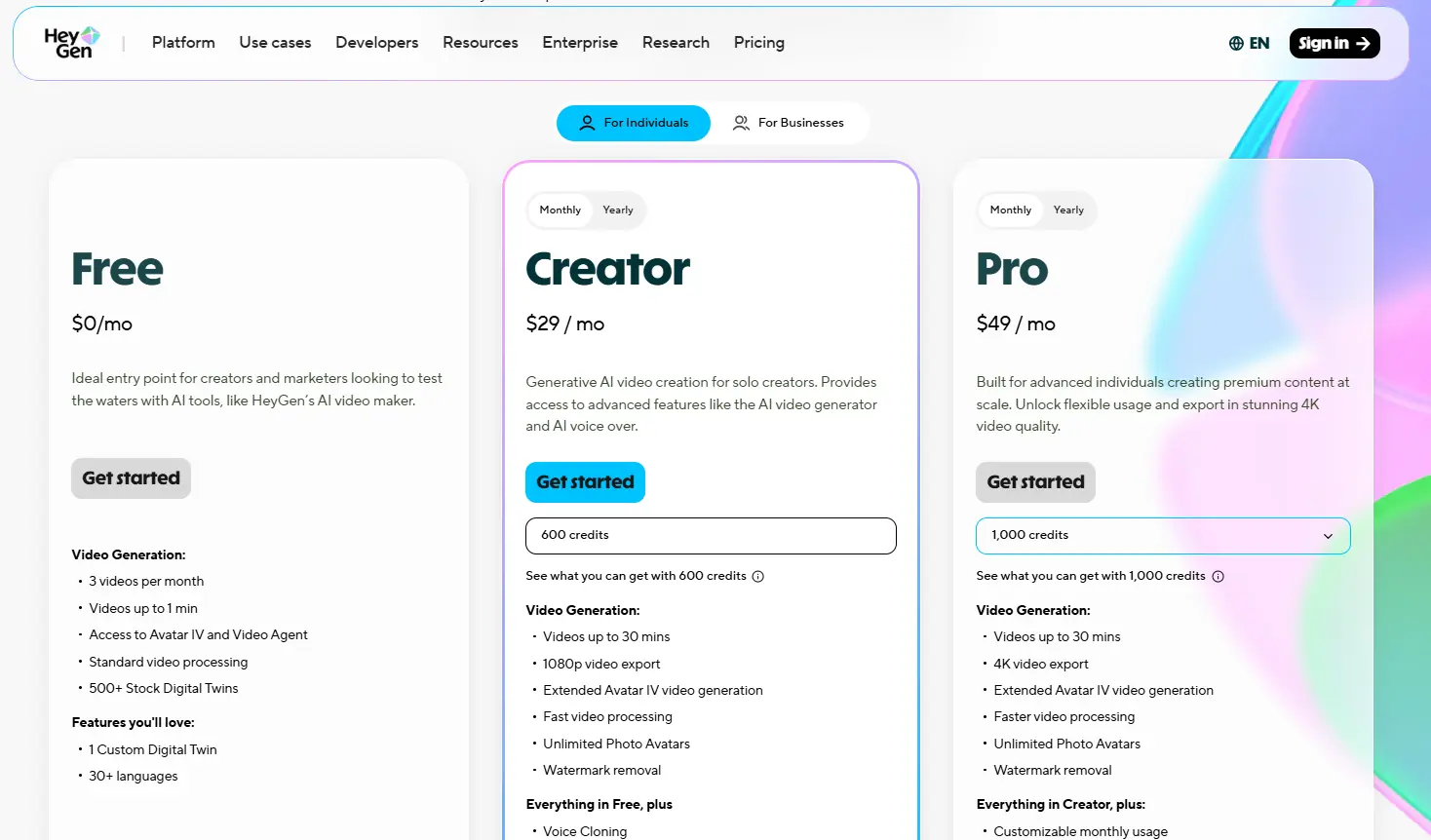
HeyGen has plans for both individuals and businesses.
Individuals can choose between:
- Free plan (capped at 3 videos a month)
- Creator - $29/month (600 credits)
- Pro - $49/month (1,000 credits)
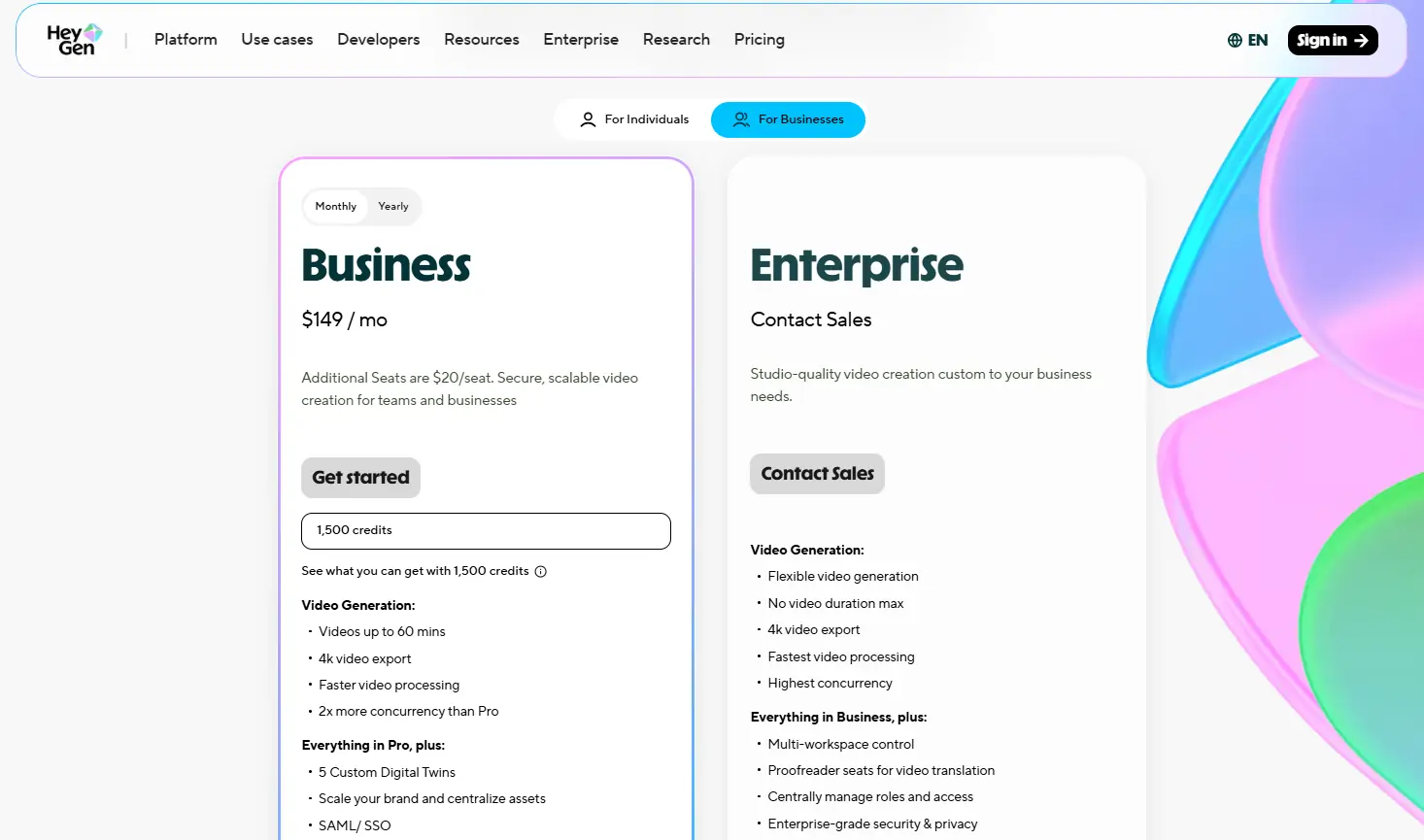
Whereas business users can opt for:
- Business - $149/month (1,500 credits)
- Enterprise - Custom
Review
‘’The platform offers a user-friendly interface with nearly all the tools I might need to produce videos--not just avatar-based content. Personally, I am using the photo upload option, and am delighted with the final quality of the avatar images we have developed.’’ - Tim S., (Source: G2)
SundaySky - Best for enterprise use cases
SundaySky is one of the oldest personalized video tools on the market, alongside Idomoo.
They started doing hyper-personalized videos for customer experience, but they have actually turned into a complete enterprise video platform in recent years.
For example, they recently added the web-based video editor to the mix, which allows users to create videos using templates, along with a bunch of different AI tools.
Key features
- Data-driven personalization
- AI video creation with prompt-to-video and doc-to-video
- Brand governance tools
- AI voices, AI avatars, and AI translations
- Real-time video rendering
Pricing
Custom and depends on the user’s needs.
Review
‘’The platform itself is very user-friendly. We've been able to create videos in a matter of hours without a ton of technical support or knowledge on how to create a video. The personalization is also very easy to do! Setup was super easy, and we've been making videos much more often than in the past.’’ - SaraJane M. (Source: G2)
Shotstack - Best for developer-first video personalization
Shotstack surely has personalized video technology, but it’s essentially a cloud-based video editing API rather than a visual tool (though they have a basic web-based template editor).
This makes it ideal for developers, and to them, the video creation process is quite intuitive:
- You create applications
- Post the edit to the Shotstack Cloud API, which then renders the video
- Then, download the video in a preferred format - HD, SD, MP4, or GIF
Key features
- Basic online template editor
- Bulk video personalization through CSV or API
- AI-powered video generation
- Advanced API and sandbox environment for testing
- White-label option via Studio SDK
Pricing
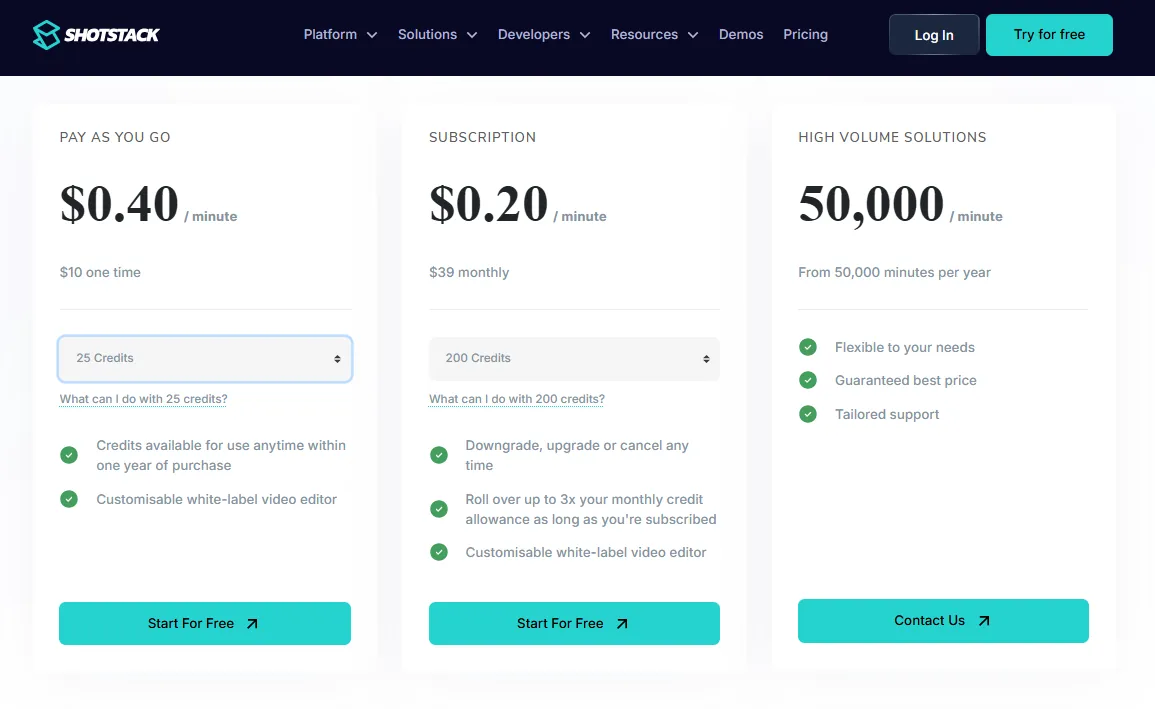
Shotstack lets you pay as you go at a starting rate of $0.40 per rendered minute, opt for a monthly subscription of $39, or choose a high-volume, custom enterprise plan.
Review
‘’I liked that Shotstack was so easy to get started with. I could create a free account and start building my integration and workflows without any subscription or payment upfront. Then when I had tested it out thoroughly, I just added my credit card to start rendering videos without the Shotstack watermark. The documentation is excellent, so I had no problems working with the API. I have looked around and compared alternatives for rendering videos online, and I found that the Shotstack pricing model is very competitive.’’ - Source: G2
Synthesia - Best for corporate training and internal comms
Synthesia is one of the main competitors to HeyGen, given its primary focus on creating AI videos.
However, while both revolve around AI avatars, Synthesia feels more enterprise and learning-focused. Think employee onboarding, compliance training, internal comms, sales enablement, product demos, and multilingual learning content, among others.
And as is the case with HeyGen, you don’t get the same level of creative control you’d get with an AE-based platform like Plainly. But if your goal is to turn scripts, documents, or training material into professional videos and do it fast, Synthesia is as strong an option as it gets.
Key features
- 240+ AI avatars + personal avatars
- 1,000+ AI voices
- Video translation and AI dubbing
- Brand kits
- Live collaboration
- Interactive videos and quizzes
- API access on Creator and Enterprise plans
Pricing
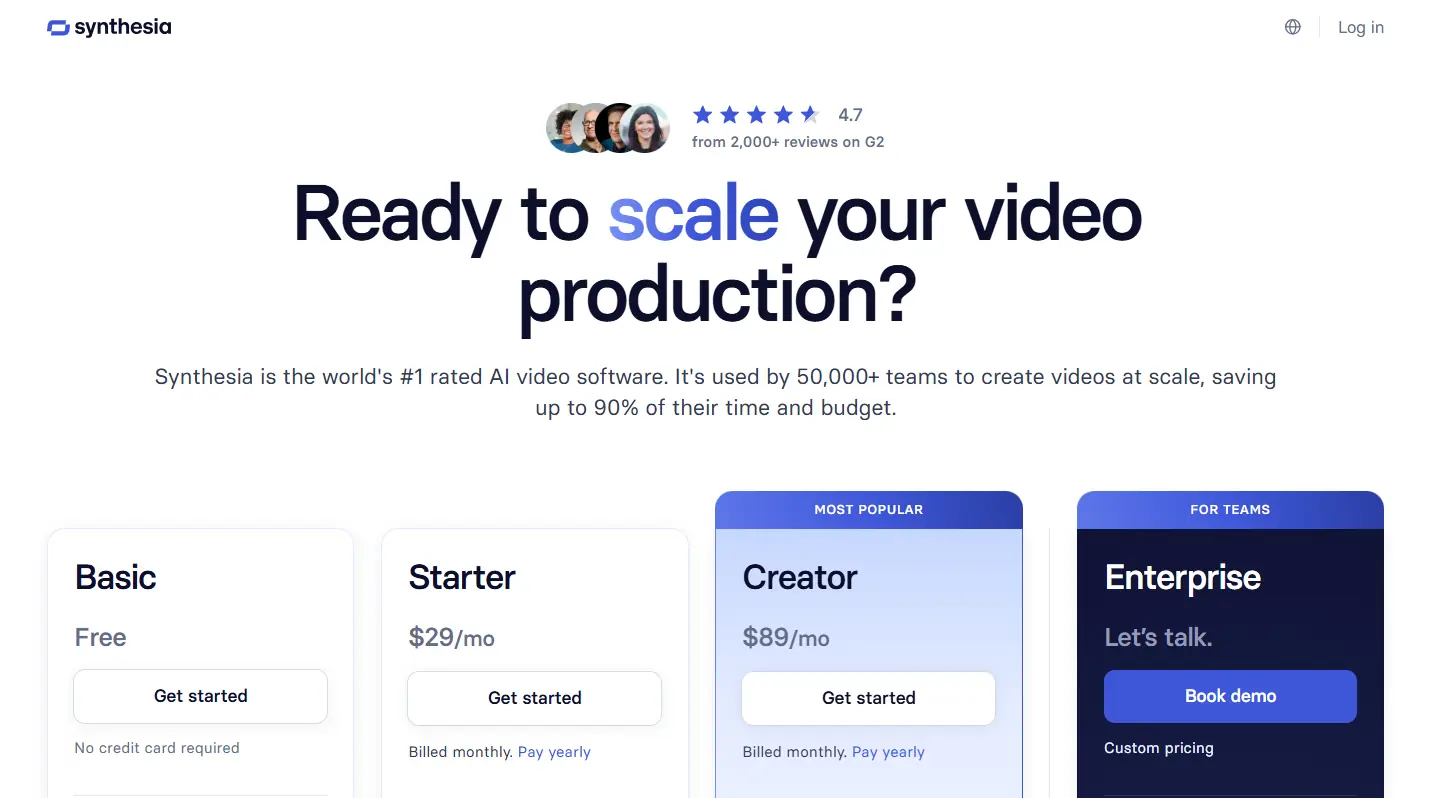
Synthesia has a free Basic plan, which includes 1,200 credits per month and lets you create up to 10 minutes of video monthly.
Paid plans include:
- Starter - $29/month
- Creator - $89/month
- Enterprise - Custom
Review
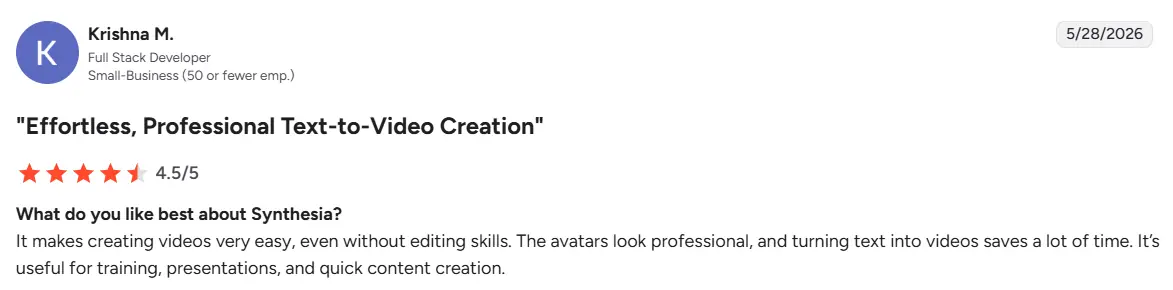
‘’It makes creating videos very easy, even without editing skills. The avatars look professional, and turning text into videos saves a lot of time. It’s useful for training, presentations, and quick content creation.’’ - Krishna M. (Source: G2)
Make the most of the personalized video technology with the right software
We gave you the options. Now, it’s up to you to decide which one feels like THE one.
If you’re having a hard time making a pick, compare all the tools side by side using the following criteria:
- Your budget
- The technical capabilities of your team
- The planned frequency of use
- The product documentation available
- The way templates are created
- The API functionality
- The frequency of product updates and releases
- The level of support provided
- The availability and quality of learning resources
Your ideal platform will be the one that ticks most, if not all, of the boxes.
But if you want to save time, we suggest you jump straight into Plainly. After all, it’s the only software on the list that gives you the ability to create amazing templates using After Effects, has a user-friendly Web App that allows you to set up your projects, and a powerful API for creating custom workflows.
Not to mention, Plainly works at your tempo. It can be a completely self-serve platform if that’s what you wish. But if you’d rather have someone by your side, our team can also be at your disposal for template & integration creation.
Join 1000s of customers we’ve already introduced to the future of automated video production by signing up for a 14-day free trial. Or, book a demo for a live walkthrough of powerful Plainly features!



