
7 best ad creation tools [2026]


Summarize with





Looking for the best ad creation tools in 2026? First things first - they should give growth teams a decisive edge. They should streamline production, automate video workflows, and shorten the path from concept to launch. From our experience working with SaaS and performance marketing teams, we’ve seen that the brands winning today are the ones that treat creative like a system, not a last-minute task. An ad generator of sorts.
When the work behind content creation becomes predictable, repeatable, and fast, performance follows. That’s why we’re walking you through the seven tools that set the standard for speed, automation, and multichannel output in 2026.
We built this list for readers who want clarity fast. Maybe you’re researching what the market looks like right now. Maybe you’re preparing to switch platforms because your current workflow slows you down. Or maybe you’re mapping out the tools you’ll rely on in the coming years. Wherever you are in that process, this breakdown shows you what each tool does best, when it shines, and how it fits into a modern creative engine. Along the way, you’ll see where video automation tools outperform traditional editors, how dynamic video ads elevate performance, and where enterprise platforms still lead at scale.
By the end, you’ll know exactly which ad creation tool aligns with your goals and why these seven players dominate the landscape. Let’s jump right in!
What is an ad creation tool?
An ad creation tool is software that helps marketers produce image ads and video ads quickly, without relying on complex design workflows. Over the years, we’ve seen these tools evolve from simple editors into full creative systems that carry teams from concept to publish-ready assets in minutes instead of days.
Most platforms take on three core jobs: generating ideas, transforming those ideas into visuals, and formatting finished assets for channels like Meta, TikTok, Google Ads, and LinkedIn. Some tools are amazing at fast image production, giving teams instant variations for testing. Others focus on video automation, building complete ads from scripts, product shots, or user-generated content.
At their best, these tools give teams the freedom to choose the creative format that matches their ad campaign goals, whether they need a clean static ad or a scroll-stopping video. And that leads us to the next question: what’s the difference between the two, and when should you use it?
Image ads vs video ads
Video or image? Actually, the smartest teams don’t choose between creative image ads and engaging video ads; they actually choose the right format for the job. Image ads shine when you need speed, clarity, and simple messaging. Video ads win when storytelling, motion, and on-platform engagement matter most. The thing is, there’s no winner - both formats work. The key is matching them to your funnel, your offer, and your channels of choice. Let’s look at each one so you can find out which one is better for your ad performance.
Image ads
Image ads are static creatives that combine visuals and copy into a single frame. Think Meta feed images, LinkedIn single-image ads, or Google Display banners. They’re fast to produce, easy to test, and ideal when your message is simple and direct.
Pros
- They’re quick to create and launch, especially when you use templates in tools like Canva or Figma.
- They load instantly across ad platforms like Meta, LinkedIn, Google Display, and programmatic placements, which helps with the viewability of social media ads.
- They’re easier to repurpose into different sizes and formats for multi-channel campaigns.
- They work well for clear, direct-response offers like discounts, webinars, or lead magnets.
Cons
- They offer less room for storytelling, product demos, or walkthroughs.
- They can blend into the feed if the design looks generic or overly templated.
- They rely heavily on one frame to communicate value, so weak copy or weak visuals hurt performance quickly.
Video ads
Video ads are moving creatives that combine visuals, motion, audio, and on-screen text to deliver a richer story. Platforms like TikTok, Meta Reels, YouTube, and Instagram Stories & Reels are built around video-first experiences, which makes this format a must for all modern ad content.
Pros
- They’re ideal for storytelling: product demos, customer testimonials, behind-the-scenes clips, or UGC-style content.
- They usually drive higher engagement on TikTok, Reels, Instagram ads, Shorts, and YouTube because motion captures attention more easily and makes more popular ads.
- Short-form videos can explain complex products or workflows in a few seconds of screen recording or live-action footage.
- They work well with dynamic video ads and video automation, so you can scale variations without editing everything manually.
Cons
- They need more resources for production, even with automation and templates.
- Weak hooks in the first 2–3 seconds can kill performance, no matter how good the rest of the video is.
- They need careful formatting for each placement (aspect ratios, captions, safe zones), which adds to setup time.
The best ad creation tools to look at in 2026
When choosing an ad creation tool, you’re not just picking software. You are, in fact, choosing the engine that will power your image ads, video ads, and dynamic campaigns for the next few years. We recommend looking at tools for creating static or video formats, depending on your strategy, but also tools that support automation and plug neatly into your existing ad stack.
So before we get into each and every one of our top picks of the year, let’s take a quick glance at the tools, with key info you need to look at.
1. Plainly Videos - Best for dynamic video ad creation
Plainly Videos is built for teams that want to treat video ads like a data pipeline instead of a manual editing project. You create one video template in After Effects – the industry standard – then connect your data (product feeds, user attributes, or CSVs), and Plainly generates hundreds or thousands of personalized, data-driven videos automatically, in mere minutes. True “unlimited scalability” for fast ad generation.
Key features
- After Effects–based templates with full creative control - You create your video ad templates in Adobe After Effects and upload them to Plainly, which runs on a native After Effects infrastructure to create multiple ads.
- Mark dynamic elements directly in your template - Inside the Plainly web app, you mark which elements will change in each version, which means each version has swapped text, images, videos, animations, or audio from your data source.
- Connect structured data and generate videos in bulk - Plainly lets you connect data via CSV files, its own API, or native integrations.
- Cloud rendering services with custom output formats and scale - Videos are rendered on a secure, cloud-based After Effects infrastructure, with support for custom output formats and encoding to match different platforms.
- Integrations and automated distribution - Plainly is designed to integrate with your existing tools so you can transform data into custom videos and automatically upload or distribute them to different platforms as part of your workflow.
Reviews
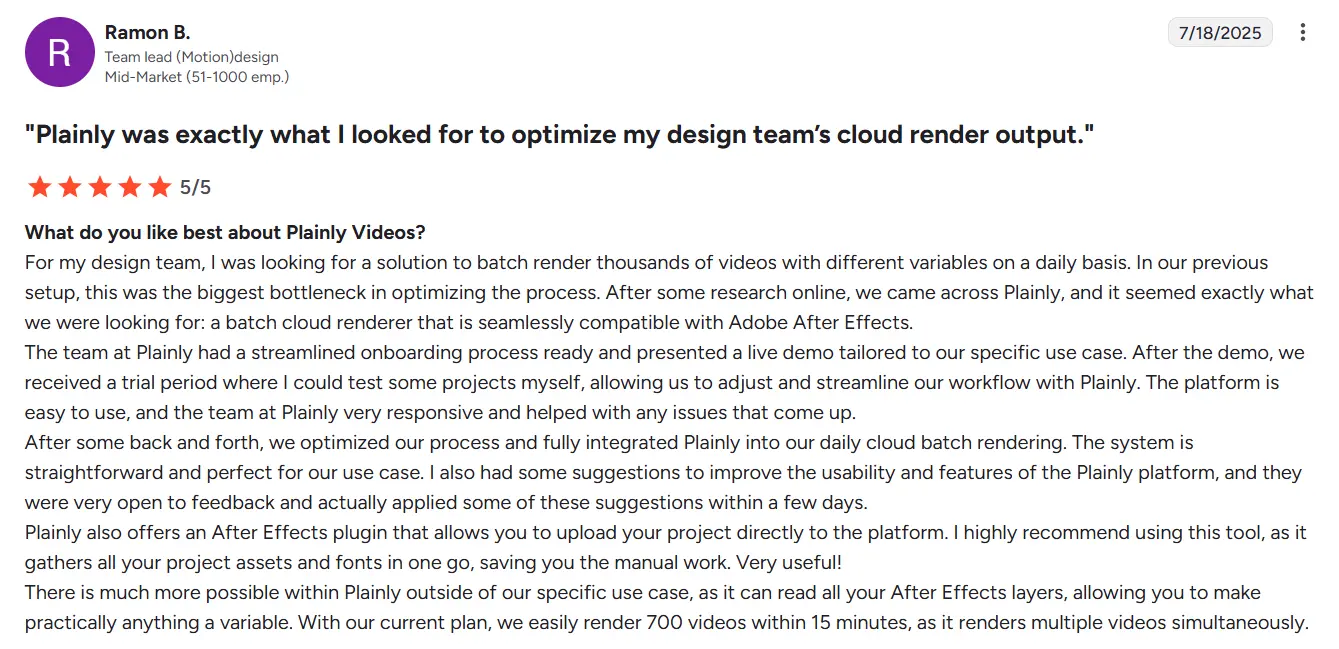
“Outstanding features - they understand what our developers need AND our After Effects creative professionals as well. The support is outstanding and responsive - they genuinely care about their customer's success and are willing to help solve our challenges in executing our creative vision. Plainly is continually adding new features, many of which I can see are directly in response to client requests.” - Ben J.
Pricing
You can choose between 3 pricing plans. Just keep in mind that all plans are focused on scale and include standard rendering priority, up to 4K exports, thumbnail exports, API access, and 19+ integrations. The plans are:
- Usage-based - A pay-as-you-go model that includes 4 tiers based on rendered video minutes.
- $69/month for 50 minutes
- $134/month for 100 minutes
- $259/month for 200 minutes
- $649/month for 600 minutes
- Unlimited - Starts from $1500 per month with unlimited video minutes & storage + unlimited team members and high rendering priority.
- Enterprise - Custom pricing which includes some advanced features like enterprise security, over 4K exports, dedicated rendering nodes, premium support, SLAs, and more.
Not sure if you need ready-to-run video ads, and fast? We got you! You can start a 14-day free trial and decide if the saved time and speed are worth your while.
2. HunchAds - Best for creative and media automation on paid social
When it comes to HunchAds, it sits somewhere between creative automation and media buying. It connects your product feeds, dynamic rules, and audience data with image and video templates, then pushes everything directly into platforms like Meta. You manage both the creative and the delivery in one place, so you spend less time on manual setup and more time launching new tests, scaling what works, and putting out high-performing ads.
Key features
- Creative Studio for image and video templates - Hunch’s Creative Studio lets you build custom image and video templates or import existing PSD files, upload your brand kit, and automatically resize creatives for different social platforms, which is pretty handy.
- Feed-based dynamic creatives - You can connect your product feed and turn it into dynamic image and video ads that update with real product data like prices, promotions, or availability. This way, every ad stays relevant without you having to manually redesign it.
- Multi-format ad production in a few clicks - From a single master template, Hunch can generate on-brand creatives in multiple sizes and formats for different placements, cutting launch times from days to hours.
- Automation for Meta and paid social workflows - A nifty feature, such as Autopilot, can automate campaign creation and updates on Meta, so creative, data, and media work together instead of you switching between tools constantly. Facebook ads made easy!
Reviews
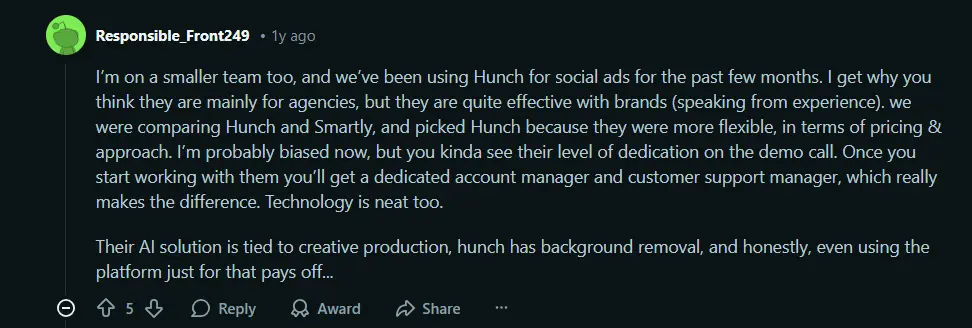
“Hunch is an excellent tool for automating our Meta ads and streamlining creative production at scale. We especially value the Dynamic Ads (DPA) functionality, where we can easily build and manage a variety of personalised templates for our catalogue ads. Their customer support is truly standout: always responsive, proactive, and open to exploring new ideas to improve the platform.” - Rocío V.
Pricing
Hunch is one of those tools that uses a spend-based model. Official documentation and their own pricing explainer tell us that pricing starts at €2,500 per month, which includes €50K of ad spend run through the platform, with higher tiers for larger budgets.
3. Abyssale - Best for automated banner and image variations
If you spend too much time cloning the same banner in ten sizes and three languages, Abyssale is built to take that off your plate. You create a single template for your banners, social images, or HTML5 creatives, then feed it data from a spreadsheet, CSV, or API. From there, Abyssale spins out full sets of images, GIFs, or HTML5 banners in one go, which makes it a great fit if you need lots of on-brand variants across markets, languages, and placements without rebuilding every asset manually, each and every time.
Key features
- Template-based banner and ad design - Abyssale gives you a full ad design studio to create static ads, display banners, and HTML5 creatives.
- Spreadsheet and CSV-driven bulk generation - You can upload a CSV or use Abyssale’s own Spreadsheet feature to swap text, images, colors, and localized content, and generate up to thousands of variations from a single base design.
- Dynamic images and real-time personalization - Thanks to dynamic Image URLs, you can personalize visuals via parameters in the URL, so assets can update in real time based on your data.
- APIs and no-code integrations for automation - Abyssale connects to tools like Zapier, Make, and Airtable, and exposes a public REST API with asynchronous calls, dynamic content injection, and CDN hosting.
Reviews
“Abyssale is a solid creative automation tool, it’s particularly useful for scaling static and animated ad variations across formats and languages. The template-based system saves time for performance teams that constantly need to adapt assets for multiple campaigns or markets.” - Zakaria J.

Pricing
Abyssale’s official pricing page shows us three pricing plans:
- Start: from $12/seat/month, billed annually.
- Pro: from $36/seat/month, billed annually.
- Suite: from $60/seat/month, billed annually.
If you decide that Abyssale fits your workflow best, you should know that all paid plans include generation and AI credits, with higher tiers unlocking video, GIF, and HTML5 support, so you can choose a plan based on your needs.
4. Figma - Best for building reusable ad design systems
If your ad account is full of one-off PNGs and no one remembers which version is final, Figma is the place where you turn that chaos into a system. It’s a collaborative, browser-based design tool where your team can sketch ad concepts, build reusable layouts, and keep every banner, feed ad, and story frame tied back to a single source. Instead of redesigning each asset from scratch, you design once in Figma and reuse that logic across all your image and video workflows.
Key features
- Real-time collaboration in the browser - Figma runs in the browser and lets multiple people from your team work in the same file at the same time, with comments and feedback layered directly on top of your designs, which can significantly help your ad creation process.
- Components and team libraries for ad systems - You can turn buttons, cards, logos, and full ad layouts into components, then publish them to team libraries so everyone pulls from the same set of branded pieces.
- Auto layout and responsive frames for multiple sizes - Figma’s auto layout and constraints features help you adapt one core concept to different placements like 1:1, 9:16, or 16:9 without rebuilding the design each time.
- Dev Mode and inspect tools for clean handoff - When your designs are ready to move into production or into another ad creation tool, Dev Mode gives developers and operators a focused view with specs, measurements, and code-oriented details.
Reviews
“Figma is a modern wireframing solution that is more flexible than traditional software alternatives, being that it is cloud based that you can access from anywhere. Figma is very approachable for beginners just starting to learn or more advanced users with established skillsets. Designs can be created quickly and easily, it's easy to share and port things when needed.” - Andrew P.
Pricing
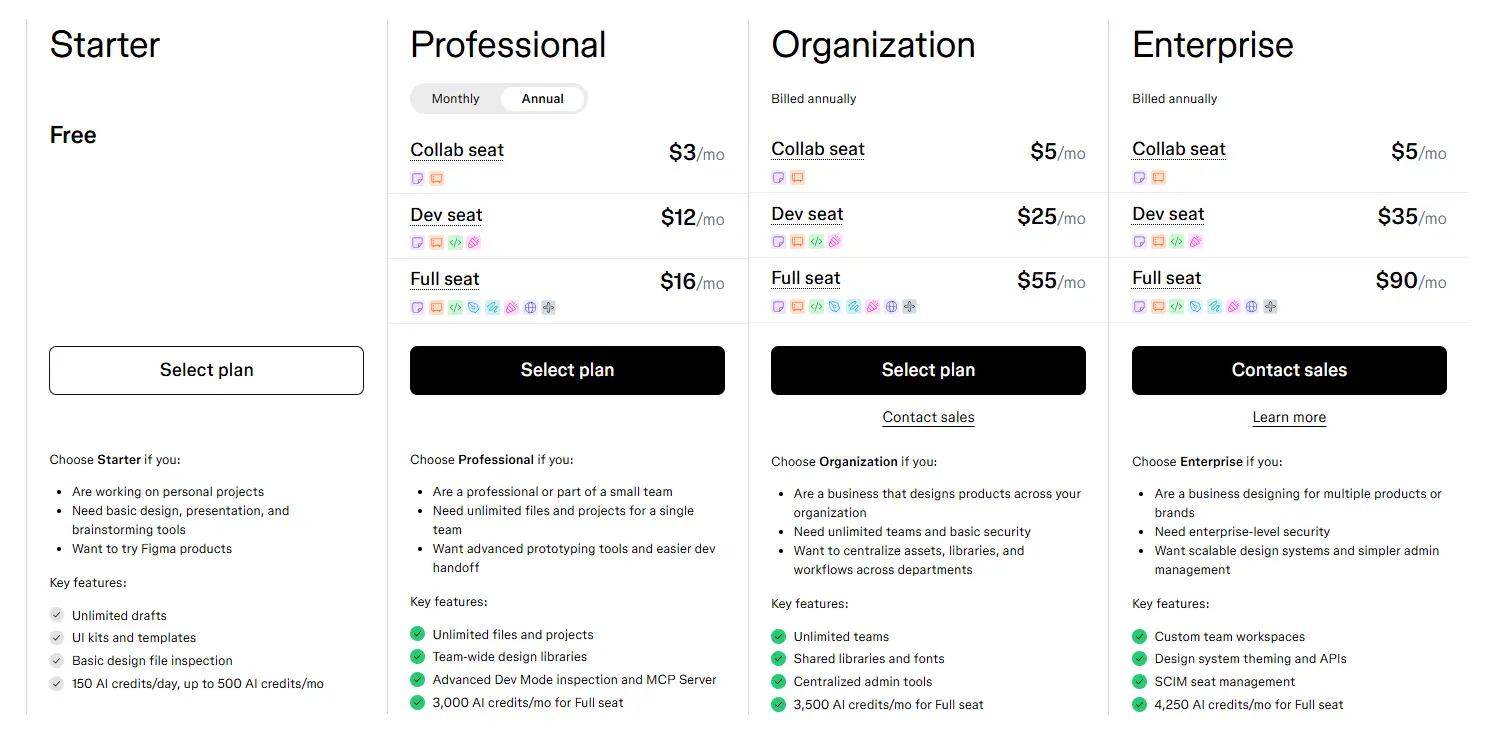
Figma’s official pricing page lists several tiers:
- Starter: free, for individuals and basic projects.
- Professional: Full seats from $16/month on monthly billing (per seat), with lower-cost Collab and Dev seats.
- Organization and Enterprise: higher tiers with additional security, admin, and collaboration features, billed annually.
5. AdCreative.ai - Best for AI-generated ad creatives and copy
If you want to test more ad angles without waiting on a full design cycle every time, AdCreative.ai is built for that job. It uses AI to generate conversion-focused creatives like AI images, videos, and on-image text for social, search, and display campaigns, so you can go from idea to testable ads in minutes instead of days. We've all seen ads using AI. This AI model is especially useful if you run e-commerce or performance campaigns and need a steady stream of fresh, on-brand creatives. Who knows? AI content might be the future in a way.
Key features
- AI ad creatives for every major platform - AdCreative.ai generates ad banners, videos, and on-image texts designed specifically for conversion, and covers sizes for all major social, search, and display channels.
- Creative Scoring AI to predict performance - Every creative gets a predictive “Conversion Score” from their Creative Scoring AI, a model trained to forecast performance with high accuracy, which could definitely come in handy.
- AI product photoshoots and product videos - You can turn simple product photos into studio-style ecommerce shots and even AI-generated product videoshoots in a few seconds.
- AdLLM Spark and built-in copy generation - If you’re thinking about ad copy and headlines, AdCreative.ai has AdLLM Spark for that. It’s a large language model trained on hundreds of millions of high-converting ad texts to generate and optimize texts directly inside the platform.
Reviews
“What I like best: AdCreative.ai saves me hours by generating ad visuals and copy that are not only eye-catching but also conversion-focused. The interface is super intuitive, making it easy to create professional-looking ads without needing a full design team. I love the AI-driven recommendations that adapt to different platforms and audience segments, which helps boost engagement and ROI.” - Nancy P.
Pricing
AdCreative.ai has a self-serve subscription model with monthly, quarterly, and yearly plans. They often offer significant discounts on yearly and quarterly options (for example, promotions of up to 50% off yearly plans).
But exact prices depend on team size and your creative volume. If you like what you see with this tool and its AI capabilities, we recommend you go and check out their pricing flow and ROI calculator, which will show you exactly how much you’ll need for this tool.
6. Canva - Best for fast, template-based image and video ads
If you’re the “unofficial designer” on your team, Canva is usually the first place you go to get ads out the door. It’s a visual suite that lets advertisement makers create image ads, simple video ads, carousels, and promos in a few minutes using drag-and-drop templates instead of complex design software. You pick a template, drop in your brand elements, tweak the copy, and export the exact formats you need for Meta, Google, TikTok, or email. Sometimes, there's no need for super advanced tools. It can be easy as one, two, three!
Key features
- Huge library of ready-made ad templates - Canva has thousands of templates for social posts, ads, stories, presentations, and more, so you rarely start with a blank canvas.
- Brand Kit for consistent campaigns - With Brand Kit (part of Canva Pro), you store your logos, colors, fonts, and brand guidelines in one place.
- Magic Resize and Magic Switch for multi-channel ads - Canva’s Resize and Magic Resize features are like tiny editing tools that let you take one design and instantly reformat it for different platforms and dimensions so your main ad concept becomes feed posts, stories, display banners, and more without rebuilding layouts from scratch.
- Built-in AI tools for faster production - Through Magic Studio and other AI features, Canva can remove backgrounds, generate images and videos from text, clean up audio, translate designs, and even suggest layouts.
Reviews
“I like using Canva as a quick tool mainly for social media posts, but it's great for flyers, blog banners, and even logos too. I find it quick because mostly things are pre-available and it offers lots of elements. I love the pre-made shadows, textures, waves, and gradients which help me work fast without having to dig deep into creating these basics. I also appreciate the Magic Eraser feature. The initial setup was very easy, just needed to make an account, and I could start editing elements.” - Nargis P.
Pricing
For Canva, there are three options to look at:
- Canva Free: a free plan with core templates and content, so you can get started for free.
- Canva Pro: a paid subscription for individuals, charged as a flat monthly or yearly fee.
- Canva Business/Teams: paid team plans with per-seat billing and both monthly and yearly options.
When shopping for Canva plans, just keep in mind that prices can vary by region and currency, so make sure to check directly before making the purchase.
7. Filmora - Best for editing and polishing ad videos
If you’re sitting on a folder full of UGC-style video ads, screenshots, and product demos, Filmora (by Wondershare) is the tool that helps ad makers turn all of that into scroll-stopping ad videos without needing pro-level editing skills. It’s a full video editor with a simple timeline, built-in templates, effects, and audio, plus a growing set of AI tools that clean up footage, fix sound, and even help you generate new content. You drop your clips in, make a few edits, preview, and export a new ad that actually works.
Key features
- Easy timeline editing with built-in assets - Filmora lets you cut, crop, trim, and arrange clips on a simple timeline, then drag and drop text, music, filters, and transitions directly onto your video.
- Built-in media library - With ready-made templates, royalty-free music, sound effects, and text animations, so you can polish ads easily without hunting for extra assets.
- AI tools that speed up editing - Filmora includes a suite of handy AI features like AI Copilot Editing, text-based editing, thumbnail creator, text-to-video, smart masking, smart cutout, AI effects, and AI audio tools. These help with things like object removal, background changes, subtitle generation, audio cleanup, and even generating music.
- Tools tailored for tutorials, demos, and UGC - You can capture your screen, webcam, and voiceover, track movement to pin text or graphics to objects, sync audio, and edit footage from multiple cameras in one timeline.
- Smart formatting and background control for social ads - Filmora can automatically resize videos for different formats and platforms, remove or change video backgrounds with AI, and keep projects organized with features like compound clips and cloud-based storage and syncing.
Reviews

“The biggest strength of Filmora is how quickly you can go from an idea to a finished video. The interface feels like it was built for people who don't want to spend hours adjusting tiny settings. Dropping clips on the, trimming, adding transitions, inserting titles everything feels direct and predictable. I also like that filmora includes a large collection of built-in assets (sound effects, motion titles, filters) so small projects don't require hunting for external resources. I frequently use this tool and i realize implementation is easy.” - Avyan S.
Pricing
Filmora gives multiple options for individuals:
- A monthly subscription costs around $19.99/month, billed monthly.
- An annual plan around $60/year, billed annually.
- A perpetual license (one-time purchase) is typically in the $80–$90 range.
Again, keep in mind that the plan pricing exact numbers may depend on the region, version, and ongoing promotions, so do a little digging before you commit.
Ready to plug in an ad creation tool into your workflow and create ads that convert?
Now that we’re at the end, you’ve seen how the best ad creation tools in 2026 can help you turn creative into a system: image ads as your fast, dependable workhorses and video ads as your storytellers and attention-grabbers. Depending on ad type, tools like HunchAds, Abyssale, Figma, AdCreative.ai, Canva, and Filmora each cover an important piece like designing concepts, generating assets, and polishing final creatives.
But once you have the basics in place, the real issue usually shows up in one place: video at scale. That’s where Plainly Videos comes in to help you create a bulletproof system. You build one After Effects template at the beginning of the creation process, connect your product feeds or CSVs, and Plainly generates personalized, data-driven videos in minutes instead of weeks.
If you want to see how that looks with your own products and campaigns, book a demo with Plainly now! It’s the fastest way to find out if dynamic video should sit at the center of your ad creation workflow in 2026 or not. So, are you ready?



